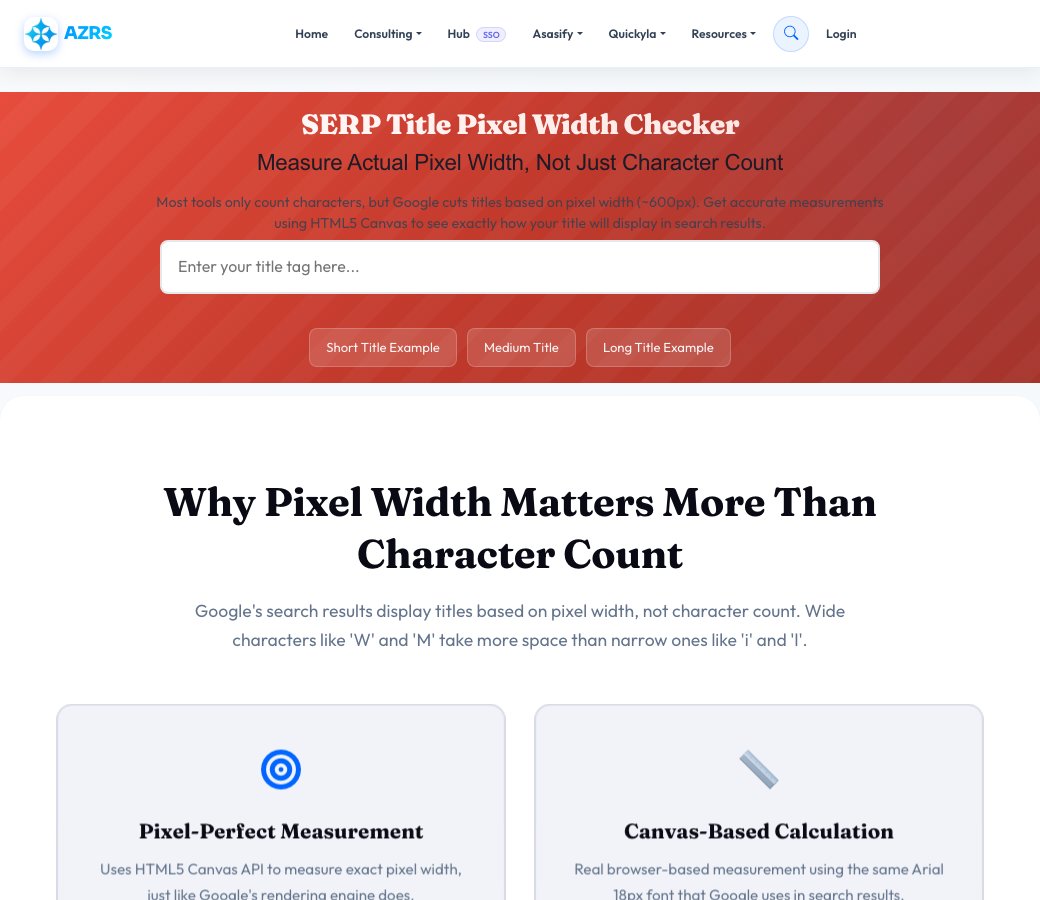
SERP Title Pixel Width Checker
Measure Actual Pixel Width, Not Just Character Count
Most tools only count characters, but Google cuts titles based on pixel width (~600px). Get accurate measurements using HTML5 Canvas to see exactly how your title will display in search results.
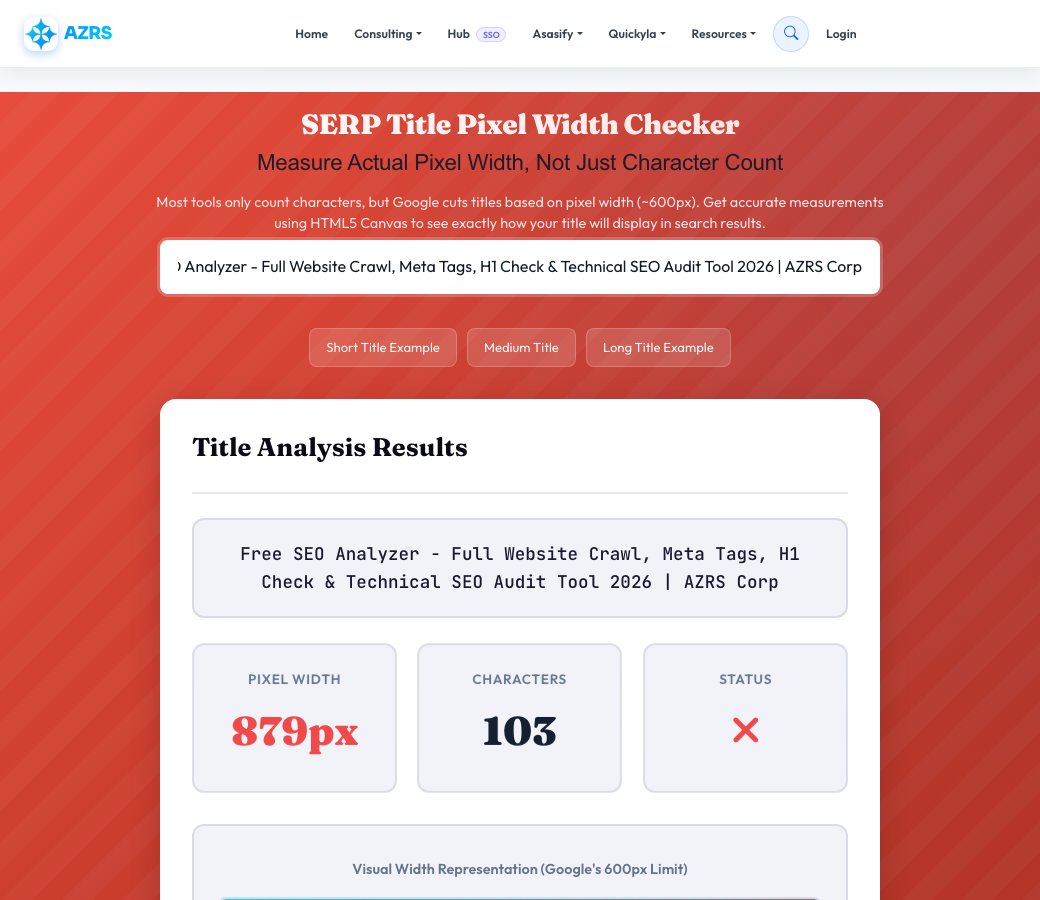
Title Analysis Results
Recommendations
Why Pixel Width Matters More Than Character Count
Google's search results display titles based on pixel width, not character count. Wide characters like 'W' and 'M' take more space than narrow ones like 'i' and 'l'.
Pixel-Perfect Measurement
Uses HTML5 Canvas API to measure exact pixel width, just like Google's rendering engine does.
Canvas-Based Calculation
Real browser-based measurement using the same Arial 18px font that Google uses in search results.
Instant Real-Time Results
See measurements update as you type. No waiting, no page reloads, just instant feedback.
Smart Recommendations
Get specific suggestions to optimize your title length, including which words to shorten or remove.
Visual Width Display
See a graphical representation showing exactly how much of the 600px limit your title uses.
Google SERP Compliant
Matches Google's actual title display logic for accurate previews of how your title will appear.
How Pixel Width Measurement Works
Type Your Title
Enter your page title exactly as it appears in your title tag. The tool measures as you type.
Canvas Measurement
We use HTML5 Canvas with Arial 18px font (Google's exact font) to measure the precise pixel width.
Get Optimization Tips
Receive color-coded status and specific recommendations to fit within Google's 600px display limit.
Understanding Title Tag Pixel Width vs Character Count
For years, SEOs have used the "60 character limit" rule for title tags. But this is misleading because Google doesn't truncate titles based on character count—it cuts them based on pixel width.
Why Pixel Width Matters
Google displays title tags in Arial 18px font and truncates them at approximately 600 pixels wide. This means:
- Wide characters: 'W', 'M', and 'Q' take significantly more space than average characters
- Narrow characters: 'i', 'l', and 't' take much less space
- Variable length: "WWWWWW" (40 chars) can be wider than "iiiiiiiiiiii..." (60 chars)
- Real limits: Your title might fit in 70 characters or be cut at 50 characters depending on which letters you use
The 600 Pixel Rule
Google's desktop search results typically display titles up to approximately 600 pixels wide. Titles exceeding this width get truncated with an ellipsis (...). Mobile displays are even narrower at around 920 pixels but with smaller font sizes.
Common Mistakes with Character Counting
Many SEO tools still use character count, leading to:
- Unnecessarily short titles that waste valuable space
- Titles with narrow characters that could be longer
- ALL CAPS titles that get cut off (caps take more space)
- Wasted branding opportunities in title tags
Best Practices for Title Optimization
1. Target 500-580 pixels: This gives a safety margin for different devices and fonts.
2. Front-load important keywords: Put your most important keywords at the start in case the title gets cut.
3. Use title case: Avoid ALL CAPS which wastes pixel space.
4. Test with actual characters: Don't just count—measure the pixel width with tools like this.
5. Include branding wisely: If your brand name fits, add it at the end with a separator.
How Our Tool Works
This checker uses the HTML5 Canvas API to render your title in Arial 18px—the exact font Google uses. We measure the rendered text width in pixels, giving you the most accurate preview of how your title will display in search results.
Advanced Title Optimization Strategies
Character Width Reference
Different characters have vastly different pixel widths in Arial 18px:
- Widest characters (14-16px): W, M, Q, @, %
- Wide characters (12-13px): A, B, C, D, G, H, K, N, O, R, U, V, X, Y, Z, m, w
- Medium characters (9-11px): Most lowercase letters, numbers 0-9
- Narrow characters (4-6px): i, j, l, t, f, I, ., ,, -, !, '
Title Length Examples
Here are real examples showing why pixel width matters more than character count:
Example 1: "ULTIMATE GUIDE TO SEO" - 20 characters, but ~280 pixels (all caps + wide letters)
Example 2: "ultimate guide to seo" - 20 characters, only ~180 pixels (lowercase)
Example 3: "How to Write Better SEO-Friendly Blog Titles in 2026" - 52 characters, ~550 pixels (fits perfectly)
Mobile Considerations
While desktop SERPs cut at ~600px, mobile results have different constraints. However, mobile uses smaller font sizes, so the same pixel width rules generally apply. Always test your titles on both devices.
When to Exceed the Limit
Sometimes it's okay to exceed 600 pixels:
- When your brand name adds trust (even if it gets cut)
- For very specific long-tail keywords that need full phrases
- When the most important keywords are at the start
Remember: A partially truncated title with strong keywords can still perform well if the visible portion is compelling.
How to Use This Tool Effectively
Actionable SEO advice to get the most out of every analysis
Start With Your Competitors
Run your top 3 competitors through this tool first. Understanding their structure, keywords, and technical issues reveals exactly where you can outrank them.
Run Monthly Audits
SEO is not a one-time task. Schedule monthly checks to catch new issues before Google penalizes them. Consistent analysis beats one big yearly audit every time.
Fix High-Impact Issues First
Not all errors are equal. Prioritize: broken crawl paths → missing meta titles → slow load times → thin content. This order maximizes ranking gains per hour spent.
Internal Links Are Free PageRank
Every internal link passes authority between your pages. Use the Internal Link Finder to ensure your most important pages receive the most internal links.
Page Speed Directly Affects Rankings
Google's Core Web Vitals are a confirmed ranking factor. Pages loading under 2.5 seconds see significantly higher rankings and 40% lower bounce rates than slow pages.
Keep Your Sitemap Clean
Your sitemap tells Google what to index. Remove redirect chains, 404s, and noindex pages from it. A clean sitemap = faster, more complete indexation of good content.
More Free SEO Tools
Everything you need to dominate search rankings — all free, no signup required
🔍 SEO & Website Analysis
🧮 Free Calculators
⚙️ Developer & Utility Tools
How SERP Title Pixel Width Checker works, step by step
Type or paste your title tag into the input.
 Download it
Read the instant pixel width and character count.
SERP Title Pixel Width Checker
Type in a title tag and this tool measures its actual rendered pixel width using the same Arial-based measurement Google effectively uses in search results — not just a character count — then tells you instantly whether it will display in full or get truncated with an ellipsis.
Character count alone is misleading because letters vary hugely in width — a title full of 'W' and 'M' characters can hit Google's ~600px display limit at far fewer characters than one full of narrow letters like 'i' and 'l'. Pixel width is the real constraint, and this tool measures it directly.
Key features
Real pixel-width measurement
Calculates actual rendered width instead of relying on a rough character-count rule of thumb.
Instant status feedback
See immediately whether your title is perfect, good, at risk of truncation, or too long.
Character count shown too
Both numbers are displayed side by side so you can see exactly why pixel width and character count disagree.
Specific recommendations
Get concrete suggestions for shortening or restructuring a title that's at risk of being cut off.
How to use it
- Type or paste your title tag into the input.
- Read the instant pixel width and character count.
- Check the status: perfect, good, warning or danger.
- Shorten or restructure the title if it's flagged as at risk of truncation, then re-check.
Worked example
Example
A title measuring 620 pixels wide is flagged 'warning — may be truncated' even though it's only 58 characters, because several wide capital letters push it past Google's effective ~600px display limit.
Who uses this tool
SEO writers and content teams
Check every page title before publishing instead of guessing based on character count alone.
E-commerce sites with templated titles
Verify that a title template (brand name + product name + modifier) doesn't get cut off across different product name lengths.
Anyone optimizing for click-through rate
Make sure the most compelling part of the title isn't the part that gets truncated.
Tips for the best results
- Put your primary keyword and most compelling detail early in the title, in case the end gets truncated.
- Avoid stacking multiple wide capital letters (like 'WWW' or 'MM') if you're already close to the pixel limit.
- Keep titles around 580px or under for the safest full display across most search result layouts.
- Re-check titles after any edit — small wording changes can shift pixel width more than you'd expect from character count alone.
Common mistakes to avoid
- Relying on a flat '60 character' rule instead of actual pixel width, which varies with letter shapes.
- Front-loading a title with your brand name, pushing the actual descriptive keywords past the truncation point.
- Ignoring the warning status because the character count 'looks fine' — pixel width is the number that actually matters to Google's display.
Why use AZRS QuickFix?
It is 100% free, needs no signup and has no watermark or usage limits. The tool runs in your browser, so what you type stays on your device, and it works on phones, tablets and desktops. New tools are added every week — bookmark this page or browse the full QuickFix toolbox.
Frequently asked questions
What is the pixel width limit for Google titles?
Google displays approximately 600 pixels of title width, roughly equivalent to 55-60 characters depending on which letters are used — pixel width, not character count, is the true limit.
Why use pixel width instead of character count?
Different characters have very different widths — a capital 'W' is much wider than a lowercase 'i' — so pixel measurement using the actual display font is far more accurate than counting characters.
What happens if my title is too long?
Google truncates titles that exceed the effective pixel width with an ellipsis (…), which can hide your target keyword or the most compelling part of the title from searchers.
Does this match exactly what Google shows?
It uses the same Arial-based measurement approach Google effectively renders titles with, giving a highly accurate estimate — Google can occasionally rewrite titles entirely, which no pixel checker can predict.
Is my title data stored?
No, titles are measured instantly and nothing is saved.
Is this free?
Yes, free with no signup required.