STL Simplifier & Smoother (Reduce Triangles, Decimate)
Reduce the triangle count of a heavy STL/OBJ or smooth a rough scan without shrinking it · free, no signup
See STL Simplifier & Smoother (Reduce Triangles, Decimate) in action
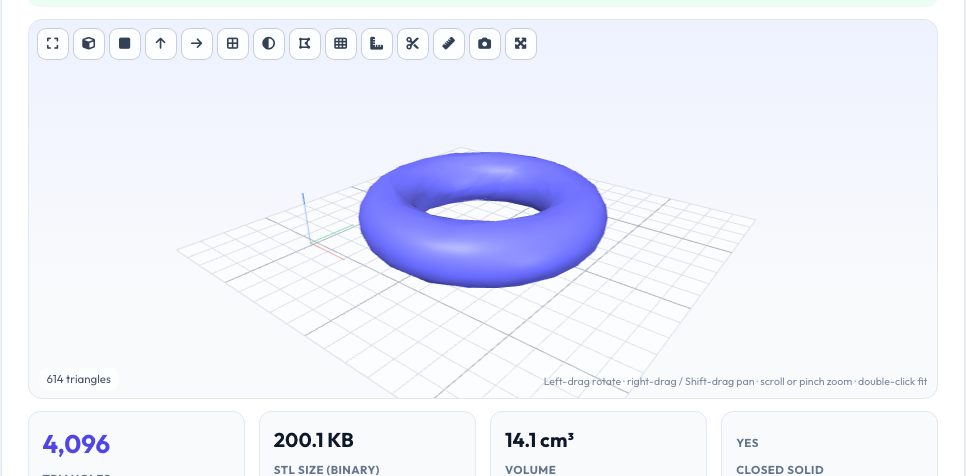
Free STL Simplifier & Smoother — Reduce Triangles Online
Photogrammetry scans, sculpts and exports from some CAD programs can contain millions of triangles — files too big to upload, slow to slice and heavy to open. This tool reduces the triangle count with quadric-error edge collapse, the same family of algorithm used in professional mesh software: it repeatedly removes the edge whose loss changes the surface least, so flat regions lose triangles first and curved, detailed regions keep them. You choose how many triangles to keep and, optionally, a maximum surface deviation in millimetres so the reduction stops before it distorts the part.
A second mode smooths rough, noisy or stair-stepped meshes using Taubin (λ|μ) smoothing, which relaxes vertices without the shrinkage of plain Laplacian smoothing, and can leave sharp edges alone above an angle you choose. You can run both in one go. The result shows triangle count, file size, volume change and whether the solid is still watertight, and you can step back to the original at any time. All processing runs in a background thread in your browser, so the page stays responsive and the model is never uploaded.
Key features
Quadric edge collapse
Removes the least important edges first; open-mesh boundaries are protected.
Deviation limit
Stops early rather than distort the surface beyond your tolerance.
Taubin smoothing
Smooths noise without shrinking, with a sharp-edge angle threshold.
Safety checks
Refuses face flips and non-manifold pinches; reports watertightness and volume change.
How to use it
- Drop in a dense STL, OBJ, 3MF or scan.
- Choose Reduce, Smooth or both and set the strength.
- Optionally set a maximum deviation in mm.
- Check the result in the viewer and download it.
Worked example
Example
A 400,000-triangle scan reduced to 20% keeps about 80,000 triangles; a smooth sphere or torus can lose 90% of its triangles with under 2% volume change, while a cube stops at 12 triangles because every further collapse would break its corners.
Who uses this tool
Makers and printers
Shrink huge STL files so slicers and upload sites cope.
3D scanners
Clean noisy photogrammetry meshes before printing.
Game and AR developers
Make lighter models for the web and mobile.
Tips for the best results
- Reduce to 20–50% for printing; the difference is invisible at 0.2 mm layers.
- Use a deviation limit of about 0.05–0.2 mm for parts that must stay accurate.
- Smooth before reducing if the scan is noisy.
- Keep the original — decimation cannot be undone after you download.
Common mistakes to avoid
- Reducing a low-poly CAD part: it has few triangles already and corners will suffer.
- Smoothing mechanical parts and rounding their sharp edges — raise the sharp-edge angle protection.
- Ignoring a not-watertight warning before printing.
Why use AZRS QuickFix?
It is 100% free, needs no signup and has no watermark or usage limits. The tool runs in your browser, so what you type stays on your device, and it works on phones, tablets and desktops. New tools are added every week — bookmark this page or browse the full QuickFix toolbox.
Frequently asked questions
Does reducing change the size?
Overall dimensions stay within the deviation shown; volume change is reported.
Why did it stop early?
The deviation limit or a topology safety check blocked further collapses.
Does it keep colour/texture?
No — output is plain geometry (STL/3MF/OBJ/PLY/GLB).
Is it private?
Yes, nothing is uploaded.