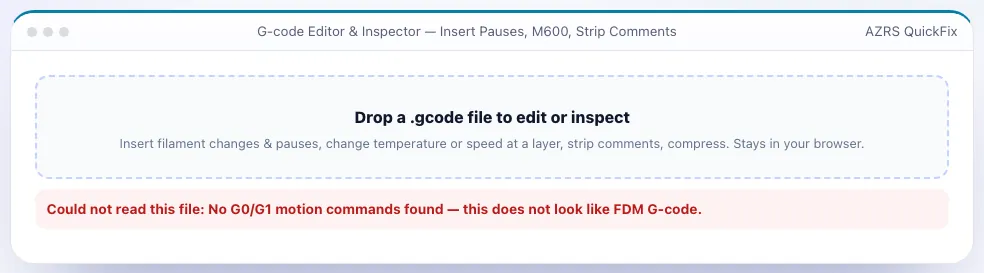
G-code Editor & Inspector — Insert Pauses, M600, Strip Comments
Insert filament changes, pauses, temperature/speed changes at a layer; strip & compress.
More free tools
See G-code Editor & Inspector — Insert Pauses, M600, Strip Comments in action
Free G-code Editor & Inspector
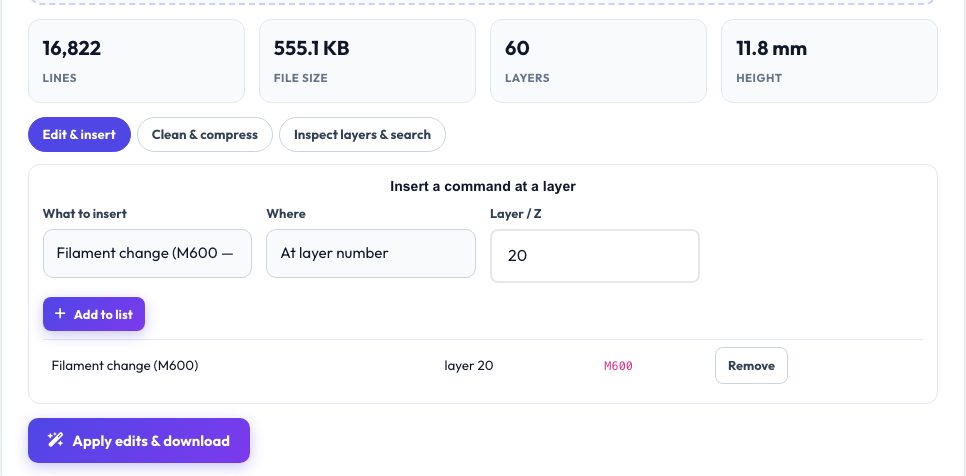
Sometimes you need to change a sliced file without re-slicing: swap filament at a layer for a colour change, pause to insert magnets, lower the temperature for a bridge-heavy section, or shrink a huge file for an SD card. This editor indexes every layer in your G-code (using the slicer's layer markers or Z changes), then lets you queue insertions at a layer number or height — M600 filament change, M0/M25/@pause/Klipper PAUSE, M104 temperature, M140 bed, M220 speed, M221 flow, M106 fan or any custom lines.
The clean-up tab strips comments (keeping slicer markers so viewers still work), removes display/progress commands, rounds coordinates to cut file size, adds a Z offset, scales all feed rates and prepends or appends your own start/end G-code. The inspector tab lists every layer with its line number and time, and has a search box and line jumper with context. The edited file is re-validated against the same parser, so layers stay intact.
Use it in 4 steps
Drop in your .gcode file.
Queue an insertion (e.g. M600 at layer 25) or choose clean-up options.
Optionally check the layer in the Inspect tab.
Press Apply & download.
Key features
Insert at layer or Z
Filament change, pauses, temperature, speed, flow, fan and custom G-code, queued and removable.
Strip & compress
Remove comments, round numbers, drop progress lines — files often shrink 20–40%.
Inspect layers
Layer table with line numbers and search with ±18-line context.
Safe edits
Insertions go before the slicer's layer-change marker so motion stays valid.
A real example, step by step
To change colour at 3.0 mm on a 0.2 mm print: choose Filament change (M600), Where = Z (mm), value 3.0 → the tool inserts M600 right before the first layer at or above 3.0 mm (layer 15).
Who uses this tool
Multi-colour printers (single extruder)
Colour changes at exact layers.
Makers embedding hardware
Pause at the layer where the cavity closes.
Anyone with large G-code files
Compress to fit SD cards and speed up uploads.
Tips for the best results
- Check your firmware supports M600; Klipper needs a PAUSE/ M600 macro.
- Use the Z option when you do not know the layer number.
- Keep slicer markers when stripping comments so viewers can still show layers.
- Always check the first edit in the G-code viewer before a long print.
Common mistakes to avoid
- Inserting M600 in the middle of a layer instead of between layers.
- Rounding E values too aggressively on tiny layers.
- Applying a Z offset to a file that uses relative Z moves.
Frequently asked questions
Where are commands inserted?
Immediately before the layer-change comment of the chosen layer (or before the first extruding move if no markers).
Does stripping comments break anything?
No, G-code comments are ignored by firmware; markers kept optionally for viewers.
Will the edited file be re-checked?
The layer indexer re-reads your file; open the result in the viewer to confirm.
Is it private?
Yes — the file stays in your browser.
Free, fast and private by design
No signup, no watermark. New AZRS tools are added every week.