Camera Push-Up Counter (AI)
Your camera counts every push-up and checks your form, from any angle.
Voice & sounds
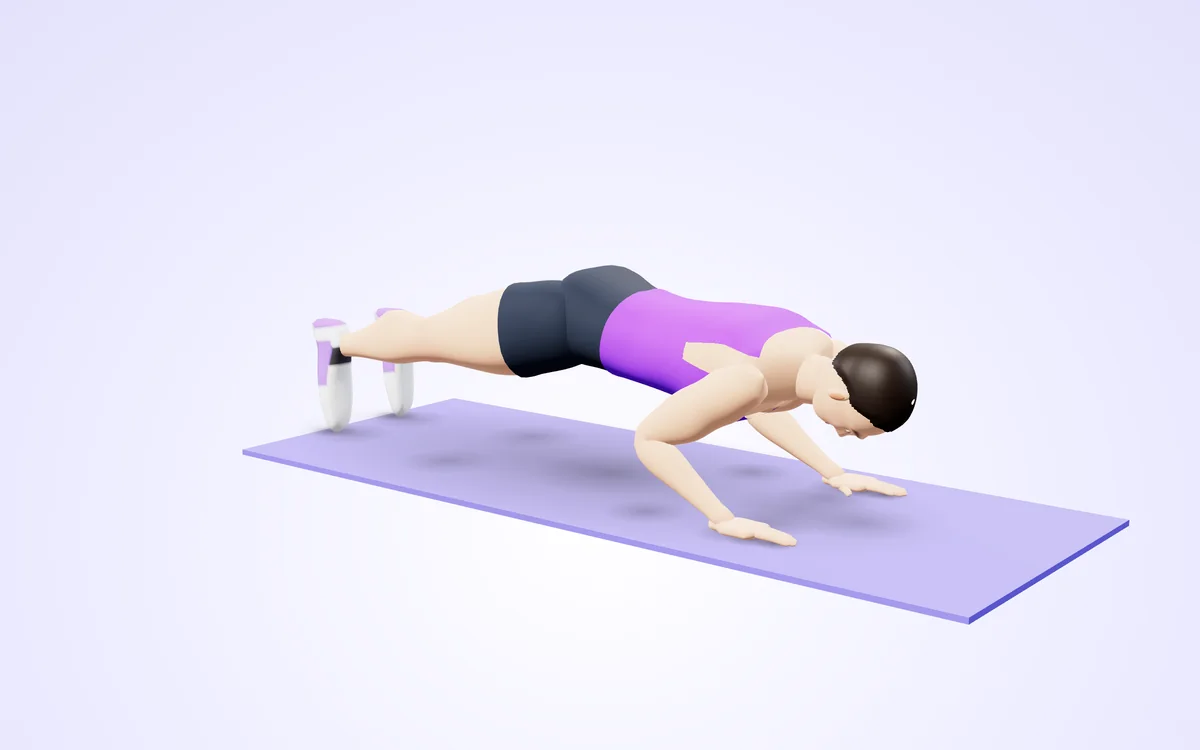
Watch it in 3DSee the exact form before you start. Drag to look from any angle.
Demo only. Move at a pace that feels safe and stop if anything hurts.
More free tools
See Camera Push-Up Counter (AI) in action
Camera Push-Up Counter (AI)
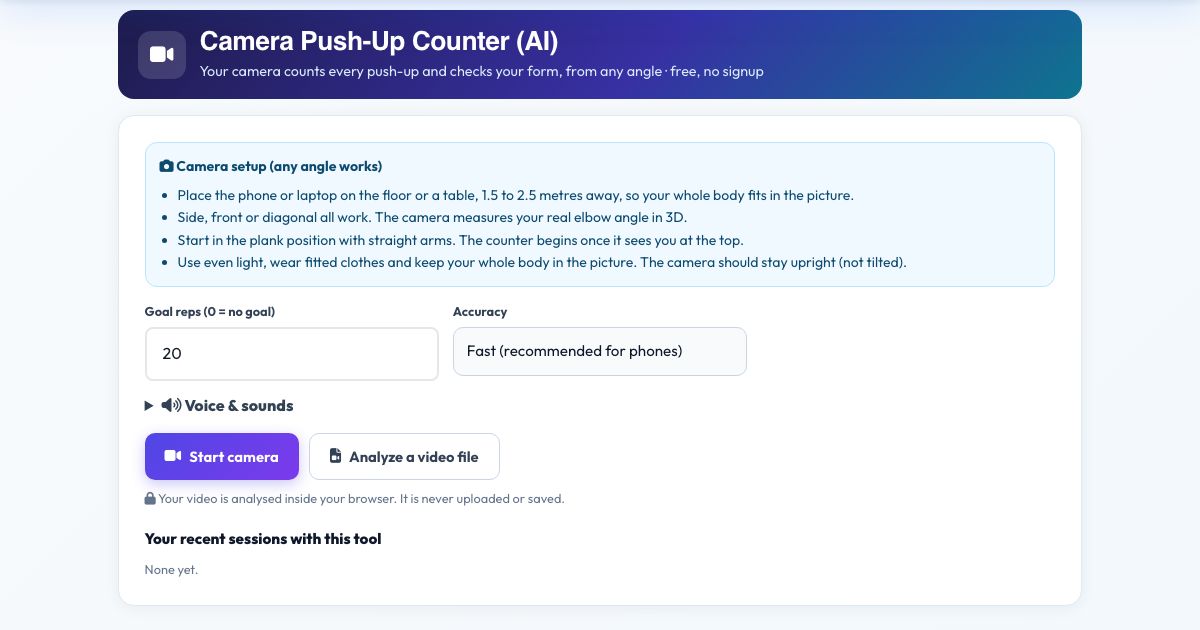
Stop counting in your head. Point your camera at yourself, get into plank position and this counter watches your skeleton in real time: it measures your elbow angle and counts a rep each time you go down to about 90 degrees and push back up to straight arms. It talks to you too: it says each number, tells you to 'go lower' when you cheat a rep and warns you if your hips sag or pike.
It works from any camera angle. Instead of guessing from a flat picture, it rebuilds your body in 3D and measures real joint angles, so a camera in front of you, beside you or diagonal gives the same result. Set a goal, press Start, and the coach counts you through 'one, two, three' to your target. Everything is processed in your browser and no video leaves your device.
Use it in 4 steps
Put your camera on the floor or a table 2 metres away so your whole body is in view.
Press Start camera and allow access. A 5 second countdown gives you time to get into plank.
Do your push-ups. The number on screen and the voice go up with every full rep.
Press Finish & save to log the session.
Key features
Counts only full reps
A rep needs the elbow to reach about 90 degrees, then full extension, so half reps do not count.
Works from any angle
3D joint angles from MediaPipe pose detection.
Form warnings
Spoken tips when your back sags or you do not go low enough.
Voice counting and goals
Hear each rep, set a target and get a goal-reached call.
Video file mode
Count push-ups in a recording.
Private
No upload, no recording.
A real example, step by step
Goal 20. You lie side-on to the phone, do 20 clean reps and hear 'one' ... 'twenty, goal reached, great work'. If rep 7 is shallow you hear 'Go lower. Chest to the floor.' and it is not counted.
Who uses this tool
People training alone
A rep counter that never loses count.
Challenge participants
Reliable counts for 30-day push-up challenges.
Coaches and PE teachers
Objective reps and form feedback.
Beginners
Learn depth and a straight back.
Tips for the best results
- Wear fitted clothing so the arms are visible.
- Use a light background and good light.
- A side or diagonal view shows your back line best.
- Use the 'More accurate' mode on faster devices.
Common mistakes to avoid
- Putting the camera so close that your feet or hands are cut off.
- Starting in a kneeling pose when the tool expects plank (use knees only if your whole body line is visible).
- Moving the camera during the set.
Frequently asked questions
How does it count a rep?
A rep is counted when your elbows bend to about 90 degrees and you return to straight arms while your body stays level.
Does it detect bad form?
It flags a sagging or piking back and shallow reps. It is a guide, not a replacement for a coach.
Does it work from any camera angle?
Yes, the joint angles are measured in 3D. Place the phone or laptop on the floor or a table, 1.5 to 2.5 metres away, so your whole body fits in the picture. It looks for the "Arms straight" position, then the "Down" position.
Is my video uploaded or saved?
No. Your camera counts every push-up and checks your form, from any angle, with the pose detection running in your browser. Nothing is recorded, uploaded or stored and the camera stops when you finish. Place the phone or laptop on the floor or a table, 1.5 to 2.5 metres away, so your whole body fits in the picture.
What do I need?
A camera and a modern browser (Chrome, Edge, Safari, Firefox), opened over https. Your camera counts every push-up and checks your form, from any angle. Place the phone or laptop on the floor or a table, 1.5 to 2.5 metres away, so your whole body fits in the picture.
Can I use a video instead of the live camera?
Yes. Press 'Analyze a video file' and pick a recorded push-up workout; it is counted the same way. Your camera counts every push-up and checks your form, from any angle. Film it like this: Place the phone or laptop on the floor or a table, 1.5 to 2.5 metres away, so your whole body fits in the picture.
The counter is not counting. What should I check?
Check the message under the picture, which says what the camera is missing, then the light and your start position. Your camera counts every push-up and checks your form, from any angle. This tool waits for the "Arms straight" position before it counts "Down". Place the phone or laptop on the floor or a table, 1.5 to 2.5 metres away, so your whole body fits in the picture.
Free, fast and private by design
No signup, no watermark. New AZRS tools are added every week.