Quadratic Function Explorer
Drag a, b and c to see the parabola, roots, vertex and discriminant change.
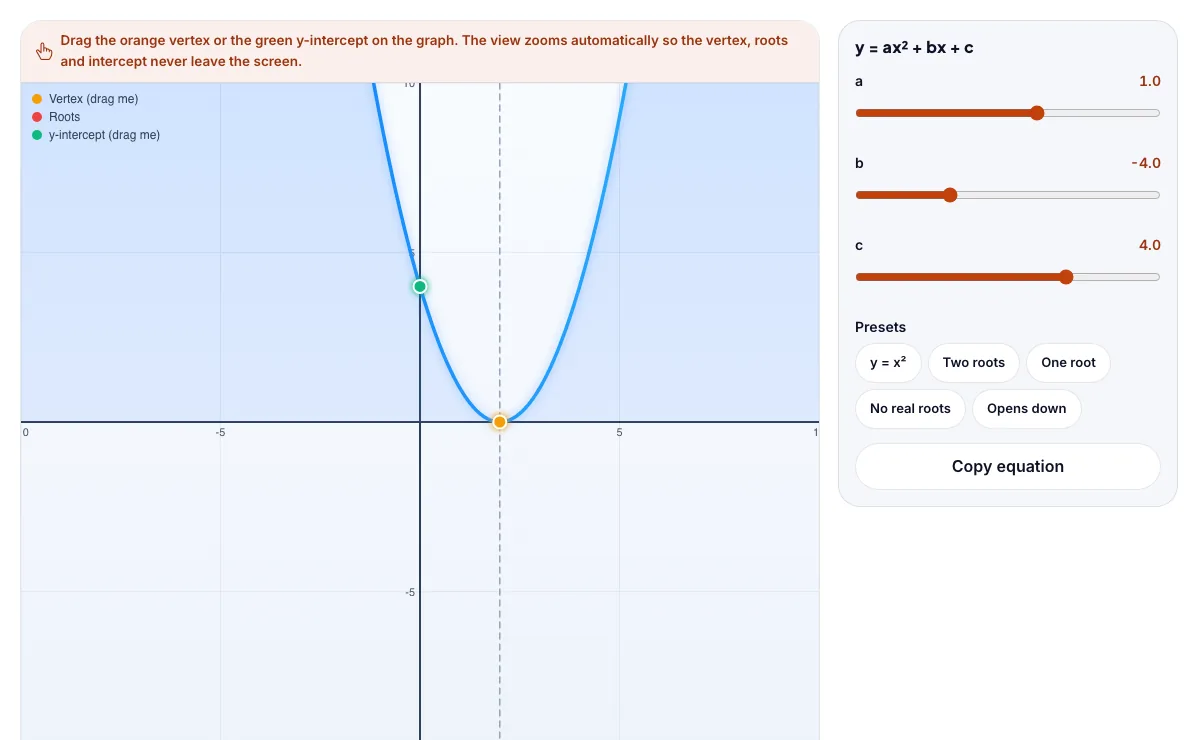
Drag the orange vertex or the green y-intercept on the graph. The view zooms automatically so the vertex, roots and intercept never leave the screen.
What the Quadratic Function Explorer shows
Drag a, b and c to see the parabola, roots, vertex and discriminant change. Free, no signup, runs in your browser. Works on phones and computers. Built for math, the quadratic function explorer runs instantly in your browser: change a setting or drag an object and the result updates at once, so you learn by trying things out rather than only reading about them.
Drag a, b and c and see the parabola, its roots and vertex change.
How to use the Quadratic Function Explorer
In the Quadratic Function Explorer, use the controls to change a, b, c. The simulation reacts instantly.
In the Quadratic Function Explorer, pick an option such as y = x², Two roots, One root, No real roots to switch modes or load an example.
In the Quadratic Function Explorer, press "Copy equation" to start, reset or change what is happening.
Start with this experiment: Set the discriminant to zero. Drag any glowing handle, object or slider with your mouse or finger and the Quadratic Function Explorer responds in real time.
Change one setting at a time and watch which readout moves, then compare it with this idea: a controls the opening direction and width; c is the y-intercept.
Things to try
Set the discriminant to zero.
Flip the sign of a and watch the parabola turn.
Move c and see the y-intercept move.
Find the vertex for x² - 4x + 1.
The science behind it
a controls the opening direction and width; c is the y-intercept.
The vertex is at x = -b / 2a and the axis of symmetry passes through it.
The discriminant b² - 4ac tells you if there are two, one or no real roots.
A worked example with real numbers
Discriminant = 25 − 24 = 1 (two real roots)
x = (5 ± 1) / 2 = 3 and 2
Vertex at x = 2.5, y = −0.25.
Tips and common mistakes
Tips
- Set a negative and watch it open downward.
- Make the discriminant zero for one root.
- Use the presets.
Common mistakes
- Roots are where y = 0, not where x = 0.
- a = 0 is no longer a parabola.
- Negative discriminant means no real roots.
Where this is used
Quadratics describe the arc of a ball, the shape of satellite dishes and suspension cables, profit maximisation in business and many exam problems.
Who is this simulation for?
Algebra, geometry, trigonometry and calculus students, teachers preparing demonstrations, and self-learners who want to see the maths move. A good first experiment in the Quadratic Function Explorer: Set the discriminant to zero. The key relation to keep an eye on: x = (−b ± √(b² − 4ac)) / 2a; vertex at x = −b / 2a.
For teachers: project the Quadratic Function Explorer on the board, let students predict the result, then run it together and test this: Flip the sign of a and watch the parabola turn. For students: change one thing at a time and write down what changes.
Frequently asked questions
What does the discriminant tell me?
If b² - 4ac is positive there are two real roots, if zero there is one repeated root, and if negative there are no real roots (the parabola misses the x-axis).
How do I find the vertex of a parabola?
The x-coordinate is -b / 2a. Substitute it back into the equation to get the y-coordinate.
Is the Quadratic Function Explorer free to use?
Yes. The Quadratic Function Explorer is free, needs no signup or download and runs in your web browser. It is part of the Math group of AZRS simulations.
Does the Quadratic Function Explorer work on a phone or tablet?
Yes. The Quadratic Function Explorer takes touch input as well as mouse input, so you can use its 3 adjustable settings with a finger. A larger screen makes the controls and graphs easier to read.