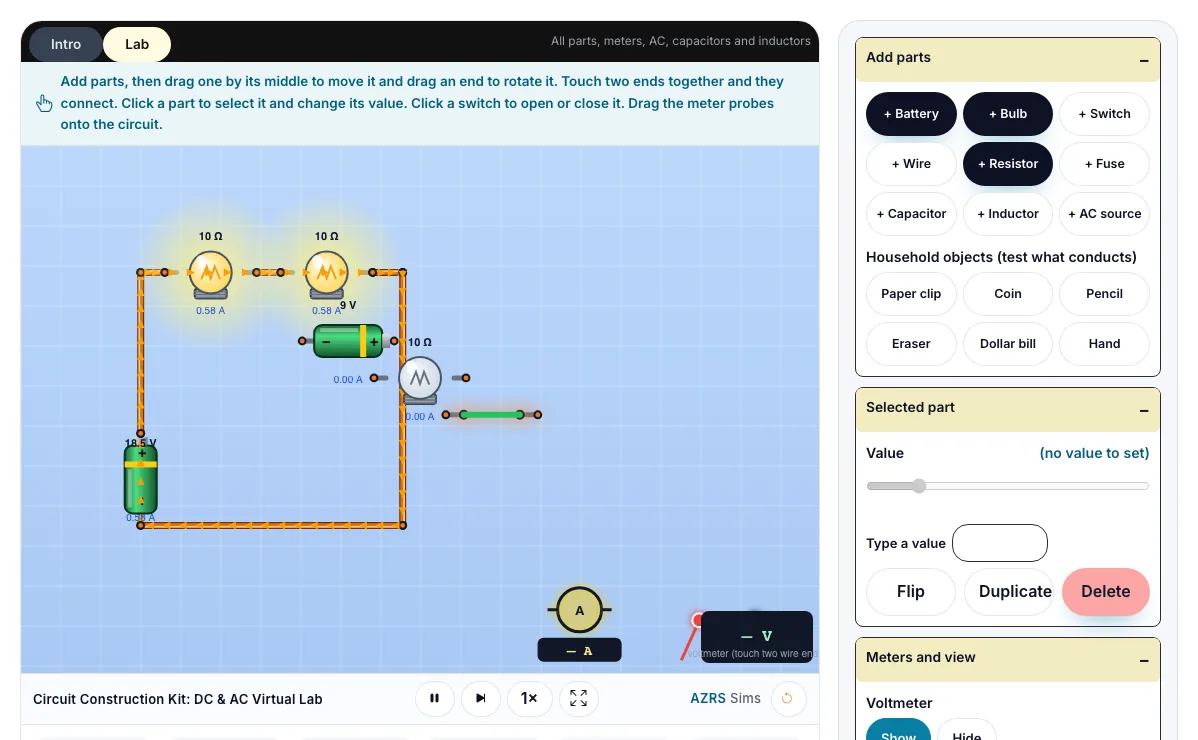
Circuit Construction Kit: DC & AC Virtual Lab
Build real circuits with batteries, bulbs, resistors, fuses, switches, wires, capacitors, inductors and household objects, then measure them with a voltmeter and an ammeter.
Add parts, then drag one by its middle to move it and drag an end to rotate it. Touch two ends together and they connect. Click a part to select it and change its value. Click a switch to open or close it. Drag the meter probes onto the circuit.
What the Circuit Construction Kit: DC & AC Virtual Lab shows
Build real circuits with batteries, bulbs, resistors, fuses, switches, wires, capacitors, inductors and household objects. Works on phones and computers. Built for physics, the circuit construction kit: dc & ac virtual lab runs instantly in your browser: change a setting or drag an object and the result updates at once, so you learn by trying things out rather than only reading about them.
A virtual lab bench for building circuits from batteries, bulbs, resistors, switches, capacitors and more, with live meters.
How to use the Circuit Construction Kit: DC & AC Virtual Lab
In the Circuit Construction Kit: DC & AC Virtual Lab, use the controls to change Household objects (test what conducts), Value, Type a value, Voltmeter, Ammeter (reads the part it is over), and more. The simulation reacts instantly.
In the Circuit Construction Kit: DC & AC Virtual Lab, pick an option such as Show, Hide, Conventional (+ to −), Electrons (− to +) to switch modes or load an example.
In the Circuit Construction Kit: DC & AC Virtual Lab, press "+ Battery", "+ Bulb", "+ Switch", "+ Wire" to start, reset or change what is happening.
Start with this experiment: Load the Series preset and add a third bulb. Drag any glowing handle, object or slider with your mouse or finger and the Circuit Construction Kit: DC & AC Virtual Lab responds in real time.
Change one setting at a time and watch which readout moves, then compare it with this idea: Batteries push current around a complete loop.
Things to try
Load the Series preset and add a third bulb.
Load the Conductor test preset and try the paper clip, coin, pencil, eraser, dollar bill and hand.
Drag the ammeter ring onto different parts and compare its reading with the current shown in the graph.
Load the Fuse demo, then raise the fuse rating and click the fuse to replace it.
Raise the battery's internal resistance and watch the bulb dim.
Load the RC charge preset, close the switch and watch the capacitor voltage rise in the graph.
Switch to Schematic and Electrons to see the textbook view and the real electron flow.
The science behind it
Batteries push current around a complete loop.
In a series circuit the same current flows through every part.
In a parallel circuit the voltage is the same across each branch.
A short circuit has almost no resistance and a huge current.
Metals like a paper clip or a coin conduct, but an eraser, a dollar bill and a hand hardly do.
Real batteries have internal resistance, so their voltage sags when they supply a lot of current.
A fuse protects a circuit by blowing when the current is too large.
Everything the sources supply is used by the parts, so power supplied equals power used, and the current arriving at every junction equals the current leaving it (Kirchhoff).
A worked example with real numbers
R = 1 / (1/3 + 1/6) = 2 ohm
Total I = 9 / 2 = 4.5 A
I1 = 3 A, I2 = 1.5 A
Tips and common mistakes
Tips
- Use the ammeter in series and the voltmeter across a component.
- Close the switch last so you can predict before you watch.
Common mistakes
- Connecting an ammeter across a component, which behaves like a short circuit.
- Leaving a gap in the loop, so no current flows.
Where this is used
Electricians and engineers test circuits in simulators like this before building real hardware. Fuses and breakers keep homes safe, and batteries with internal resistance explain why phones get warm.
Who is this simulation for?
Physics students in middle school, high school and first-year university, teachers who want a quick demonstration for the projector, and anyone revising for exams. A good first experiment in the Circuit Construction Kit: DC & AC Virtual Lab: Load the Series preset and add a third bulb. The key relation to keep an eye on: Ohm: V = I R; Kirchhoff: sum of currents at a node = 0, sum of voltage around a loop = 0; P = I V.
For teachers: project the Circuit Construction Kit: DC & AC Virtual Lab on the board, let students predict the result, then run it together and test this: Load the Conductor test preset and try the paper clip, coin, pencil, eraser, dollar bill and hand. For students: change one thing at a time and write down what changes.
Frequently asked questions
What is the difference between series and parallel circuits?
In series there is one path and the current is shared; in parallel there are several paths and the voltage is shared.
Why does a bulb get dimmer when you add another bulb in series?
The total resistance goes up, so the current falls.
Which way does the current flow?
By convention current flows from the positive terminal to the negative terminal. The electrons that actually move go the other way. Use the Current switch to see both.
Why does a fuse blow?
A fuse is a thin wire that melts when the current is above its rating, breaking the circuit before wires overheat.
Can I see a circuit diagram?
Yes. Switch Parts look to Schematic to see the standard symbols used in textbooks.
Is the Circuit Construction Kit: DC & AC Virtual Lab free to use?
Yes. The Circuit Construction Kit: DC & AC Virtual Lab is free, needs no signup or download and runs in your web browser. It is part of the Physics group of AZRS simulations.
Does the Circuit Construction Kit: DC & AC Virtual Lab work on a phone or tablet?
Yes. The Circuit Construction Kit: DC & AC Virtual Lab takes touch input as well as mouse input, so you can use its 11 adjustable settings with a finger. A larger screen makes the controls and graphs easier to read.