
Tools for every faith.
Free tools for Islam, Christianity, Judaism, Hinduism and Buddhism. Each faith has its own page and its own look.
Islam
Prayer, zakat, calendar and more.
4 toolsChristianity
Bible search, church year calendar and church guidance.
5 toolsJudaism
Hebrew calendar, Shabbat times, holidays, Torah and Talmud search.
3 toolsHinduism
Festivals, the Bhagavad Gita and temples.
3 toolsBuddhism
Calendar, teachings and temples.
Made with care
Plain, neutral wording. We never change sacred texts or translations.
Tools give guidance. For rulings, ask a qualified scholar, pastor, rabbi, priest or teacher.
No sign up is needed to use the tools.
About the religion tools
AZRS LLC builds small, practical tools for people who practise a faith or want to learn about one. You will find prayer and Shabbat times, calendars of holy days, calculators for giving and inheritance, finders for places of worship, and search tools for texts.
Each faith has its own page with its own colours and pattern, so you always know where you are. Underneath, every tool works the same way: open it, enter what it asks for, and read the result.
The tools give guidance, not rulings. Dates are calculated, places come from public map data, and texts are shown as they were published. For anything about belief or practice, speak with a qualified scholar, pastor, rabbi, priest or teacher from your own tradition.
You do not need an account to use any tool, and nothing you type is needed to browse the hubs. Where a tool asks for a city or your location, it uses it only to show times or nearby places for that visit. If a tool cannot reach a data source, it says so instead of guessing.
Start with the faith that is yours, or open another to see what its tools offer. Islam has prayer times, qibla, zakat and halal tools. Christianity has a Bible verse finder, a church calendar, a timeline and a church finder. Judaism has the Hebrew calendar, Shabbat times, Torah and Talmud search and a holiday list. Hinduism has a festival reminder, a temple finder and a Gita search. Buddhism has a calendar of observance days, a teachings search and a temple finder. Each hub lists its tools with a short description so you can pick quickly on a phone or a desktop.
Common questions
Are these tools free?
Yes. You can use every tool without an account and without paying.
Do the tools give religious rulings?
No. They give guidance and information. For a ruling, ask a qualified leader of your own tradition, such as a scholar, pastor, rabbi, priest or teacher.
Where do the texts come from?
Texts are shown as published by their sources. The tools search and display them; they do not rewrite or change them.
Do the finders know where I am?
Only if you allow your browser to share your location, or if you type a city. You can always type a place instead.
How do I report a mistake?
Write to [email protected] with the page name and what looks wrong, and we will check it.
See AZRS AI — Free Unlimited AI Assistant in action
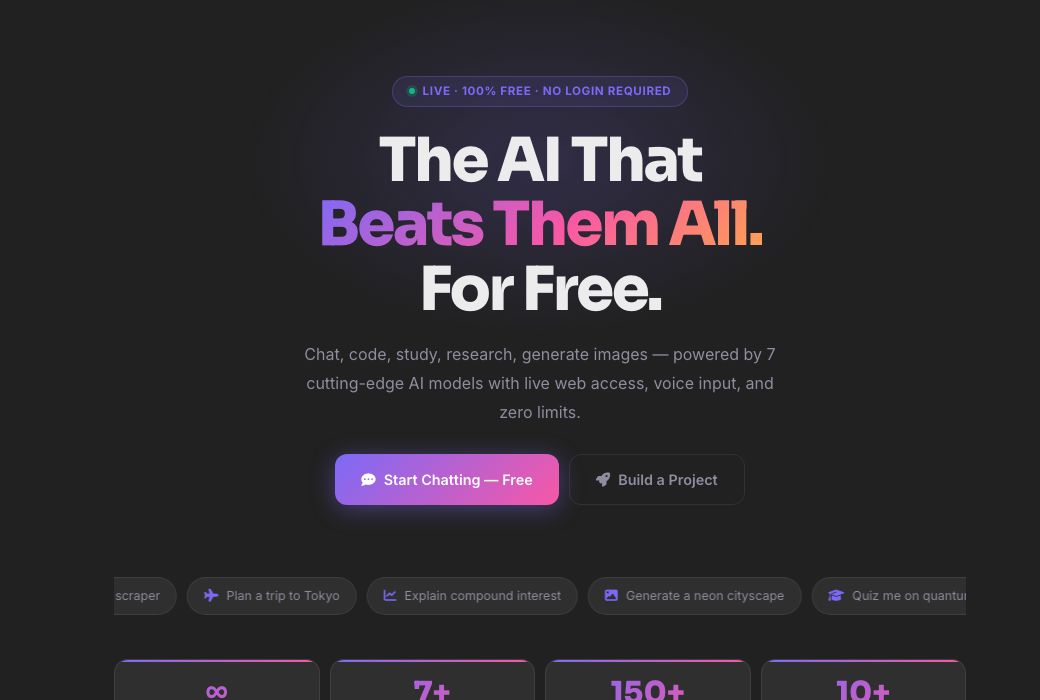
AZRS AI — Free Unlimited AI Assistant
AZRS AI is the home base for every AI tool on this site: a full chat assistant, a code assistant, a project generator, deep research with citations, 24 student tools, 4 finance calculators, and an image generator — all free, all in one place, with no message limits and no login required to start.
Behind the scenes it runs on a chain of free AI providers (Groq, Gemini, OpenRouter, Cerebras, Mistral, Together and HuggingFace, in that order) so that if one provider is slow or rate-limited, the request automatically retries on the next — you get a real answer instead of a spinning icon.
Use it in 4 steps
Pick a tool from the sidebar — or just start typing in the main chat box.
Choose a mode (general, code, study, research, creative or image) if you want a specialised response style.
Type your question, code, or topic and send it.
Read the answer, keep chatting, save it, or export it — your call.
What's included
AI Chat
A ChatGPT-style conversation with 6 modes (general, code, study, research, creative, image), web search, voice mode and a code canvas.
Code Assistant & Project Maker
Debug and explain code snippets, or describe an app idea and get a full generated project with files.
Student & Finance tools
24 study tools (notes, flashcards, quizzes, essay help…) and 4 finance calculators (EMI, SIP, tax, FD).
Deep Research
Ask a question and get a structured, cited answer pulled from live web search plus the AI's own knowledge.
A real example, step by step
Type 'Explain recursion with a Python example' in the chat box, hit send, and get a plain-language explanation plus a runnable code sample in under a couple of seconds — no account needed.
Who uses this tool
Students
Homework help, study notes, flashcards and math solving in one place.
Developers
Quick debugging, code explanations and full starter projects.
Anyone researching a topic
Structured, cited answers instead of scrolling ten browser tabs.
Tips for the best results
- Use the mode chips (💬 General, 💻 Code, 📚 Study, 🔬 Research, 🎨 Creative, 🖼️ Image) — they change the system prompt behind the scenes for better answers.
- Turn on Web Search for anything time-sensitive (news, prices, 'latest' versions) — the default model's training data has a cutoff.
- Create a free account if you want your chats saved across devices; guest chats are still kept in your browser session.
- Use the Canvas (code icon) when working on a script — it keeps code separate from the conversation so it's easy to copy or preview.
Common mistakes to avoid
- Assuming one AI provider is 'the' model — AZRS AI silently falls back across several providers, so response style can vary slightly between messages.
- Not enabling Web Search for time-sensitive questions and then being surprised the answer is out of date.
- Pasting very long documents into general chat instead of using Deep Research or the Student Summarizer, which are tuned for long-form input.
Frequently asked questions
Is AZRS AI really free?
Yes — chat, code help, student tools, finance calculators and research all run with no message cap and no payment, using free-tier AI provider APIs.
Do I need an account?
No. You can chat as a guest; your conversation stays in your browser session. Sign up (free) if you want chats saved permanently and synced.
Which AI model answers me?
It varies — AZRS AI tries several providers (Groq, Gemini, OpenRouter, Cerebras, Mistral, Together, HuggingFace) in order and uses whichever responds first successfully, so you always get an answer even if one provider is down.
Can it generate images?
Yes, ask it to draw/create/generate an image in the chat and it will generate one for you.
Is my data private?
Guest conversations live in your session; logged-in users' chats are tied to their account and only visible to them.
What's the difference between AI Chat and Deep Research?
AI Chat is a fast, general conversation. Deep Research is tuned specifically for structured, cited answers pulled from live web search — better for 'give me a proper report on X'.
Free, fast and private by design
No signup, no watermark. New AZRS tools are added every week.