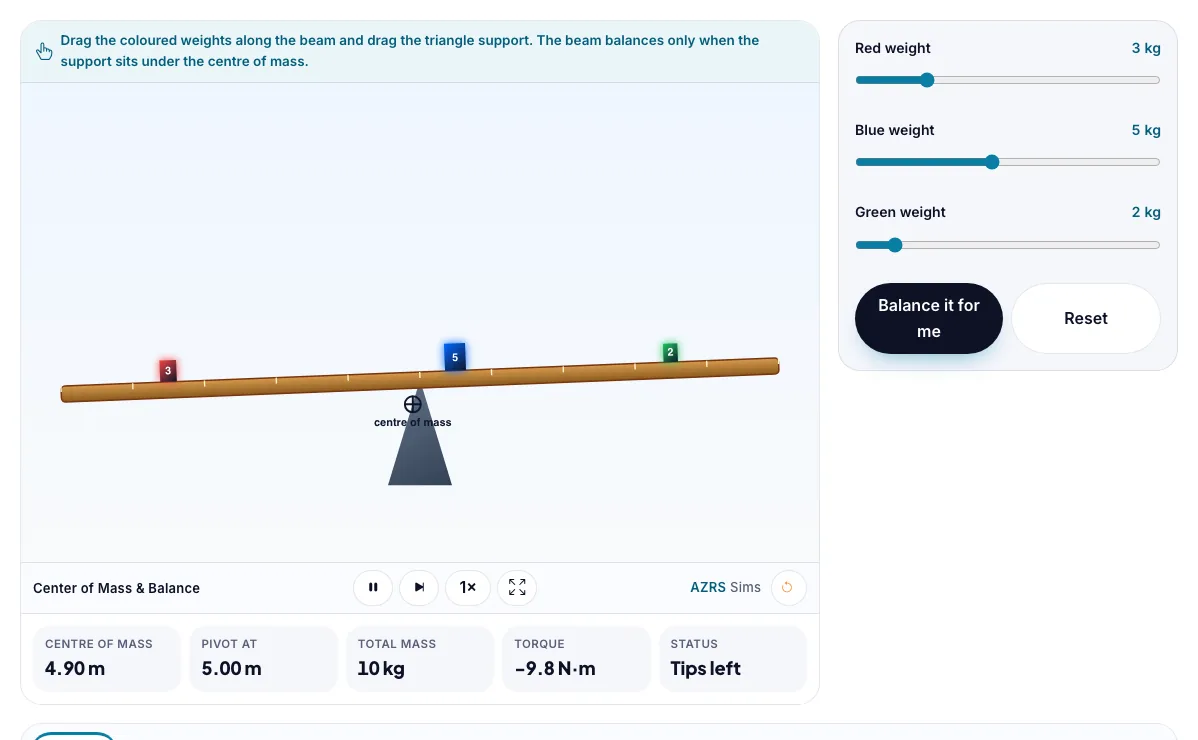
Center of Mass & Balance
Drag weights on a beam and place the support so it balances at the centre of mass.
Drag the coloured weights along the beam and drag the triangle support. The beam balances only when the support sits under the centre of mass.
What the Center of Mass & Balance shows
Drag weights on a beam and place the support so it balances at the centre of mass. Free, no signup, runs in your browser. Works on phones and computers. Built for physics, the center of mass & balance runs instantly in your browser: change a setting or drag an object and the result updates at once, so you learn by trying things out rather than only reading about them.
Weights sit on a beam. The balance point is the centre of mass, the weighted average of their positions.
How to use the Center of Mass & Balance
In the Center of Mass & Balance, use the controls to change Red weight, Blue weight, Green weight. The simulation reacts instantly.
In the Center of Mass & Balance, press "Balance it for me", "Reset" to start, reset or change what is happening.
Start with this experiment: Balance the beam by moving only the support. Drag any glowing handle, object or slider with your mouse or finger and the Center of Mass & Balance responds in real time.
Change one setting at a time and watch which readout moves, then compare it with this idea: The centre of mass is the mass-weighted average position.
Things to try
Balance the beam by moving only the support.
Balance it by moving only a weight.
Make one weight 10 kg and see how far the centre of mass moves.
The science behind it
The centre of mass is the mass-weighted average position.
A beam balances when the support is under the centre of mass.
Torque = weight × distance from the pivot.
Heavier weights pull the centre of mass towards them.
A worked example with real numbers
x_cm = (2 x 0 + 6 x 4) / 8 = 3.0 m from the first mass
Place the support at 3.0 m to balance.
Tips and common mistakes
Tips
- Move one mass and see the balance point follow it.
- Heavier masses pull the centre of mass toward themselves.
Common mistakes
- Using the middle of the beam instead of the weighted average.
- Forgetting a beam's own mass if it is not negligible.
Where this is used
Cranes, ships, cars (low centre of mass for stability), gymnasts and high-jump athletes all use centre-of-mass thinking.
Who is this simulation for?
Physics students in middle school, high school and first-year university, teachers who want a quick demonstration for the projector, and anyone revising for exams. A good first experiment in the Center of Mass & Balance: Balance the beam by moving only the support. The key relation to keep an eye on: x_cm = (m1 x1 + m2 x2 + ...) / (m1 + m2 + ...).
For teachers: project the Center of Mass & Balance on the board, let students predict the result, then run it together and test this: Balance it by moving only a weight. For students: change one thing at a time and write down what changes.
Frequently asked questions
How do you find the centre of mass?
Sum of (mass × position) divided by total mass.
Why does a beam tip?
The torques on the two sides of the support are unequal.
Is the Center of Mass & Balance free to use?
Yes. The Center of Mass & Balance is free, needs no signup or download and runs in your web browser. It is part of the Physics group of AZRS simulations.
Does the Center of Mass & Balance work on a phone or tablet?
Yes. The Center of Mass & Balance takes touch input as well as mouse input, so you can use its 3 adjustable settings with a finger. A larger screen makes the controls and graphs easier to read.