See Free Online Notes App in action
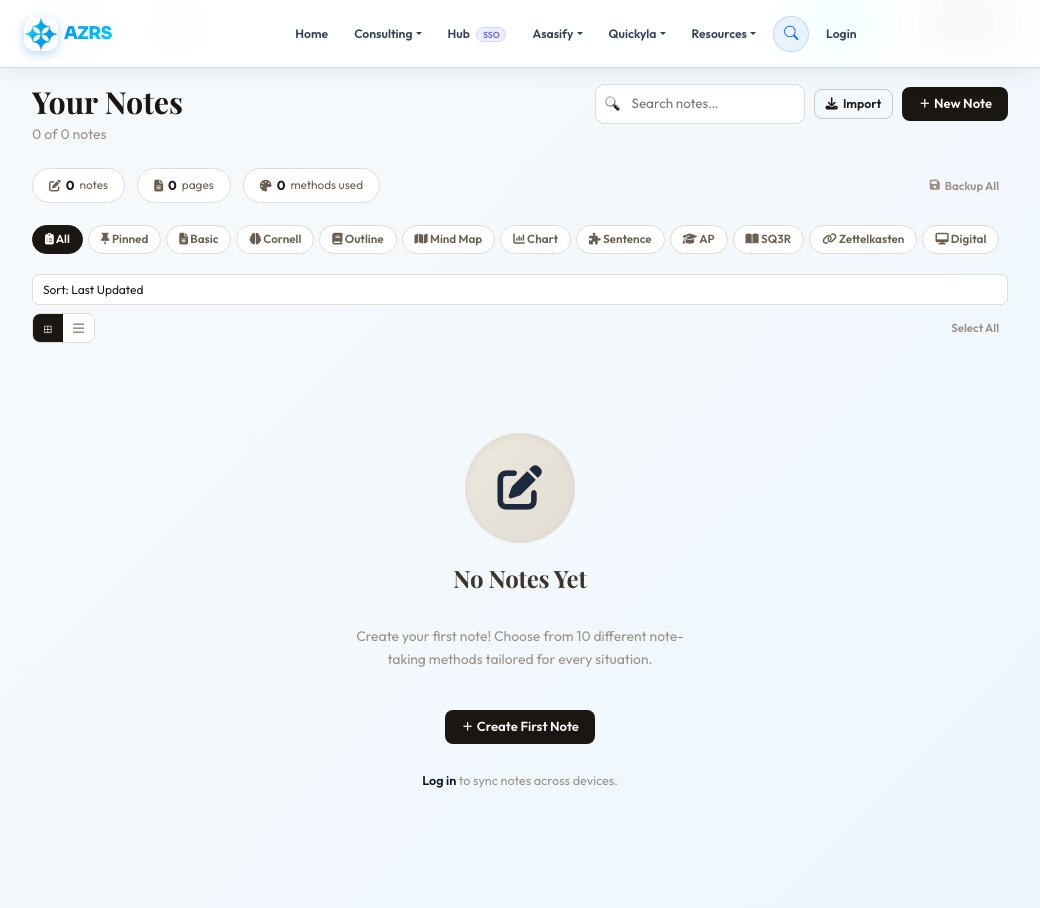
Free Online Notes App
A private notes app for quick capture and organization: create notes with a title, color and type, pin the ones you use most, tag them for filtering, and link related notes to each other for a simple Zettelkasten-style knowledge web. Signed-in users get their notes tied to their account; anonymous visitors get a session-based notebook that persists in the same browser.
Every note supports full create, read, update and delete through the app's own API, so changes save as you work rather than requiring a manual export step — open the app, start typing, and your note list updates in real time.
Key features
Pin, color & tag notes
Organize notes visually with pinning, color coding and tags for quick filtering.
Linked notes
Connect related notes to each other for a lightweight, Zettelkasten-style personal knowledge web.
Works signed in or anonymous
Signed-in users get notes tied to their account; anonymous visitors get a private, session-based notebook.
Live save via API
Notes save through the app's own API as you work — no manual export step needed to keep changes.
How to use it
- Open the Notes app — your existing notes (if any) load automatically.
- Click New Note, give it a title, and start typing.
- Pin, color-code or tag the note to organize it, and link it to related notes if useful.
- Edits save automatically as you work; delete notes you no longer need from the list.
Worked example
Example
Create a note titled "Project Ideas", color it blue, tag it #work, pin it to the top of your list, and link it to a related "Meeting Notes" note for quick cross-referencing later.
Who uses this tool
Students
Keep organized, tagged notes per subject or topic without installing a separate app.
Professionals
Capture quick meeting notes or task lists that stay pinned and easy to find.
Anyone who wants zero-signup note-taking
Use the app anonymously in-browser without creating an account, while still keeping notes across visits in that browser.
Tips for the best results
- Pin your most-used notes so they stay at the top of the list instead of getting buried under newer ones.
- Use consistent tags across notes so filtering later actually groups related content together.
- Link related notes to each other rather than duplicating information across multiple notes.
- If you're using the app anonymously, stick to the same browser and device — anonymous notes are tied to that session, not to an account.
Common mistakes to avoid
- Using the app anonymously across multiple devices and expecting notes to sync — anonymous notes are session-based in one browser, not account-based.
- Storing highly sensitive information in an anonymous, unauthenticated note — create an account for anything you want more durably protected.
- Not tagging or pinning notes early, making it harder to find the important ones once the list grows.
Why use AZRS QuickFix?
It is 100% free, needs no signup and has no watermark or usage limits. The tool runs in your browser, so what you type stays on your device, and it works on phones, tablets and desktops. New tools are added every week — bookmark this page or browse the full QuickFix toolbox.
Frequently asked questions
Is the notes app free?
Yes, completely free to use, with or without an account.
Do I need an account?
No, you can use it anonymously with notes tied to your browser session, or sign in to keep notes tied to your account across devices.
Can I organize notes with colors and tags?
Yes, each note supports a color, a type, tags, and pinning for quick organization.
Can I link notes to each other?
Yes, notes support links to related notes for a simple personal knowledge web.
Are my notes private?
Signed-in notes are tied to your account and visible only to you; anonymous notes are scoped to your browser session.
Do notes save automatically?
Yes, changes save through the app's API as you work rather than requiring a manual save or export step.