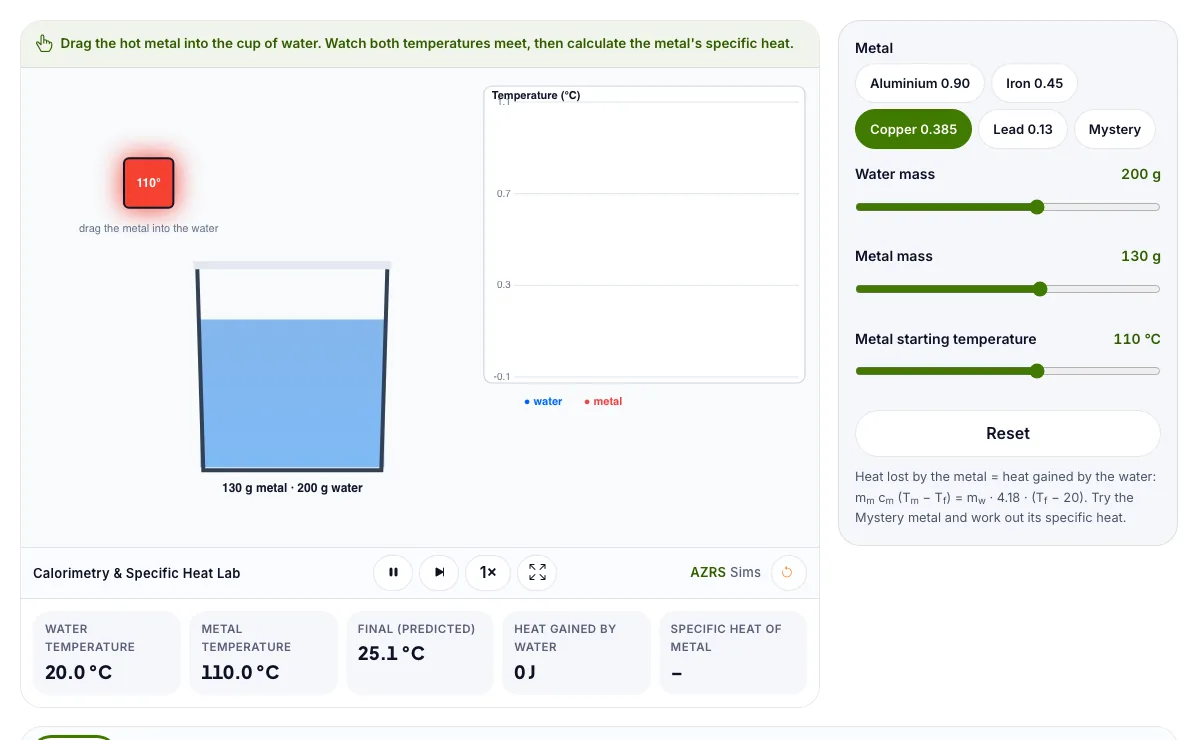
Calorimetry & Specific Heat Lab
Drop a hot metal into water, plot the temperatures and calculate the specific heat capacity.
Drag the hot metal into the cup of water. Watch both temperatures meet, then calculate the metal's specific heat.
What the Calorimetry & Specific Heat Lab shows
Drop a hot metal into water, plot the temperatures and calculate the specific heat capacity. Free, no signup, runs in your browser. Built for chemistry labs, the calorimetry & specific heat lab runs instantly in your browser: change a setting or drag an object and the result updates at once, so you learn by trying things out rather than only reading about them.
A hot metal drops into water. The heat the metal loses equals the heat the water gains, giving the metal's specific heat.
How to use the Calorimetry & Specific Heat Lab
In the Calorimetry & Specific Heat Lab, use the controls to change Metal, Water mass, Metal mass, Metal starting temperature. The simulation reacts instantly.
In the Calorimetry & Specific Heat Lab, pick an option such as Aluminium 0.90, Iron 0.45, Copper 0.385, Lead 0.13 to switch modes or load an example.
In the Calorimetry & Specific Heat Lab, press "Reset" to start, reset or change what is happening.
Start with this experiment: Drop aluminium, then lead, and compare the final temperature. Drag any glowing handle, object or slider with your mouse or finger and the Calorimetry & Specific Heat Lab responds in real time.
Change one setting at a time and watch which readout moves, then compare it with this idea: Heat lost by the hot metal equals heat gained by the water.
Things to try
Drop aluminium, then lead, and compare the final temperature.
Try the mystery metal and calculate c.
Double the water mass and predict the final temperature.
The science behind it
Heat lost by the hot metal equals heat gained by the water.
q = m × c × ΔT.
Metals with a low specific heat change temperature quickly.
Both temperatures meet at a final temperature.
A worked example with real numbers
Water gains 200 x 4.18 x 5 = 4180 J
c_m = 4180 / (100 x 75) = 0.557 J/g C
Tips and common mistakes
Tips
- Stir the water for an even temperature.
- Use a lid to cut heat loss.
Common mistakes
- Ignoring the cup's heat capacity.
- Sign errors in delta T.
Where this is used
Nutrition labels (calories), engine design, cooking and climate models all rely on calorimetry.
Who is this simulation for?
Students preparing for practical exams and teachers who want a virtual lab. A good first experiment in the Calorimetry & Specific Heat Lab: Drop aluminium, then lead, and compare the final temperature. The key relation to keep an eye on: m_m c_m (T_m - T_f) = m_w c_w (T_f - T_w).
For teachers: project the Calorimetry & Specific Heat Lab on the board, let students predict the result, then run it together and test this: Try the mystery metal and calculate c. For students: change one thing at a time and write down what changes.
Frequently asked questions
How do you find the specific heat of a metal with a calorimeter?
Use m_metal × c × (T_metal − T_final) = m_water × 4.18 × (T_final − T_water) and solve for c.
Why do we ignore the cup?
A coffee cup is a good insulator with a small heat capacity, so nearly all the heat goes into the water.
Is the Calorimetry & Specific Heat Lab free to use?
Yes. The Calorimetry & Specific Heat Lab is free, needs no signup or download and runs in your web browser. It is part of the Chemistry Labs group of AZRS simulations.
Does the Calorimetry & Specific Heat Lab work on a phone or tablet?
Yes. The Calorimetry & Specific Heat Lab takes touch input as well as mouse input, so you can use its 4 adjustable settings with a finger. A larger screen makes the controls and graphs easier to read.