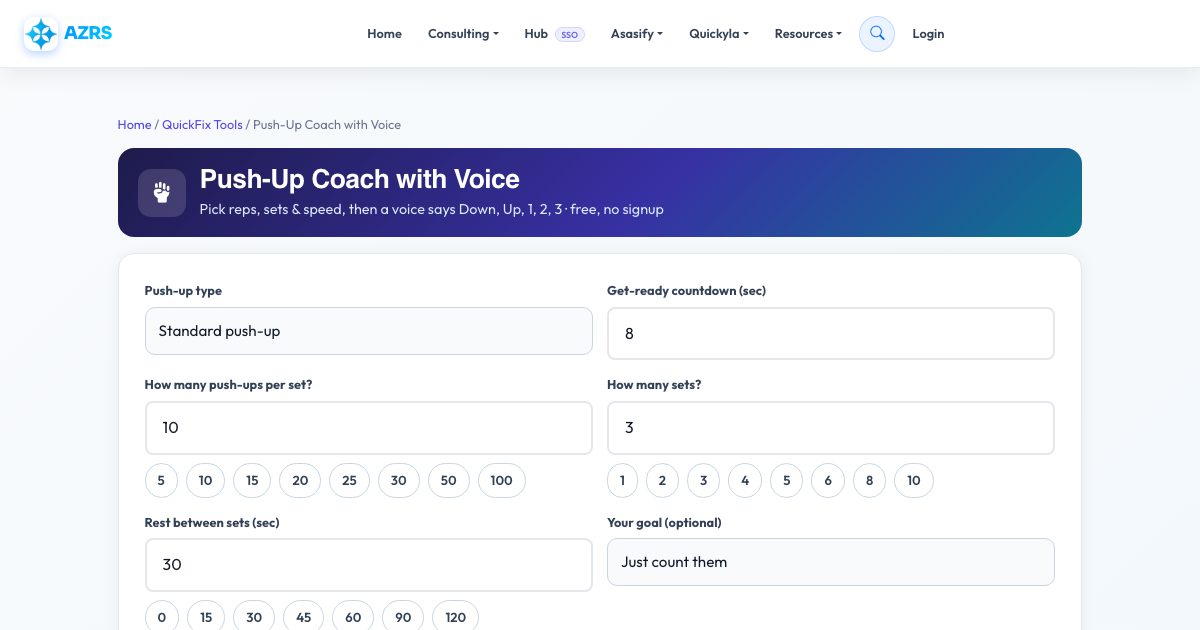
Push-Up Coach with Voice
Pick reps, sets & speed, then a voice says Down, Up, 1, 2, 3 · free, no signup
Voice coach settings (voice, speed, volume)
Workout complete!
See Push-Up Coach with Voice in action
Free Push-Up Counter with a Talking Coach
Counting push-ups while you are trying to do them is hard, and watching a screen means your form falls apart. This coach does the counting for you: tell it how many push-ups per set, how many sets and how long to rest, choose Slow, Normal, Fast or set every second yourself, and press GO. It says 'We will now start push-ups', counts you in with 3, 2, 1, then calls every rep out loud: Down, Up, one. Down, Up, two.
Tempo is what makes a push-up work. Slow reps with a pause at the bottom build strength, steady reps build endurance and fast reps burn calories. You control the seconds for the way down, a hold at the bottom, the way up and a short pause at the top. The coach adapts: on very fast tempos it counts only, because 'down, up, one' no longer fits, and it adds encouragement like 'Halfway there', 'Two more' and 'Last one'. Between sets it runs a rest countdown and tells you which set is next.
Key features
Voice says Down, Up and the count
Spoken cues for every rep, using your device's own voice. Pick any voice and speed.
You choose reps, sets and rest
From 1 to 500 reps, up to 30 sets, rest from 0 to 10 minutes.
Slow, Normal, Fast or custom tempo
Set the seconds for down, hold, up and the pause at the top.
Animated figure shows the exact motion
A live push-up animation moves in time with the voice so you can match it.
7 push-up types
Standard, knee, wide, diamond, incline, decline and pike.
Beeps-only and count-only modes
Prefer to listen to music? Switch to beeps or just the numbers.
Counts your total
Keeps a private running total for today and all time on your own device.
How to use it
- Choose the push-up type and how many reps, sets and seconds of rest.
- Pick Slow, Normal or Fast, or open Custom to set each second yourself.
- Press the green GO button and get into position while the countdown runs.
- Follow the voice: Down, Up, count. Pause, skip a rest or stop at any time.
- When the last set ends, the coach tells you your total.
Worked example
Example
3 sets of 10 push-ups, Normal tempo (2s down, 2s up, 0.8s pause), 30 seconds rest: each rep takes about 4.8 seconds, so the whole workout is about 3 minutes. The coach says 'Down... Up... one', counts to ten, announces 'Set done', rests, and repeats.
Who uses this tool
Beginners starting push-ups
Use knee push-ups with Slow tempo and a small number of reps, and let the voice set the pace.
Anyone doing a push-up challenge
Count 30, 50 or 100 push-ups without losing your place.
Athletes and martial artists
Tempo training for strength and endurance blocks.
Parents and teachers
A simple, fun fitness routine for kids and classrooms.
Tips for the best results
- Put your phone on the floor within hearing distance and turn the volume up.
- Keep the screen on. The coach asks your browser to stop the screen sleeping, but power-saving modes can override this.
- Slow tempo with a 1 second hold is much harder than it sounds. Start with fewer reps.
- Stop if you feel sharp pain. Use knee or incline push-ups to keep the form clean.
Common mistakes to avoid
- Choosing a fast tempo and then rushing with a sagging back. Use Fast only when your form stays straight.
- Setting very long sets before you know your limit. Do a test set first.
- Skipping rest between sets, which causes form breakdown.
Why use AZRS QuickFix?
It is 100% free, needs no signup and has no watermark or usage limits. The tool runs in your browser, so what you type stays on your device, and it works on phones, tablets and desktops. New tools are added every week — bookmark this page or browse the full QuickFix toolbox.
Frequently asked questions
Does it really count my push-ups?
It paces and counts out loud on a timer, so each number is called when a rep's time is up. It does not use your camera. If you stop early, press Stop and your completed reps are saved.
Why does it only count when I pick Fast?
Below roughly two seconds per rep there is no time to say 'Down, Up, one', so it counts only. You can also choose beeps-only.
I hear no voice. What do I do?
Check your volume and the Voice coach switch, press Test voice in the settings, and try Chrome, Edge or Safari. If your device has no speech voices you will hear beeps instead.
Does it work on a phone?
Yes. Press GO from a tap so the browser allows sound, and keep the tab open and on screen.
Is it free and private?
Yes. No sign-up, nothing is uploaded and your totals stay in your own browser.
Can I do squats or sit-ups with a voice too?
Yes, use the Custom Workout Builder: it has 120+ exercises with the same voice coach.