📝 Free Thin Content Detector
Find pages with low word counts that hurt your SEO. Analyze content quality across your entire site and get actionable recommendations to improve rankings.
Analyze Your Content Quality
Why Check for Thin Content?
Pages with insufficient content provide poor user experience and get penalized by search engines. Find and fix these issues before they hurt your rankings.
Avoid Google Penalties
Pages under 300 words are often considered thin content by Google and can trigger algorithmic penalties affecting your entire site.
Improve Rankings
Comprehensive content (800+ words) ranks significantly better than thin pages. Expand your content to dominate search results.
Better User Experience
Visitors bounce from pages lacking depth. Quality content keeps users engaged and increases conversions.
Target More Keywords
Longer content naturally covers more related keywords and long-tail variations, expanding your search visibility.
Build Authority
In-depth, comprehensive content establishes your site as an authoritative source in your industry.
Detailed Analytics
See word count distribution, identify problem pages, and export reports for your content team.
Understanding Thin Content and SEO
Thin content refers to pages that provide little value to users due to insufficient information, depth, or quality. While there's no magic number, pages with fewer than 300 words are typically considered thin by search engines.
Why Thin Content Hurts SEO
Google's algorithms prioritize comprehensive, valuable content that fully answers user queries. Thin pages suffer from multiple SEO disadvantages:
- Lower rankings: Thin pages rarely rank on the first page of search results, even for low-competition keywords.
- Algorithmic penalties: Sites with many thin pages may be penalized by Google's quality algorithms.
- Poor user signals: High bounce rates and low time-on-page tell search engines your content isn't satisfying users.
- Reduced crawl budget: Search engines waste resources crawling low-value pages instead of your important content.
- Lower authority: Thin content undermines your site's perceived expertise and trustworthiness.
What Word Count Should You Target?
- Under 300 words: Considered thin content; struggles to rank
- 300-600 words: Minimum acceptable for basic pages
- 600-1,500 words: Good for most blog posts and informational content
- 1,500-2,500 words: Excellent for competitive keywords and pillar content
- 2,500+ words: Ultimate guides that dominate search results
How to Fix Thin Content
1. Expand Existing Pages: Add detailed information, examples, case studies, and in-depth explanations to reach 600+ words minimum.
2. Merge Similar Pages: Consolidate multiple thin pages on similar topics into one comprehensive resource.
3. Add Multimedia: Include images, videos, infographics, and interactive elements to increase value.
4. Delete or Noindex: If a page can't be expanded and serves no purpose, remove it or add a noindex tag.
5. Regular Audits: Use this tool monthly to catch new thin content before it impacts your SEO.
Common Thin Content Issues
1. E-commerce Product Pages
Many online stores have thin product descriptions. Expand these by adding detailed specifications, usage instructions, comparison tables, customer reviews, FAQs, and related buying guides.
2. Blog Archive Pages
Tag and category archive pages often contain only snippets. Add introductory text, curated featured posts, and comprehensive topic overviews.
3. Location Pages
Service business location pages with just an address and phone number are thin. Add unique content about serving each area and local testimonials.
4. Short Blog Posts
Quick updates under 300 words rarely rank well. Either expand them into comprehensive guides or combine multiple related posts.
How to Use This Tool Effectively
Actionable SEO advice to get the most out of every analysis
Start With Your Competitors
Run your top 3 competitors through this tool first. Understanding their structure, keywords, and technical issues reveals exactly where you can outrank them.
Run Monthly Audits
SEO is not a one-time task. Schedule monthly checks to catch new issues before Google penalizes them. Consistent analysis beats one big yearly audit every time.
Fix High-Impact Issues First
Not all errors are equal. Prioritize: broken crawl paths → missing meta titles → slow load times → thin content. This order maximizes ranking gains per hour spent.
Internal Links Are Free PageRank
Every internal link passes authority between your pages. Use the Internal Link Finder to ensure your most important pages receive the most internal links.
Page Speed Directly Affects Rankings
Google's Core Web Vitals are a confirmed ranking factor. Pages loading under 2.5 seconds see significantly higher rankings and 40% lower bounce rates than slow pages.
Keep Your Sitemap Clean
Your sitemap tells Google what to index. Remove redirect chains, 404s, and noindex pages from it. A clean sitemap = faster, more complete indexation of good content.
More Free SEO Tools
Everything you need to dominate search rankings — all free, no signup required
🔍 SEO & Website Analysis
🧮 Free Calculators
⚙️ Developer & Utility Tools
See Free Thin Content Detector in action
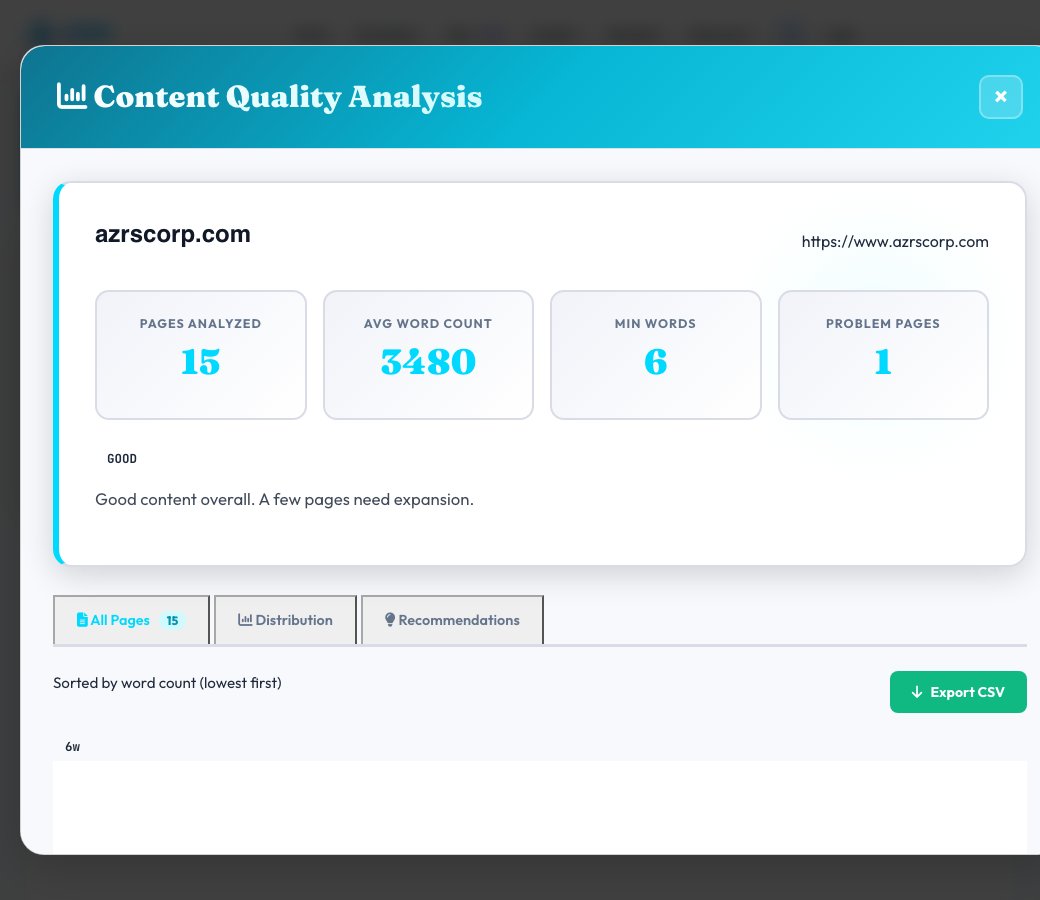
Free Thin Content Detector
Enter a domain and this tool crawls it (up to 100 pages), counts the real word count of each page's content, and flags anything under roughly 300 words as thin content — the kind of page that offers too little substance to compete in search results or satisfy a visitor.
Rather than guessing which pages might be thin, this gives you an exact word count per crawled page, so you can prioritize which ones genuinely need expanding, merging with another page, or removing from the index entirely.
Key features
Real per-page word counts
Every crawled page gets an actual word count, not an estimate.
Thin-content flagging
Pages under the ~300-word threshold are called out directly as at-risk.
Up to 100 pages per crawl
Enough to cover a full blog, product catalog section, or small site in one pass.
Prioritized results
See thin pages sorted so the most urgent gaps are easy to act on first.
How to use it
- Enter the domain to check.
- Set the max pages to crawl (up to 100).
- Run the crawl and let it measure word count across every page found.
- Review flagged thin pages and expand, merge or noindex each one as appropriate.
Worked example
Example
A crawl of an e-commerce category turns up 14 product pages under 150 words each — flagged as thin content, with a recommendation to add specifications, usage details and FAQs to each.
Who uses this tool
E-commerce site owners
Spot thin product descriptions across a large catalog without opening every listing manually.
Content teams doing a site audit
Prioritize which old, short articles need expansion before a broader content refresh.
SEO specialists after a Panda-style quality review
Get a concrete, page-by-page list of low-content pages instead of a general warning.
Tips for the best results
- Expand thin pages with genuinely useful detail — specifications, examples, FAQs, comparisons — not filler text.
- If several thin pages cover near-identical topics, merge them into one comprehensive page instead of padding each separately.
- For pages that can't reasonably be expanded (like tag or filter pages), consider noindexing them instead of leaving them thin.
- Re-crawl after expanding content to confirm the word count has genuinely moved past the thin-content threshold.
Common mistakes to avoid
- Padding word count with repetitive or low-value filler just to clear the threshold — quality matters more than the raw number.
- Treating every flagged page as equally urgent instead of prioritizing high-traffic or high-intent thin pages first.
- Ignoring product or category pages because 'they're not blog content' — thin product pages are one of the most common real-world cases.
Why use AZRS QuickFix?
It is 100% free, needs no signup and has no watermark or usage limits. The tool runs in your browser, so what you type stays on your device, and it works on phones, tablets and desktops. New tools are added every week — bookmark this page or browse the full QuickFix toolbox.
Frequently asked questions
What word count counts as thin content?
This tool flags pages under roughly 300 words, a widely used general threshold, though competitive topics often need far more to rank.
How many pages does it check?
Up to 100 pages, discovered by crawling internal links from the domain you enter.
Does thin content actually hurt rankings?
Yes — pages with very little substantive content can trigger quality-related ranking suppression and generally convert and rank worse than substantive pages.
What's the fix for a flagged thin page?
Expand it with real, useful detail, merge it into a related page that covers the topic more completely, or noindex it if it can't reasonably be expanded.
Is there a minimum word count that guarantees good rankings?
No — there's no fixed minimum that guarantees ranking; 600+ words is generally a safer baseline for informational content, with competitive topics often needing 1,500-3,000+.
Is this free?
Yes, free with no signup required.