Diffusion & Osmosis Simulator
See solute and water move across a membrane and find out why water follows the higher concentration.
What the Diffusion & Osmosis Simulator shows
See solute and water move across a membrane and find out why water follows the higher concentration. Free, no signup, runs in your browser. Built for biology, the diffusion & osmosis simulator runs instantly in your browser: change a setting or drag an object and the result updates at once, so you learn by trying things out rather than only reading about them.
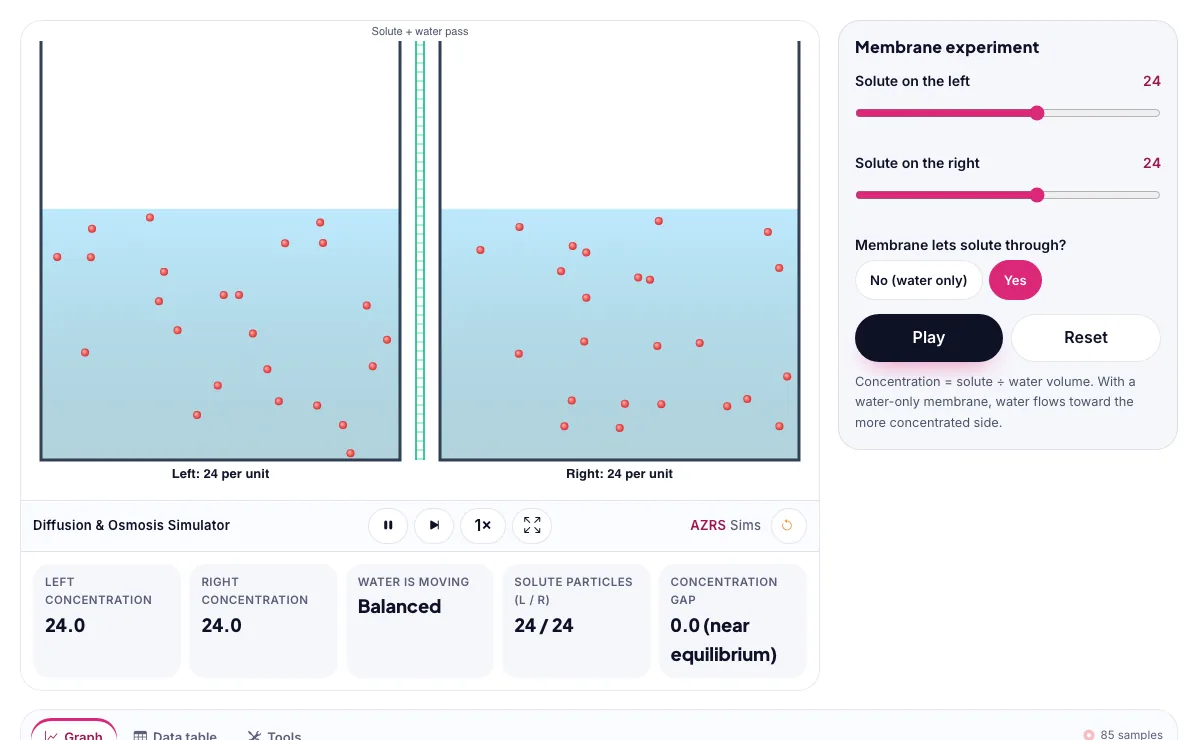
Solute and water cross a membrane. Water moves toward the side with more dissolved solute, until the concentrations balance or pressure stops it.
How to use the Diffusion & Osmosis Simulator
In the Diffusion & Osmosis Simulator, use the controls to change Solute on the left, Solute on the right, Membrane lets solute through?. The simulation reacts instantly.
In the Diffusion & Osmosis Simulator, pick an option such as No (water only), Yes to switch modes or load an example.
In the Diffusion & Osmosis Simulator, press "Pause", "Reset" to start, reset or change what is happening.
Start with this experiment: Put more solute on the left and watch the water move. Drag any glowing handle, object or slider with your mouse or finger and the Diffusion & Osmosis Simulator responds in real time.
Change one setting at a time and watch which readout moves, then compare it with this idea: Diffusion moves particles from high to low concentration.
Things to try
Put more solute on the left and watch the water move.
Make the membrane let solute pass.
Balance both sides.
Reset and try the opposite.
The science behind it
Diffusion moves particles from high to low concentration.
Osmosis is the diffusion of water across a semipermeable membrane toward the side with more solute.
If the solute can cross the membrane, it diffuses until both sides match, and osmosis fades.
A worked example with real numbers
Pi = 2 x 0.15 mol/L x 0.08206 L atm/mol K x 310 K = 7.6 atm
That is why saline of 0.15 M is isotonic with blood.
Tips and common mistakes
Tips
- Make one side more concentrated and watch the water volume shift.
- Notice small solutes diffuse, large ones are blocked.
Common mistakes
- Saying solute moves in osmosis; osmosis is water movement.
- Forgetting to include the ions count i.
Where this is used
Osmosis and diffusion move nutrients into cells, keep plants firm, and are used in kidney dialysis, food preservation and water purification.
Who is this simulation for?
Biology students and teachers who want to explore living systems, populations and genetics interactively and safely. A good first experiment in the Diffusion & Osmosis Simulator: Put more solute on the left and watch the water move. The key relation to keep an eye on: osmotic pressure: Pi = i M R T; diffusion flux (Fick) J = -D dC/dx.
For teachers: project the Diffusion & Osmosis Simulator on the board, let students predict the result, then run it together and test this: Make the membrane let solute pass. For students: change one thing at a time and write down what changes.
Frequently asked questions
What is the difference between diffusion and osmosis?
Diffusion is any movement of particles from high to low concentration. Osmosis is the special case of water moving across a semipermeable membrane.
Which way does water move in osmosis?
Toward the side with the higher solute concentration, which has the lower water concentration.
Is the Diffusion & Osmosis Simulator free to use?
Yes. The Diffusion & Osmosis Simulator is free, needs no signup or download and runs in your web browser. It is part of the Biology group of AZRS simulations.
Does the Diffusion & Osmosis Simulator work on a phone or tablet?
Yes. The Diffusion & Osmosis Simulator takes touch input as well as mouse input, so you can use its 3 adjustable settings with a finger. A larger screen makes the controls and graphs easier to read.