
Cloud Sync
Create a free account and your notes sync instantly across every device — phone, tablet, and laptop.
PDF and files
PDF Merger PDF Splitter Image to PDF File Converter File CompressorImages and media
Image Resizer Background Remover Color Changer Text Extractor (OCR) Video DownloaderDeveloper
JSON Formatter Base64 Converter Regex Tester Diff Checker QR Code GeneratorText and writing
Word Counter Case Converter Paraphraser Summarizer Text to SpeechCalculators
Mortgage Calculator Loan EMI Calculator GPA Calculator Percentage Calculator Unit ConverterFitness and health
Fitness tools hub Calorie and TDEE BMI Calculator Heart Rate Zones Weekly Workout PlannerCAD and 3D printing
3D Model Viewer STL to OBJ Converter G-code Viewer DXF to SVG ConverterSimulations
All simulations Projectile Motion Circuit Lab Pendulum LabTop sections
World Politics Business Technology SportsLife and science
Health Science Environment Entertainment TravelViews and faith
Opinions Analysis Culture Religion news InterfaithListen and follow
Live radio newsroom Radio archive World: Americas World: Europe RSS feedIslam
Islam home Prayer times Qibla direction Zakat calculator Halal scannerChristianity
Christianity home Bible verse finderJudaism
Judaism home Shabbat timesOther faiths
Hinduism home Buddhism homeAZRS
About us Contact Asasify apps Get the app SupportServices
All services Tax filing and appointments Web development Business solutionsResources and legal
Feature guides AI assistant Sitemap Terms Privacy Cookies AccessibilityCornell, mind map, Zettelkasten, SQ3R and more in one free notes app. Notes save in this browser; log in to sync.
No signup needed · Notes save automatically · Login to sync across devices
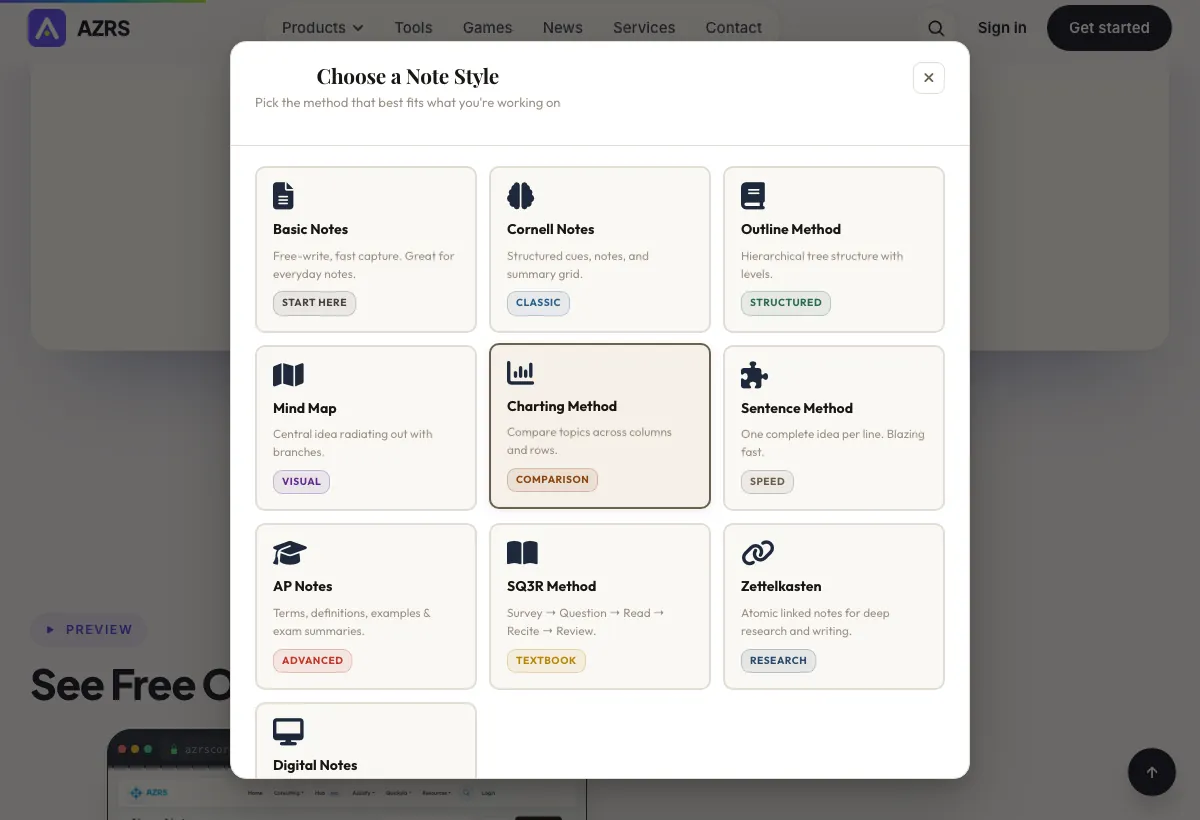
Whether you're studying for exams, doing research, or capturing ideas — there's a method built for your task.
The 20% of features that give you 80% of the value. Everything works, nothing gets in the way.
Create a free account and your notes sync instantly across every device — phone, tablet, and laptop.
Notes save automatically every 45 seconds and whenever you leave the page. Never lose a thought again.
Organize complex topics with unlimited pages per note. Add, delete, and navigate pages with ease.
Color-code by subject or priority. Seven beautiful note colors with instant, one-click switching.
Keep your most-used notes at the top. Pinned notes are always front and center in your dashboard.
Search instantly across titles and all content. Filter by note type with a single click.
Export to Markdown, Plain Text, HTML, or JSON. Print to PDF. Copy to clipboard. Your notes, your way.
Import notes from a JSON backup. Download a full backup of all your notes with one click.
Ctrl+S to save, Ctrl+B for bold, focus mode, page navigation — full keyboard support for power users.
Hide the toolbar and write in distraction-free fullscreen. One shortcut to enter, one to leave.
No connection? No problem. Notes save to your device and sync to the cloud when you reconnect.
Live word, character, and line counts. Estimated reading time per page so you always know your progress.
| Feature | QuickFix Notes | Notion | Evernote | Google Docs |
|---|---|---|---|---|
| Completely Free | Yes | Limited | Limited | Yes |
| 10 Academic Note Methods | Built-in | No | No | No |
| No Login to Start | Yes | No | No | No |
| Cornell Notes Template | Built-in | Manual | No | No |
| Zettelkasten Support | Built-in | Workaround | No | No |
| Offline Support | Yes | No | Paid only | Yes |
| Export to Markdown / JSON | Yes | Yes | Limited | No |
No more drawing the grid by hand every lecture — the Cornell Notes layout is ready to use from the first note.
Proper atomic notes with real link tracking between them, for anyone doing research and not just jotting text.
Survey, Question, Read, Recite, Review — structured into one note instead of a five-tab juggling act.
Open a tab and write. Sign in only if you want your notes synced to an account — never required.
Multi-page notes keep an entire project or subject in one place instead of scattered across files.
Not just a blank text box — actual note-taking methods built in, with export to Markdown when you're done.
Compare topics side by side in a clean interface, with no distractions and nothing to configure.
No signup. No credit card. No tutorial. Just click and start writing smarter notes today.
Works on all devices
Sample input: Search notes… = photosynthesis; File = sample.json. Pressed + Create First Note.
What does the Online Notes do? See how it works