Where Am I?
// Live IP address · location · ISP · timezone
// privacy score · connection speed · device fingerprint
Location
Network
Coordinates
Privacy Score
Map View
loading…Your Device
Connection
Latency / Ping
IP Lookup History
IPv6 Status
IPv6 check uses a lightweight image request to ipv6.azrscorp.com — no personal data sent.
Precise GPS Location
Built by AZRS Corp · Data from ip-api.com · Maps from OpenStreetMap · Free forever
See Free "Where Am I?" — IP Address, Location & Privacy Checker in action
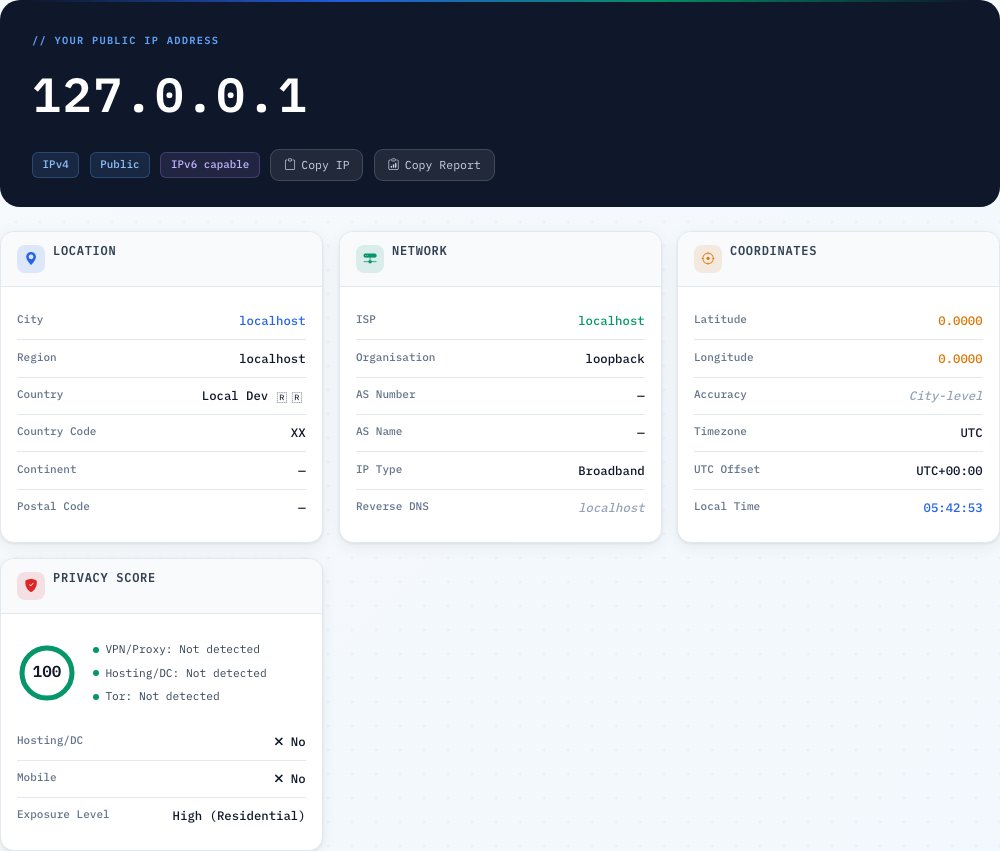
Free "Where Am I?" — IP Address, Location & Privacy Checker
See your public IP address, approximate geographic location (city, region, country), internet service provider, autonomous system number, timezone, and browser/device details the moment the page loads — your IP is captured server-side, then a geolocation lookup fills in the rest, all in under a second.
It also calculates a privacy score (0-100) from VPN, proxy, hosting and Tor detection flags, runs a lightweight ping/latency test using timed round-trip requests to gauge connection responsiveness, and offers a GPS button for your precise physical location when IP-based geolocation isn't accurate enough.
Key features
Instant IP & ISP lookup
Public IP, ISP name, ASN and geolocation resolved automatically on page load.
Privacy score
A 0-100 score derived from VPN, proxy, hosting and Tor detection flags — an at-a-glance anonymity rating.
Ping / latency test
Eight timed round-trip requests measure minimum, maximum, average latency and jitter.
Browser & device fingerprint
Navigator API details gathered 100% locally, with no upload of that data.
How to use it
- Open the page — your IP and location are detected automatically, no button needed.
- Review your ISP, ASN, timezone and privacy flags (VPN/proxy/hosting/Tor).
- Check your privacy score to see how identifiable your connection appears.
- Run the ping test or tap the GPS button for a more precise physical location.
Worked example
Example
Loading the page from a home broadband connection typically shows: city-level location, your ISP's name, a privacy score near 100 (no VPN/proxy/hosting flags), and ping results in the 10-40 ms range to a nearby server.
Who uses this tool
Remote workers & travelers
Confirm which country or region their connection appears to be in, especially when using a VPN.
Privacy-conscious users
Check whether their VPN or proxy is actually being detected as one before relying on it.
Network troubleshooters
Use the ping/latency test and ASN lookup as a first diagnostic step for connection issues.
Tips for the best results
- If your location looks wrong, you're likely on a VPN, corporate proxy, or satellite ISP — the report reflects the exit node, not your true location.
- Use the GPS button when you need your actual physical location rather than the IP-based approximation.
- A lower privacy score isn't necessarily bad — it often just means a VPN or hosting IP was correctly detected, which is expected if you're using one intentionally.
- Re-run the ping test a couple of times if the first result looks unusually high — a single slow request can be a one-off network blip.
Common mistakes to avoid
- Expecting an exact street address from IP geolocation — it's accurate to roughly 25-50 km for residential connections, not your exact building.
- Assuming a VPN flag means something is wrong — it usually just means the VPN is working and was correctly detected.
- Treating the ping test as a full speed test — it measures round-trip latency to one server, not download/upload bandwidth.
Why use AZRS QuickFix?
It is 100% free, needs no signup and has no watermark or usage limits. The tool runs in your browser, so what you type stays on your device, and it works on phones, tablets and desktops. New tools are added every week — bookmark this page or browse the full QuickFix toolbox.
Frequently asked questions
What does "Where Am I?" show?
Your public IP, approximate location, ISP, ASN, timezone, privacy score, connection speed, and browser/device details — all in real time with no signup.
Is my exact address visible?
No, IP geolocation is city-level at best; your street address is never exposed, and coordinates shown are an approximate city or ISP-exchange center.
Why does my location look wrong?
If you use a VPN, corporate proxy, or satellite ISP, the reported location reflects where your traffic exits, not your actual location — use the GPS button for that.
Do you store my IP or location?
Only anonymous metadata (country code, ISP, timezone) is logged for analytics; no personal data or raw IP is permanently stored.
What is the Privacy Score?
A 0-100 heuristic rating how identifiable your connection looks — VPN, hosting and Tor detection each lower the score; it's not a legal or security guarantee.
How does the Ping / Latency test work?
It sends eight small timed requests to our server and reports minimum, maximum, average latency and jitter as a rough connection-responsiveness indicator.