
Meet the SERP Title Pixel Width Checker
Type in a title tag and this tool measures its actual rendered pixel width using the same Arial-based measurement Google effectively uses in search results — not just a character count —
- Free to use
- No signup
- Nothing to install
- Works in any modern browser
A title measuring 620 pixels wide is flagged 'warning — may be truncated' even though it's only 58 characters, because several wide capital letters push it past Google's effective ~600px display limit.Open the SERP Title Pixel Width Checker
Illustration. Open the tool for the real thing.
See it in action
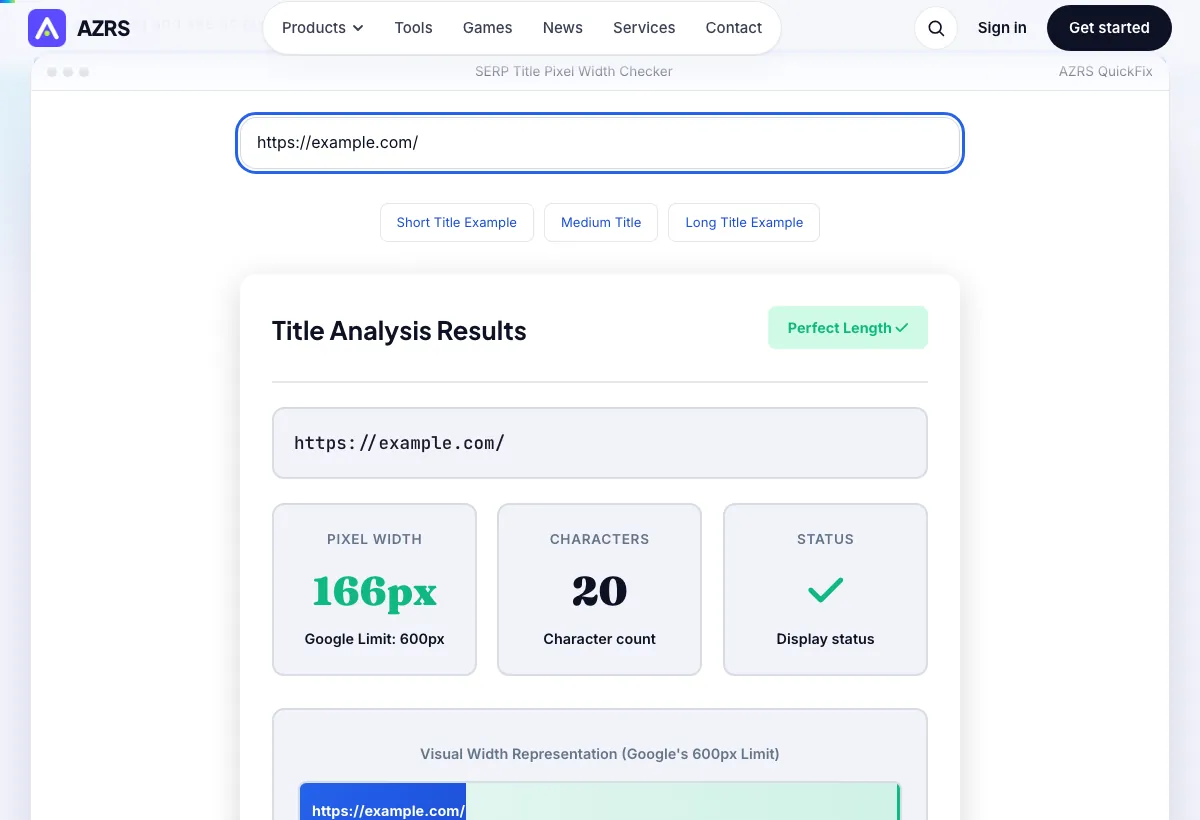
Sample input: Enter your title tag here... = https://example.com/
What is the SERP Title Pixel Width Checker?
Type in a title tag and this tool measures its actual rendered pixel width using the same Arial-based measurement Google effectively uses in search results — not just a character count — then tells you instantly whether it will display in full or get truncated with an ellipsis.
Character count alone is misleading because letters vary hugely in width — a title full of 'W' and 'M' characters can hit Google's ~600px display limit at far fewer characters than one full of narrow letters like 'i' and 'l'. Pixel width is the real constraint, and this tool measures it directly.
3 steps to your result
Open the tool and follow along. Nothing to install.
What you get
Calculates actual rendered width instead of relying on a rough character-count rule of thumb.
See immediately whether your title is perfect, good, at risk of truncation, or too long.
Both numbers are displayed side by side so you can see exactly why pixel width and character count disagree.
Get concrete suggestions for shortening or restructuring a title that's at risk of being cut off.
AZRS tools are free to open and use.
It opens in your browser, so there is nothing to download.
Used for
Pick one to see how it fits.
SEO writers and content teams
Check every page title before publishing instead of guessing based on character count alone.
Try it freeE-commerce sites with templated titles
Verify that a title template (brand name + product name + modifier) doesn't get cut off across different product name lengths.
Try it freeAnyone optimizing for click-through rate
Make sure the most compelling part of the title isn't the part that gets truncated.
Try it freeHow it compares
A plain look at this tool next to the usual alternative.
| This seo tool | Desktop software | |
|---|---|---|
| Install | Nothing to install | Usually an app or program to install |
| Account | No signup | Depends on the product |
| Cost | Free to use | Free or paid, depends on the product |
Questions people ask
What is the pixel width limit for Google titles?
Google displays approximately 600 pixels of title width, roughly equivalent to 55-60 characters depending on which letters are used — pixel width, not character count, is the true limit.
Why use pixel width instead of character count?
Different characters have very different widths — a capital 'W' is much wider than a lowercase 'i' — so pixel measurement using the actual display font is far more accurate than counting characters.
What happens if my title is too long?
Google truncates titles that exceed the effective pixel width with an ellipsis (…), which can hide your target keyword or the most compelling part of the title from searchers.
Does this match exactly what Google shows?
It uses the same Arial-based measurement approach Google effectively renders titles with, giving a highly accurate estimate — Google can occasionally rewrite titles entirely, which no pixel checker can predict.
Is my title data stored?
No, titles are measured instantly and nothing is saved.
More free tools
Related to the SERP Title Pixel Width Checker.
Try the SERP Title Pixel Width Checker now
Type in a title tag and this tool measures its actual rendered pixel width using the same. Free to use.
Try it free