Conservation of Angular Momentum: Spinning Disks & Skater Lab
Pull a spinning skater's arms in and watch her spin speed up exactly as L = Iω is conserved, or drop one spinning disk onto another and see them lock together.
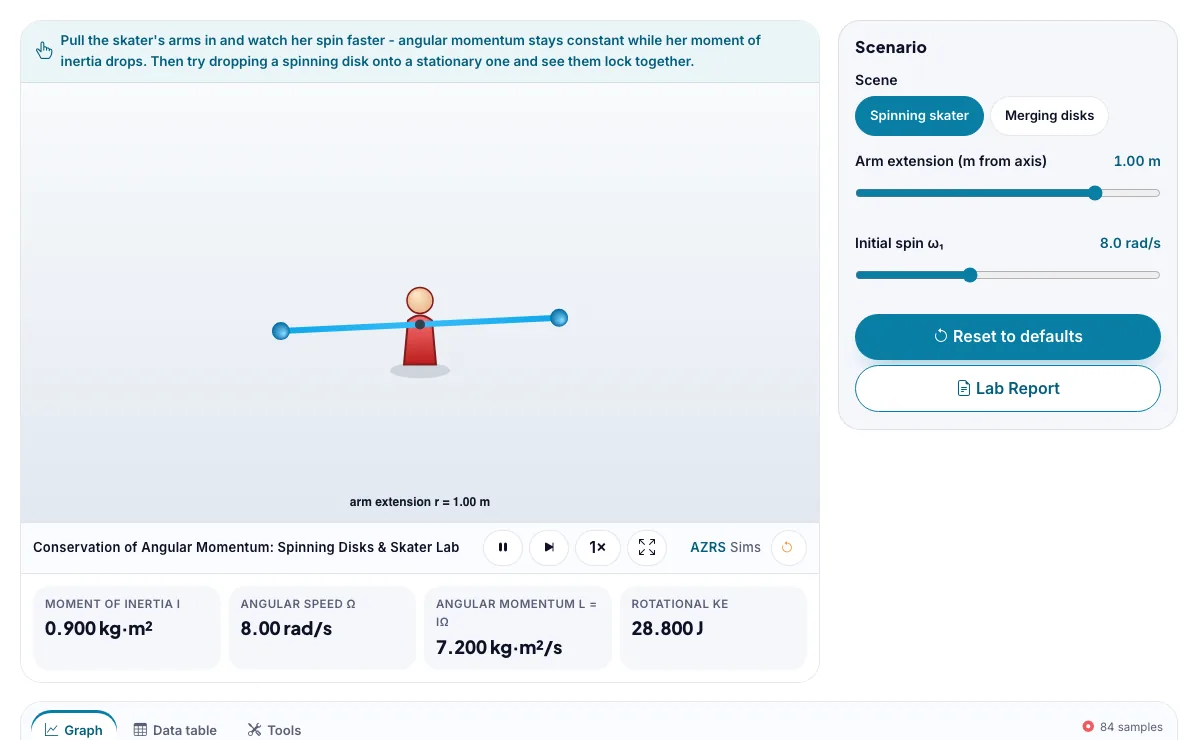
Pull the skater's arms in and watch her spin faster - angular momentum stays constant while her moment of inertia drops. Then try dropping a spinning disk onto a stationary one and see them lock together.
What the Conservation of Angular Momentum: Spinning Disks & Skater Lab shows
Pull a spinning skater's arms in and watch her spin speed up exactly as L = Iω is conserved, or drop one spinning disk onto another. Built for physics, the conservation of angular momentum: spinning disks & skater lab runs instantly in your browser: change a setting or drag an object and the result updates at once, so you learn by trying things out rather than only reading about them.
A skater pulls in her arms and spins faster. With no outside torque, angular momentum stays constant.
How to use the Conservation of Angular Momentum: Spinning Disks & Skater Lab
In the Conservation of Angular Momentum: Spinning Disks & Skater Lab, use the controls to change Scene, Arm extension (m from axis), Initial spin ω₁, Second disk moment of inertia I₂. The simulation reacts instantly.
In the Conservation of Angular Momentum: Spinning Disks & Skater Lab, pick an option such as Spinning skater, Merging disks to switch modes or load an example.
Start with this experiment: Pull the skater's arms all the way in and watch her spin rate climb. Drag any glowing handle, object or slider with your mouse or finger and the Conservation of Angular Momentum: Spinning Disks & Skater Lab responds in real time.
Change one setting at a time and watch which readout moves, then compare it with this idea: Angular momentum L = Iω is conserved whenever no external torque acts on a system, even as the moment of inertia I changes shape.
Things to try
Pull the skater's arms all the way in and watch her spin rate climb.
Drop a fast disk onto a much heavier stationary one and see how little it speeds the second one up.
Try the final-spin-rate challenge for the skater.
Compute the percent kinetic energy lost in the merging-disks challenge.
The science behind it
Angular momentum L = Iω is conserved whenever no external torque acts on a system, even as the moment of inertia I changes shape.
Pulling mass closer to the rotation axis reduces moment of inertia; since L stays constant, angular speed ω must increase to compensate - the ice-skater effect.
When one spinning object merges with a stationary one (a perfectly inelastic angular collision), angular momentum is conserved but rotational kinetic energy is not - some is lost to the internal forces that lock them together.
The kinetic energy lost fraction in a merging-disk collision depends only on the ratio of the two moments of inertia, not on the spin speed.
Show my work
Challenges
Challenge 1 - skater's final spin rate
In the skater scene, note her starting arm extension and ω₁. Now imagine pulling her arms all the way to 0.3 m. Using I ∝ r² for a point mass approximation and L = Iω conserved, compute her new angular speed ω₂ = ω₁(r₁/r₂)². Enter ω₂ in rad/s.
Challenge 2 - kinetic energy lost in merging disks
Switch to the merging-disks scene. A disk with I₁ = 1.0 kg·m² spins at ω₁ = 10 rad/s and drops onto a stationary disk with the I₂ you set. They stick together (inelastic). Compute the percent of kinetic energy lost: %lost = 100 × (1 − I₁/(I₁+I₂)). Enter the percentage.
A worked example with real numbers
omega2 = 4 x 2 / 1.6 = 5 rev/s
Kinetic energy rises from (1/2) I w^2 because she does work pulling in.
Tips and common mistakes
Tips
- Drop a second disk on the first and watch the spin slow.
- Check that L before equals L after.
Common mistakes
- Saying energy is conserved too; pulling the arms in adds energy.
- Confusing angular speed with angular momentum.
Where this is used
Figure skaters and divers use exactly this pull-in-to-spin-faster technique, and engineers analyze coupling clutches and docking spacecraft with the same conservation-of-angular-momentum plus energy-loss reasoning.
Who is this simulation for?
Physics students in middle school, high school and first-year university, teachers who want a quick demonstration for the projector, and anyone revising for exams. A good first experiment in the Conservation of Angular Momentum: Spinning Disks & Skater Lab: Pull the skater's arms all the way in and watch her spin rate climb. The key relation to keep an eye on: L = I omega; L is constant, so I1 omega1 = I2 omega2.
For teachers: project the Conservation of Angular Momentum: Spinning Disks & Skater Lab on the board, let students predict the result, then run it together and test this: Drop a fast disk onto a much heavier stationary one and see how little it speeds the second one up. For students: change one thing at a time and write down what changes.
Frequently asked questions
Why does a skater spin faster when she pulls her arms in?
Pulling her arms in reduces her moment of inertia I because mass moves closer to the rotation axis, and since angular momentum L = Iω must stay constant with no external torque, a smaller I forces a larger ω.
Why is kinetic energy lost when two spinning disks merge, if angular momentum is conserved?
Angular momentum conservation only requires no net external torque, but the internal friction and deformation that lock the two disks together do negative work on the system, converting some rotational kinetic energy into heat and sound, just like a perfectly inelastic linear collision.
Is the Conservation of Angular Momentum: Spinning Disks & Skater Lab free to use?
Yes. The Conservation of Angular Momentum: Spinning Disks & Skater Lab is free, needs no signup or download and runs in your web browser. It is part of the Physics group of AZRS simulations.
Does the Conservation of Angular Momentum: Spinning Disks & Skater Lab work on a phone or tablet?
Yes. The Conservation of Angular Momentum: Spinning Disks & Skater Lab takes touch input as well as mouse input, so you can use its 4 adjustable settings with a finger. A larger screen makes the controls and graphs easier to read.