How Free Bengali Keyboard Online — Type Bengali (বাংলা) Without Installing works, step by step
1
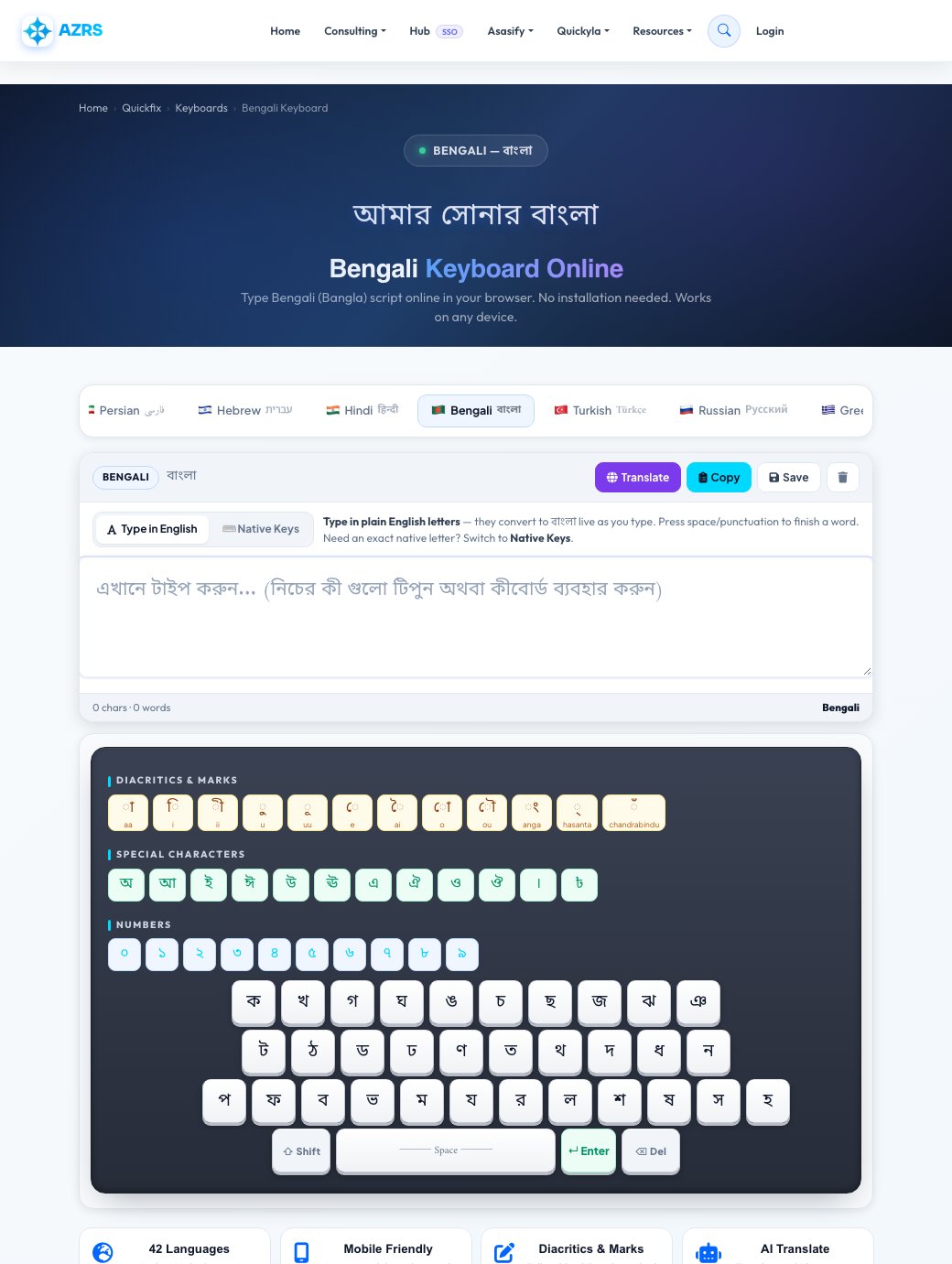
Open the Bengali keyboard page — it loads with the Bengali layout and correct text direction already active.
2 Download it
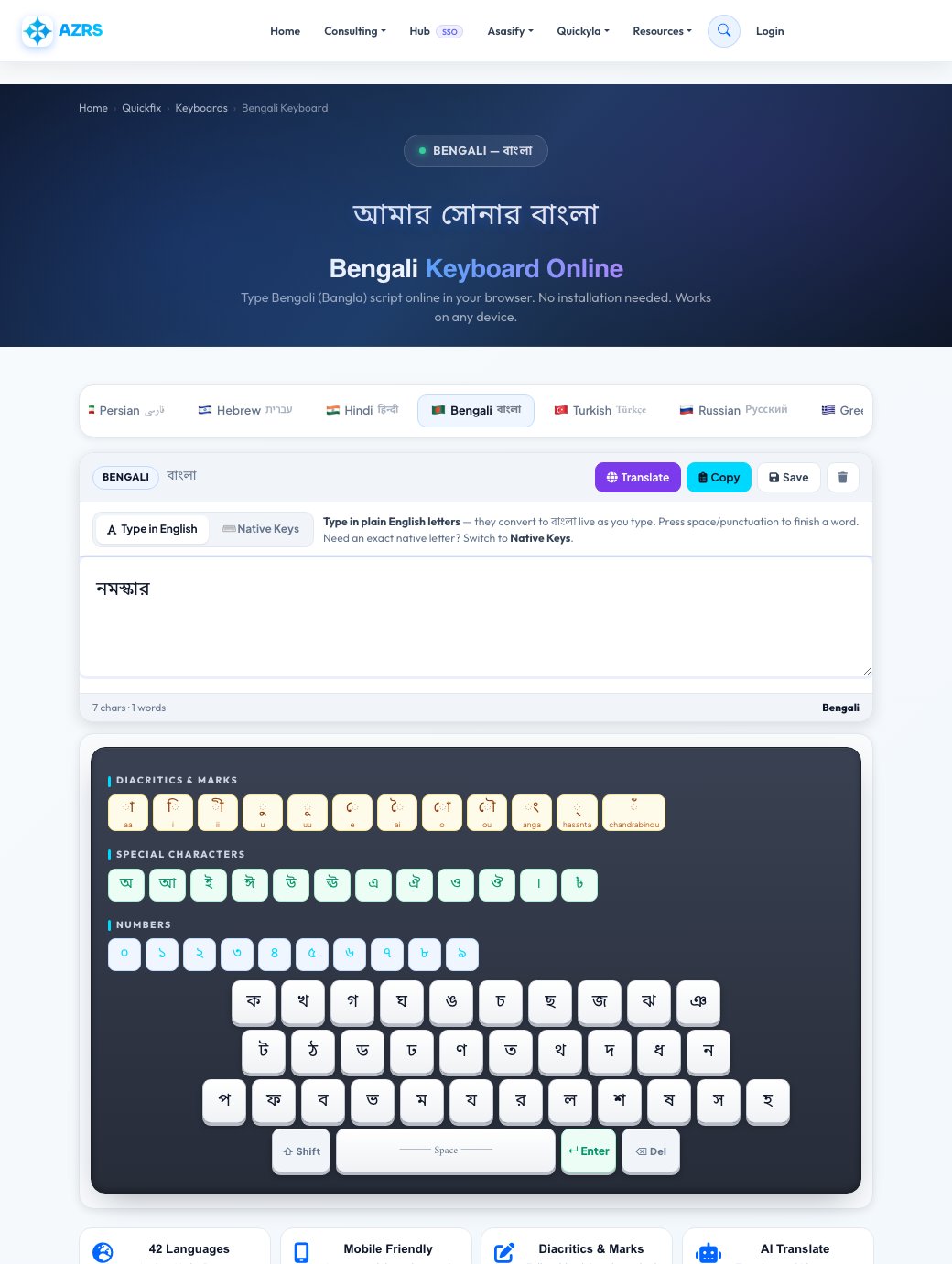
Type using your physical keyboard phonetically (it converts to বাংলা script live) — or tap the on-screen keys one at a time.
Overview
Free Bengali Keyboard Online — Type Bengali (বাংলা) Without Installing
AZRS Corp's online Bengali keyboard lets you type Bangla script in any browser without software installs. Bengali is the 7th most spoken language in the world and the national language of Bangladesh. Write Bengali text and copy it anywhere. The page keeps standard left-to-right text direction throughout.
Bengali (Bangla) uses a left-to-right abugida script derived from the ancient Brahmi script. It has 11 vowels, 39 consonants, and several diacritical marks. The Bengali script is also used to write Assamese. Our online Bengali keyboard eliminates the need to change system keyboard settings just to type a few lines of Bangla.
Highlights
Key features
On-screen Bengali keyboard
A full বাংলা layout with 3D keycaps you can click or tap — no bengali keyboard software or OS language pack needed.
Diacritics strip
Add Bengali vowel signs (matras) with one tap, separate from the base letters, for text where precise pronunciation matters.
AI Translate
Instantly translate your typed Bengali text into 16 target languages, or translate Bengali text you paste in back into English.
Copy, save & multi-language switching
Copy to clipboard, download as a text file, or jump straight to any of the other 16 language keyboards from the same page.
Walkthrough
How to use it
Open the Bengali keyboard page — it loads with the Bengali layout and correct text direction already active.
Type using your physical keyboard phonetically (it converts to বাংলা script live) — or tap the on-screen keys one at a time.
Use the diacritics strip for Bengali vowel signs (matras) the base layout doesn't cover.
Tap Translate to see it in another language, Copy to grab it for WhatsApp/Word/email, or Save to download it as a text file.
In practice
Worked example
Typing
Type phonetically and consonant-vowel combinations like “ka” become ক automatically, or tap the Bengali on-screen keys directly.
Audience
Who uses this tool
Bengali speakers & diaspora
Message family, write posts, or fill out forms in Bengali from a device that only has a Latin keyboard installed.
Students learning Bengali
Practice typing বাংলা script without buying a physical Bengali keyboard or reconfiguring a shared/school computer.
Anyone on a shared or public device
Type Bengali on a library, hotel, or work computer without admin rights to change the system keyboard layout.
Pro tips
Tips for the best results
Use phonetic typing for speed once you know the common sound-to-letter mappings, and fall back to the on-screen keys when you need an exact character you can't recall the spelling for.
Add Bengali vowel signs only where pronunciation actually needs it — Bengali text is usually readable without them, and heavy marking can look unnatural in casual messages.
Use Translate before sending something important to double-check the meaning came through the way you intended.
Bookmark the Bengali keyboard's own page (/bengali-keyboard/) instead of the generic keyboard page if this is the language you type most — it loads straight into Bengali with no extra tap.
Watch out
Common mistakes to avoid
Expecting the physical keyboard's printed Latin letters to match Bengali script — this tool converts sounds or provides on-screen keys, it doesn't relabel your physical keys.
Forgetting to add Bengali vowel signs in formal or ambiguous text where pronunciation actually matters.
Closing the tab before tapping Copy or Save — typed text isn't stored anywhere unless you explicitly copy or download it.
Why AZRS
Why use AZRS QuickFix?
It is 100% free, needs no signup and has no watermark or usage limits. The tool runs in your browser, so what you type stays on your device, and it works on phones, tablets and desktops. New tools are added every week — bookmark this page or browse the full QuickFix toolbox.
FAQ
Frequently asked questions
How do I type Bengali online without a Bengali keyboard?
Open this page — type phonetically using your regular Latin keyboard — common Bengali sound combinations convert to বাংলা script automatically as you go — or tap the on-screen Bengali keys directly with your mouse or finger. No software install or OS language pack is required.
Is this Bengali keyboard free?
Yes, 100% free with no sign-up, on any device.
Does the Bengali keyboard work on iPhone and Android?
Yes. The layout is touch-friendly and works in Safari, Chrome, and Firefox on phones and tablets with no app to download.
Can I translate Bengali text to English?
Yes — type or paste your text, tap Translate, and choose English or any of the other supported target languages.
What does the diacritics strip do?
It adds Bengali vowel signs (matras) that aren't on the main letter keys, for text where precise pronunciation matters.
Can I save or copy my Bengali text?
Yes — tap Copy to put it on your clipboard for pasting into WhatsApp, Word, or email, or tap Save to download it as a plain-text file.