
Use the Exercise Library with Animations
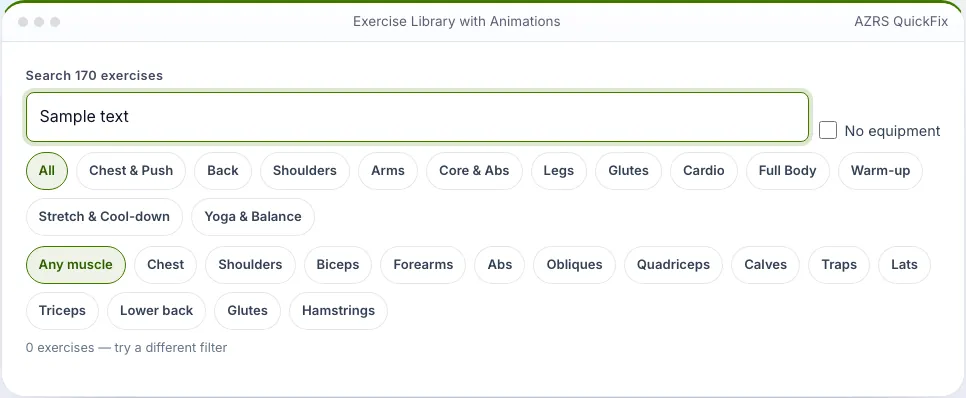
Browse 170 exercises with animated demonstrations, step cues, muscles worked and equipment. Filter by muscle group or muscle.
- Free to use
- No signup
- Nothing to install
- Runs in your browser
Search 'lunge', open Reverse Lunge, watch the animation and add 3 sets of 10 to a workout.Open the Exercise Library with Animations
Illustration. Open the tool for the real thing.
See it in action
Sample input: push-up, squat, hamstring, plank… = Sample
What is the Exercise Library with Animations?
Every exercise has an animated figure showing the movement, a short how-to cue, the equipment needed, the muscles it trains and a suggested starting number of reps or seconds. Search by name, filter by group (chest, back, shoulders, arms, core, legs, glutes, cardio, full body, warm-up, stretch, yoga) or by muscle, and hide anything that needs equipment.
Open an exercise for a larger animation and press 'Do it with the voice coach' to send it straight to the Workout Builder. Share a link to any exercise.
3 steps to your result
Open the tool and follow along. Nothing to install.
What you get
Twelve categories.
Smooth loop for each.
14 muscles.
Bodyweight only.
One tap.
Share any exercise.
Used for
Pick one to see how it fits.
How it compares
A plain look at this tool next to the usual alternative.
| This fitness tool | Desktop software | |
|---|---|---|
| Install | Nothing to install | Usually an app or program to install |
| Account | No signup | Depends on the product |
| Cost | Free to use | Free or paid, depends on the product |
| Where it runs | In your browser tab | On your computer |
Questions people ask
Are the animations realistic?
They are simple stick-figure demonstrations of the key positions to show the movement pattern.
Is it free and private?
Yes, and free. Saved data lives only in this browser. 170 exercises; Animated demonstrations; Filter by muscle. Search or filter the library. Tap an exercise to see it larger.
Can I send an exercise to a workout?
Yes. Open an exercise and use the voice coach button to run it, or send it to the workout builder to add it to a custom session.
How do I use the Exercise Library with Animations?
1. Search or filter the library. 2. Tap an exercise to see it larger. 3. Read the cue and muscles. 4. Press Do it with the voice coach.
Any tips for good results?
Learn the movement slowly before adding speed. Use the muscle filter to balance push and pull. Use the no-equipment filter when you travel and the muscle filter when you plan a session.
More free tools
Related to the Exercise Library with Animations.
Try the Exercise Library with Animations now
170 exercises with animated demos, muscles and how-to cues. Free to use.
Try it free