
Meet the Text Reader with Highlighted Words
Paste any text and have it read aloud while each word is highlighted. Choose natural Kokoro voices, change speed, click a word to start there.
- Free to use
- No signup
- Nothing to install
- Runs in your browser
Illustration. Open the tool for the real thing.
See it in action
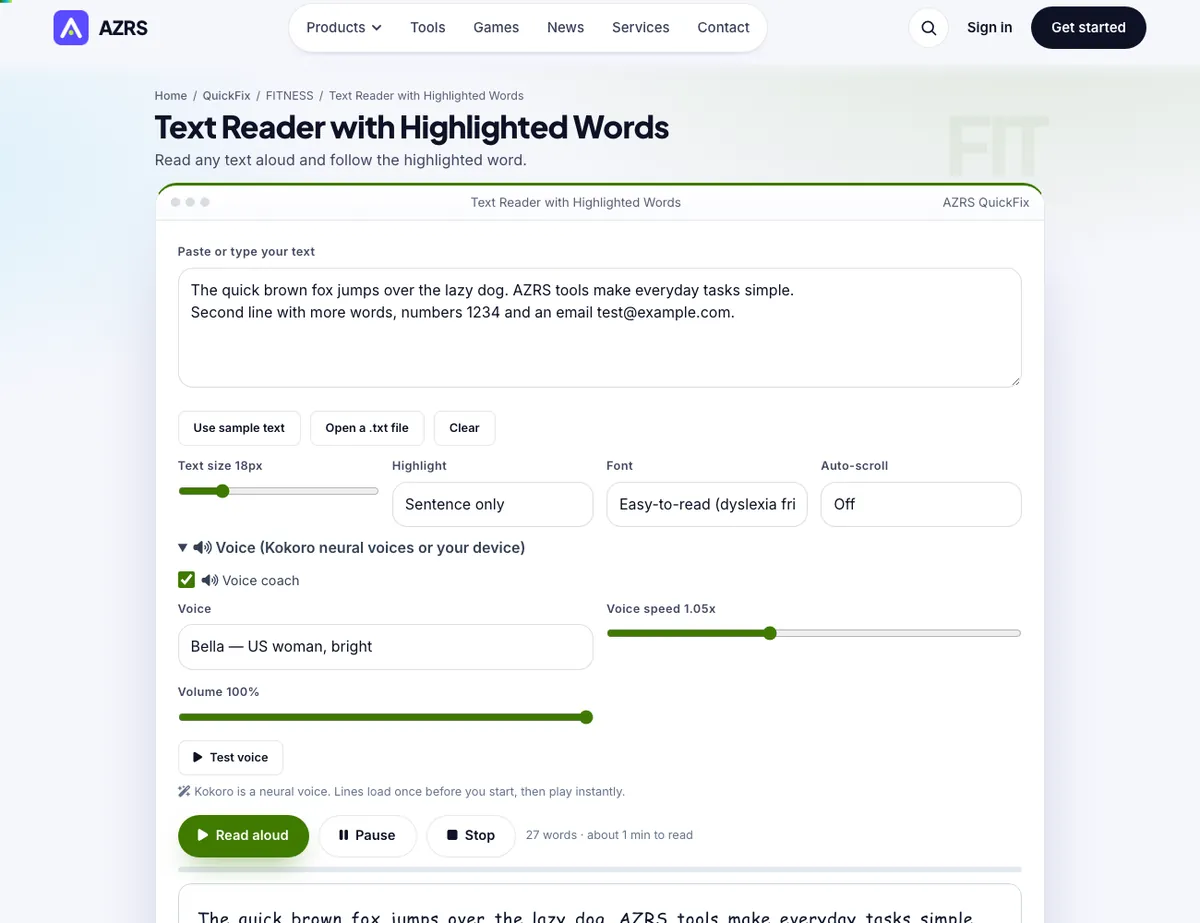
The Text Reader with Highlighted Words with sample data entered and the result showing.
What is the Text Reader with Highlighted Words?
Following along with the words as they are spoken helps comprehension, proofreading and reading practice. Paste text or open a .txt file, press Read aloud and the current word is highlighted while the voice reads. Click any word to jump straight to it, pause and resume from where you stopped.
Choose from natural Kokoro neural voices or voices built into your device, set the speed, enlarge the text, switch to an easy-to-read font and highlight word by word or sentence by sentence.
3 steps to your result
Open the tool and follow along. Nothing to install.
What you get
Follows the voice.
Jump around.
Natural and clear.
Dyslexia-friendly option.
Where you left off.
Up to 60,000 characters.
Used for
Pick one to see how it fits.
How it compares
A plain look at this tool next to the usual alternative.
| This fitness tool | Desktop software | |
|---|---|---|
| Install | Nothing to install | Usually an app or program to install |
| Account | No signup | Depends on the product |
| Cost | Free to use | Free or paid, depends on the product |
| Where it runs | In your browser tab | On your computer |
Questions people ask
Why is the highlight approximate on some voices?
Some browser voices do not report word positions, so the reader estimates timing from the speech rate.
Is it free and private?
It costs nothing and keeps what it saves in your own browser here. Paste your text or open a file. Choose a voice, speed and font. Includes Word highlighting; Click any word to start there.
How do I use the Text Reader with Highlighted Words?
1. Paste your text or open a file. 2. Choose a voice, speed and font. 3. Press Read aloud. 4. Click a word to jump, or press Pause.
Any tips for good results?
Slow the speed to 0.8x for tough texts. Use sentence highlight for long texts. Use headphones in public.
What mistakes should I avoid?
Pasting huge texts at once. Read in sections.
More free tools
Related to the Text Reader with Highlighted Words.
Try the Text Reader with Highlighted Words now
Read any text aloud and follow the highlighted word. Free to use.
Try it free