
Open the STL Repair Tool & Mesh Checker
Check an STL for holes, non-manifold edges, flipped normals and zero-area triangles, see them highlighted in 3D, and repair what can be fixed automatically.
- Free to use
- No signup
- Nothing to install
- Runs in your browser
A bracket STL with 3 open edges (a missing triangle on one face) and 8 flipped-normal edges is repaired by welding 25 duplicate vertices, filling 1 hole with 1 triangle and re-orienting 8 triangles — the result is a watertight mesh with the exact 1000 mm³ volume of the original solid.Open the STL Repair Tool & Mesh Checker
Illustration. Open the tool for the real thing.
See it in action
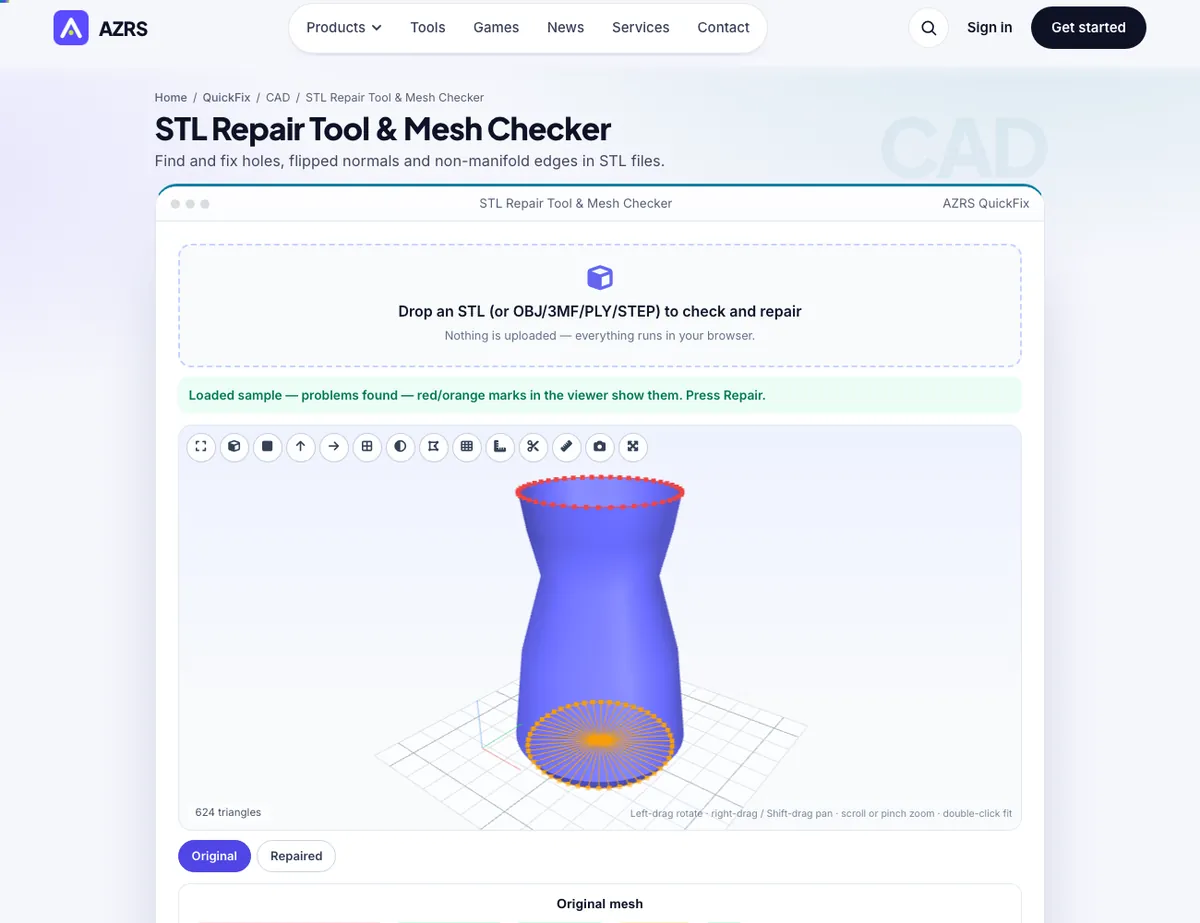
The STL Repair Tool & Mesh Checker with sample data entered and the result showing.
What is the STL Repair Tool & Mesh Checker?
A slicer needs a closed, consistently oriented surface: every edge must be shared by exactly two triangles and every normal must point outward. Downloaded and scanned models often break those rules — holes, flipped faces, duplicate triangles, inside-out shells — and the result is missing layers, strange infill or an error such as 'non-manifold edges'. This tool analyses the mesh edge by edge, highlights every open and non-manifold edge in a 3D view, and repairs everything that can be fixed safely.
Repairs include welding duplicate vertices, deleting zero-area and duplicate triangles, re-orienting inconsistent normals across each connected shell, flipping inside-out shells, filling holes (planar ones are triangulated, curved ones are capped) up to a size you choose, and optionally dropping tiny loose fragments. You get a before/after table so you can see exactly what changed, then download as STL, 3MF or OBJ.
3 steps to your result
Open the tool and follow along. Nothing to install.
What you get
Counts open edges, non-manifold edges, flipped normals, zero-area faces and shells — and shows them in 3D.
Weld, de-duplicate, re-orient, fix inside-out shells and fill holes with one click.
Volume, triangle count and every defect compared side by side.
The file never leaves your browser.
AZRS tools are free to open and use.
It opens in your browser, so there is nothing to download.
Used for
Pick one to see how it fits.
Makers downloading models from Thingiverse/Printables/Sketchfab
Fix 'non-manifold' warnings before slicing.
Try it freeHow it compares
A plain look at this tool next to the usual alternative.
| This 3d tool | Desktop software | |
|---|---|---|
| Install | Nothing to install | Usually an app or program to install |
| Account | No signup | Depends on the product |
| Cost | Free to use | Free or paid, depends on the product |
| Where it runs | In your browser tab | On your computer |
Questions people ask
What does non-manifold mean?
An edge shared by three or more triangles (or one that belongs to a single triangle). A printable solid needs every edge shared by exactly two.
What are flipped normals?
Triangles whose winding makes them point inward. Slicers get confused about what is inside the part; the repair makes all normals consistent and outward.
Will repairing change my model's size?
No — vertices are only merged (by a micro-tolerance) and missing faces added; the overall geometry stays the same.
Is it safe for confidential parts?
Yes. Nothing is uploaded.
What if problems remain after repair?
The report lists them. Non-manifold geometry usually needs Blender's 3D-Print Toolbox, Meshmixer or a re-export from CAD.
More free tools
Related to the STL Repair Tool & Mesh Checker.
Try the STL Repair Tool & Mesh Checker now
Find and fix holes, flipped normals and non-manifold edges in STL files. Free to use.
Try it free