
Use the 3D Model Viewer & Analyzer
Open STL, OBJ, 3MF, PLY, GLB, FBX, 3DS, STEP and IGES files in a smooth 3D viewer: orbit, pan, zoom to cursor, section plane, measure tool, wireframe.
- Free to use
- No signup
- Nothing to install
- Runs in your browser
Illustration. Open the tool for the real thing.
See it in action
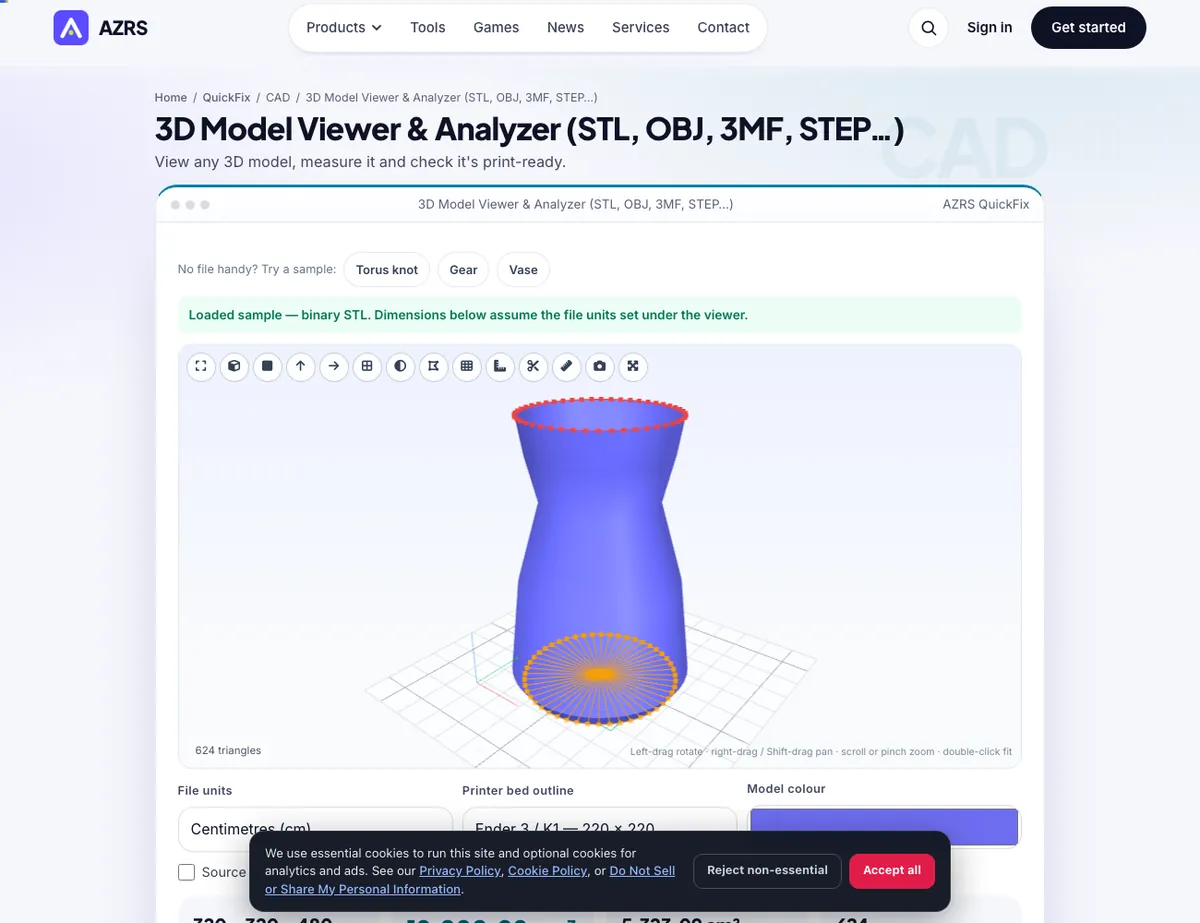
The 3D Model Viewer & Analyzer with sample data entered and the result showing.
What is the 3D Model Viewer & Analyzer?
Drop in almost any 3D file — STL, OBJ, 3MF, PLY, OFF, AMF, GLB/glTF, FBX, 3DS, or the CAD solids STEP/STP and IGES — and inspect it in a viewer built to feel smooth: drag to orbit, right-drag or Shift-drag to pan, scroll or pinch to zoom toward the cursor, double-click to fit. Preset views (isometric, front, top, right), perspective/orthographic, smooth/flat/wireframe/x-ray shading, a sharp-edge overlay, bounding-box dimensions, a section plane with a capped look, a two-point measure tool and a screenshot button make it a real inspection tool, not just a preview.
Beside the picture you get real numbers computed from the mesh: dimensions in mm and inches, volume, surface area, centre of mass, triangle and shell counts, and a print-readiness check — open (boundary) edges, non-manifold edges, flipped normals, zero-area triangles — with the problem edges highlighted in the 3D view. Pick a material and infill for an estimated print weight, show your printer's bed outline, fix the units if a file arrives 25.4× too big, and download the model converted to STL, 3MF, OBJ, PLY or GLB.
3 steps to your result
Open the tool and follow along. Nothing to install.
What you get
STL, OBJ, 3MF, PLY, OFF, AMF, GLB/glTF, FBX, 3DS and STEP/IGES CAD files.
Orbit, pan, zoom-to-cursor, section plane, measure, wireframe, screenshot.
Watertight, flipped-normal and zero-area checks with problem edges shown in 3D.
Dimensions, volume, area, centre of mass and weight by material and infill.
AZRS tools are free to open and use.
It opens in your browser, so there is nothing to download.
Used for
Pick one to see how it fits.
Makers checking a downloaded model before slicing
Confirm real dimensions and a watertight mesh before committing print time.
Try it freeAnyone estimating filament cost up front
Get a real weight estimate from the actual model volume, not a guess.
Try it freeDesigners reviewing their own exported STL
Spot scale mistakes or non-manifold geometry immediately after export.
Try it freeHow it compares
A plain look at this tool next to the usual alternative.
| This 3d tool | Desktop software | |
|---|---|---|
| Install | Nothing to install | Usually an app or program to install |
| Account | No signup | Depends on the product |
| Cost | Free to use | Free or paid, depends on the product |
| Where it runs | In your browser tab | On your computer |
Questions people ask
Does it open STEP files?
Yes — STEP/STP and IGES are tessellated in your browser with the OpenCascade CAD kernel (about 7 MB downloaded the first time).
Why does my model look the wrong size?
STL has no units. Change the 'File units' selector under the viewer — a model designed in inches needs 'Inches'.
Can I convert the file while viewing it?
Yes — pick STL, 3MF, OBJ, PLY or GLB and press Download; the unit and Y-up settings are applied.
What file formats does this support?
STL only, both the binary and ASCII variants, detected automatically from the file itself.
Are the volume and dimensions exact?
They are computed directly from the real triangle mesh in the file — exact for that mesh. If the mesh itself is malformed, the numbers reflect the malformed mesh.
More free tools
Related to the 3D Model Viewer & Analyzer.
Try the 3D Model Viewer & Analyzer now
View any 3D model, measure it and check it's print-ready. Free to use.
Try it free