
Use the Diet & Meal Planner with Shopping List
Create a 1, 3 or 7-day meal plan matched to your calorie target. Choose vegetarian, vegan or pescatarian, exclude allergens, see protein.
- Free to use
- No signup
- Nothing to install
- Runs in your browser
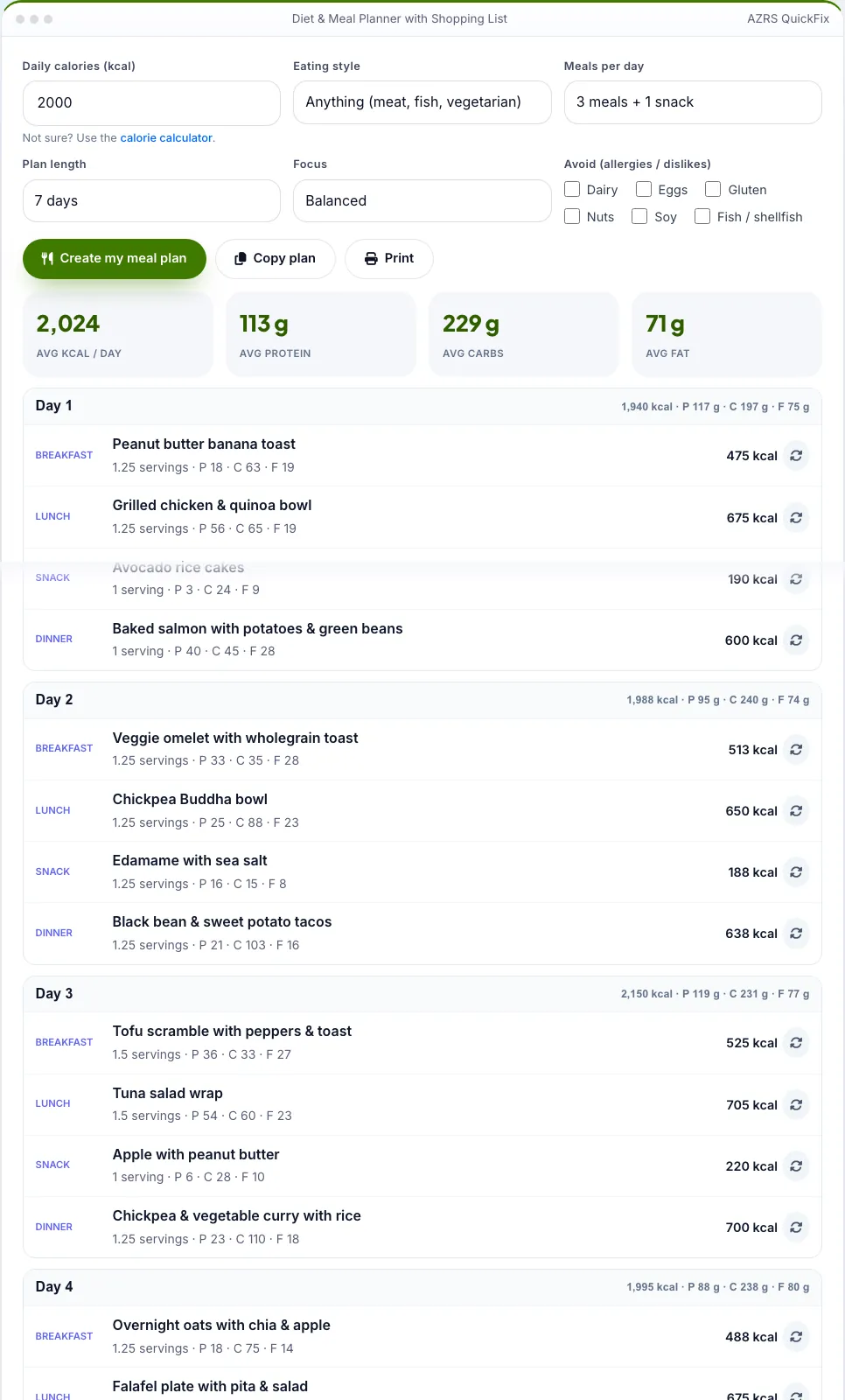
2,000 kcal vegetarian, 7 days: breakfast, lunch, snack and dinner each day, around 2,000 kcal and 100 g protein, plus a grouped shopping list.Open the Diet & Meal Planner with Shopping List
Illustration. Open the tool for the real thing.
See it in action
Sample input: Daily calories (kcal) = 2000. Pressed Create my meal plan.
What is the Diet & Meal Planner with Shopping List?
Tell the planner your daily calories, your eating style (anything, pescatarian, vegetarian or vegan), meals per day, plan length and any foods to avoid (dairy, eggs, gluten, nuts, soy, fish). It builds a plan from 48 balanced meals and snacks, sizing each portion to hit your calorie target, and shows protein, carbs and fat for each meal and each day.
Swap any meal you do not like with one tap, then use the shopping list: ingredients are added up across the whole plan and grouped by aisle so you can tick items as you shop. Copy the plan or print it.
3 steps to your result
Open the tool and follow along. Nothing to install.
What you get
Within a few percent.
Anything, pescatarian, vegetarian, vegan.
Six exclusions.
Protein, carbs, fat.
One tap.
Totals for the plan.
Used for
Pick one to see how it fits.
How it compares
A plain look at this tool next to the usual alternative.
| This fitness tool | Desktop software | |
|---|---|---|
| Install | Nothing to install | Usually an app or program to install |
| Account | No signup | Depends on the product |
| Cost | Free to use | Free or paid, depends on the product |
| Where it runs | In your browser tab | On your computer |
Questions people ask
Is the nutrition exact?
Values are estimates for typical recipes.
Is it medical advice?
No. See a dietitian for medical needs.
Is it free and private?
Yes. Calorie-matched meal plans with macros and a shopping list. Nothing needs an account, and everything is kept only in your own browser on this device. Enter calories and choose your style. Tick any foods to avoid.
How do I use the Diet & Meal Planner with Shopping List?
1. Enter calories and choose your style. 2. Tick any foods to avoid. 3. Press Create my meal plan. 4. Swap meals, then use the shopping list.
Any tips for good results?
Prep lunches in batches. Choose Extra protein if you train hard. Check labels for allergens.
More free tools
Related to the Diet & Meal Planner with Shopping List.
Try the Diet & Meal Planner with Shopping List now
Calorie-matched meal plans with macros and a shopping list. Free to use.
Try it free