
Open the Browser Privacy & Fingerprint Test
Free browser privacy test. See your browser fingerprint, how unique you are, what websites can read (screen, fonts, GPU, time zone) and whether ad blocking.
- Free to use
- No signup
- Nothing to install
- Runs in your browser
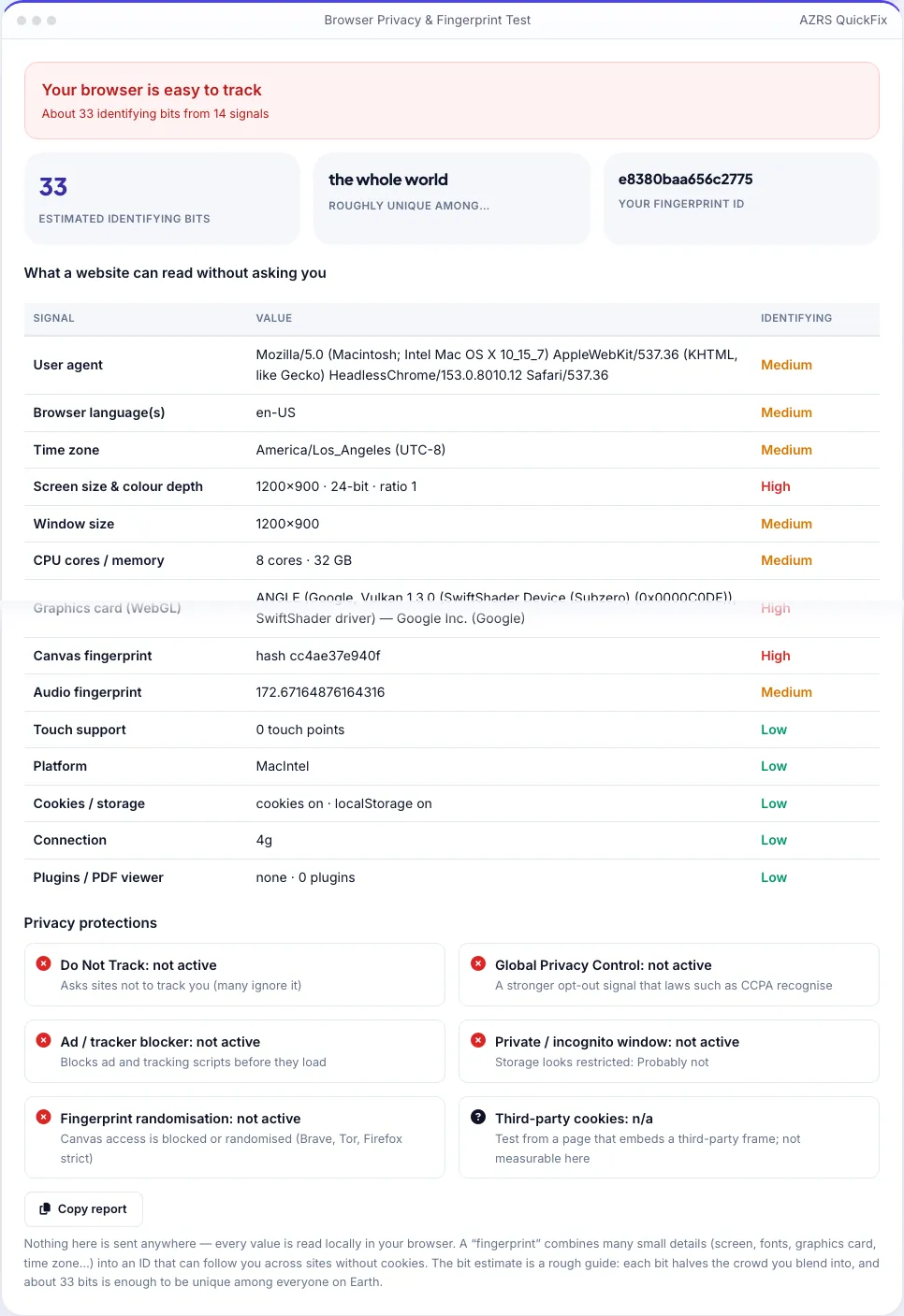
26 identifying bits → “Your browser is fairly distinctive”; ad blocker detected; Global Privacy Control off.Open the Browser Privacy & Fingerprint Test
Illustration. Open the tool for the real thing.
See it in action
Shown running with its default sample values
What is the Browser Privacy & Fingerprint Test?
Websites can identify your browser without cookies by combining dozens of small details: your screen size, time zone, languages, graphics card, how your device draws text on a canvas, how it processes audio, and more. Together these form a “fingerprint” that can follow you across sites. This test reads all of those signals on your device, shows them in a table, rates how identifying each one is, and turns them into a fingerprint ID and an estimate of how unique your browser is.
It also checks the protections you have: whether an ad or tracker blocker is running, whether Do Not Track and Global Privacy Control are on, whether the canvas fingerprint is blocked or randomised (as in Brave, Firefox strict mode and Tor Browser), and whether this looks like a private window. Nothing leaves your browser — the test only reads what any website could read.
3 steps to your result
Open the tool and follow along. Nothing to install.
What you get
A hash of your signals plus an estimate of identifying bits.
Screen, GPU, canvas, audio, fonts, time zone, languages and more.
Ad blocker, DNT, Global Privacy Control, randomisation, private mode.
Nothing is uploaded or stored.
AZRS tools are free to open and use.
It opens in your browser, so there is nothing to download.
Used for
Pick one to see how it fits.
Users of privacy tools
Confirm that Brave, Firefox or an extension is doing its job.
Try it freeHow it compares
A plain look at this tool next to the usual alternative.
| This utility | Desktop software | |
|---|---|---|
| Install | Nothing to install | Usually an app or program to install |
| Account | No signup | Depends on the product |
| Cost | Free to use | Free or paid, depends on the product |
| Where it runs | In your browser tab | On your computer |
Questions people ask
What is a browser fingerprint?
A combination of many small browser and device details that is often unique enough to recognise you without cookies.
How is uniqueness estimated?
Each signal adds a rough number of identifying bits. About 33 bits can single out one person among everyone on Earth. It is a guide, not a lab measurement.
Does a VPN change my fingerprint?
No. A VPN hides your IP address, but the fingerprint comes from your browser and device.
What is Global Privacy Control?
A browser signal that tells websites not to sell or share your data; some laws require sites to honour it.
Is this test safe?
Yes. It reads only what any website can read and sends nothing.
More free tools
Related to the Browser Privacy & Fingerprint Test.
Try the Browser Privacy & Fingerprint Test now
See exactly what websites can learn about your browser without asking. Free to use.
Try it free