
Try the Browser Feature & Codec Support Test
Free browser capability test: check WebGL, WebGPU, WebAssembly, WebRTC, service workers, CSS features, video codecs (H.264, HEVC, VP9, AV1).
- Free to use
- No signup
- Nothing to install
- Runs in your browser
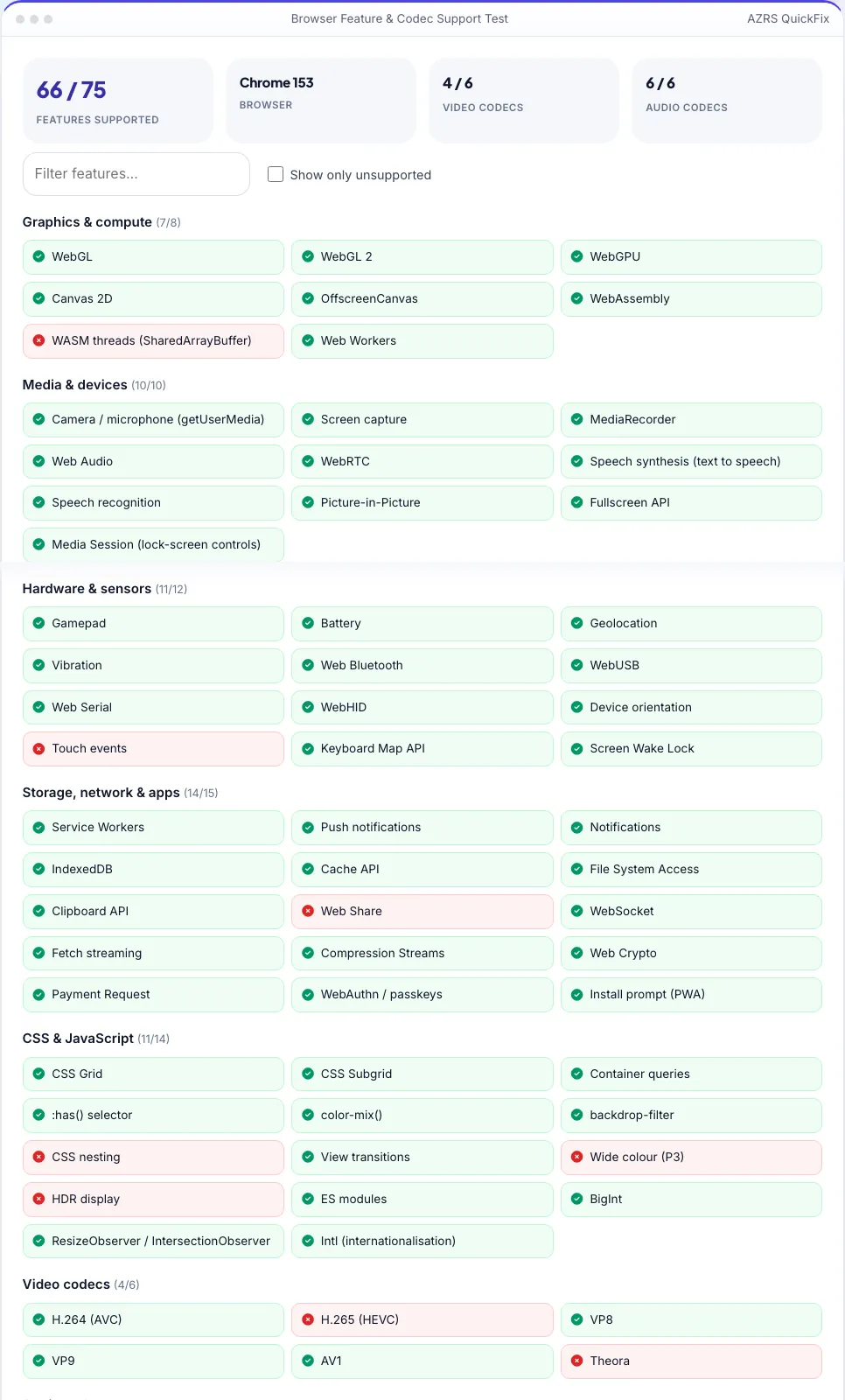
Chrome 126 · 68 / 75 features · H.264 ✓ HEVC ✗ VP9 ✓ AV1 ✓ · AVIF ✓ WebP ✓ JPEG XL ✗.Open the Browser Feature & Codec Support Test
Illustration. Open the tool for the real thing.
See it in action
Sample input: Filter features… = def add(a, b): return a + b pr...
What is the Browser Feature & Codec Support Test?
Whether a website, web app or video will work depends on what your browser supports. This test checks more than 70 real capabilities on your device and shows a green tick or red cross for each: graphics (WebGL, WebGL 2, WebGPU, WebAssembly), media and devices (camera, microphone, screen capture, MediaRecorder, speech), sensors and hardware (gamepad, battery, Bluetooth, USB, geolocation), storage and network features (service workers, notifications, IndexedDB, File System Access, WebAuthn passkeys) and modern CSS such as subgrid, container queries and :has().
It also tests playback support for video codecs (H.264, H.265/HEVC, VP8, VP9, AV1), audio codecs (MP3, AAC, Opus, FLAC and others) and image formats (WebP, AVIF, JPEG XL). Because each test runs in your own browser, the results reflect your exact version, operating system, hardware and settings — not a lookup table by browser name.
3 steps to your result
Open the tool and follow along. Nothing to install.
What you get
Graphics, media, sensors, storage, CSS and JavaScript.
H.264, HEVC, VP9, AV1, MP3, AAC, Opus, FLAC.
WebP, AVIF, JPEG XL and SVG decode tests.
Show only what is missing and copy the report.
AZRS tools are free to open and use.
It opens in your browser, so there is nothing to download.
Used for
Pick one to see how it fits.
How it compares
A plain look at this tool next to the usual alternative.
| This utility | Desktop software | |
|---|---|---|
| Install | Nothing to install | Usually an app or program to install |
| Account | No signup | Depends on the product |
| Cost | Free to use | Free or paid, depends on the product |
| Where it runs | In your browser tab | On your computer |
Questions people ask
How accurate is the detection?
The page runs real feature tests in your browser, so it reflects your actual setup.
Why is HEVC or AV1 missing?
Codec support depends on the browser and often on your hardware or operating-system codecs.
What is WebGPU?
A modern graphics and compute API that will replace WebGL for games, AI and heavy graphics.
Why does a feature show unsupported but I know it exists?
It may be disabled by a flag, an extension, enterprise policy or a non-secure page.
Is anything sent to your servers?
No. All tests run locally.
More free tools
Related to the Browser Feature & Codec Support Test.
Try the Browser Feature & Codec Support Test now
See which web features, video/audio codecs and image formats your browser supports. Free to use.
Try it free