
Use the Blue Light Filter & Screen Dimmer
Free browser-based blue light filter and screen dimmer. Add an adjustable warm-tone overlay and extra dimming on top of any page.
- Free to use
- No signup
- Nothing to install
- Runs in your browser
10pm reading → Night preset: warmth 70%, dimness 35% → a noticeably warmer, dimmer screen for late reading.Open the Blue Light Filter & Screen Dimmer
Illustration. Open the tool for the real thing.
See it in action
Sample input: Warmth (40%) = 65.0; Extra dimming (15%) = 52.0
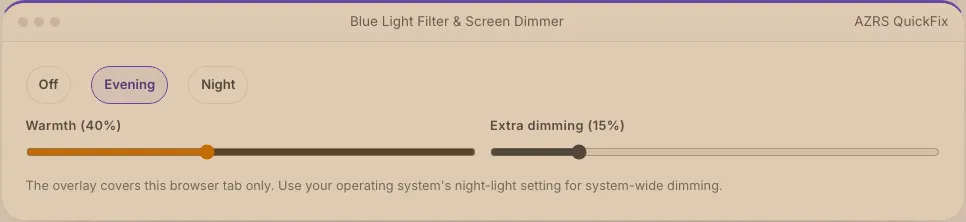
What is the Blue Light Filter & Screen Dimmer?
Most operating systems have a night-light setting, but it is easy to forget to turn on, and some laptops cannot dim their backlight as low as you would like in a dark room. This tool adds a warm-tinted, adjustable overlay directly on top of this page — a quick way to get a comfortable warm, dimmed screen without changing any system settings.
Drag the warmth slider toward orange for a stronger blue-light reduction, and the dimness slider to darken the screen further than your hardware brightness alone allows, using a semi-transparent black layer. Presets give a one-click Evening and Night setting, and everything resets the moment you leave the page.
3 steps to your result
Open the tool and follow along. Nothing to install.
What you get
A smooth orange overlay from subtle to strong.
Go darker than your screen's minimum hardware brightness.
One-click comfortable settings.
Works instantly on this page, no extension or app needed.
AZRS tools are free to open and use.
It opens in your browser, so there is nothing to download.
Used for
Pick one to see how it fits.
Night owls and shift workers
Reduce screen brightness and blue light late at night.
Try it freeHow it compares
A plain look at this tool next to the usual alternative.
| This utility | Desktop software | |
|---|---|---|
| Install | Nothing to install | Usually an app or program to install |
| Account | No signup | Depends on the product |
| Cost | Free to use | Free or paid, depends on the product |
| Where it runs | In your browser tab | On your computer |
Questions people ask
Does this replace my operating system's night mode?
No, it only overlays this browser tab; use your OS night-light setting for system-wide dimming.
Can it make my screen darker than the lowest brightness setting?
Yes, the dimming overlay adds darkness on top of your hardware brightness, useful if the minimum is still too bright.
Does reducing blue light actually help sleep?
Evidence is mixed, but many people find warmer, dimmer screens more comfortable in the evening; it is one part of good sleep habits, not a guarantee.
Will this affect how colours look for design work?
Yes, it intentionally shifts colours warmer — turn it off before doing colour-accurate work.
Does it save my settings?
Your slider positions are kept for this browser tab while you're on the page.
More free tools
Related to the Blue Light Filter & Screen Dimmer.
Try the Blue Light Filter & Screen Dimmer now
Add a warm-tone overlay and extra dimming to your screen for evening use. Free to use.
Try it free