
Open the Screen Recorder & Screenshot
Record your screen, a window or a browser tab with system and microphone audio directly in your browser. No download, no watermark, no time limit.
- Free to use
- No signup
- Nothing to install
- Runs in your browser
Illustration. Open the tool for the real thing.
See it in action
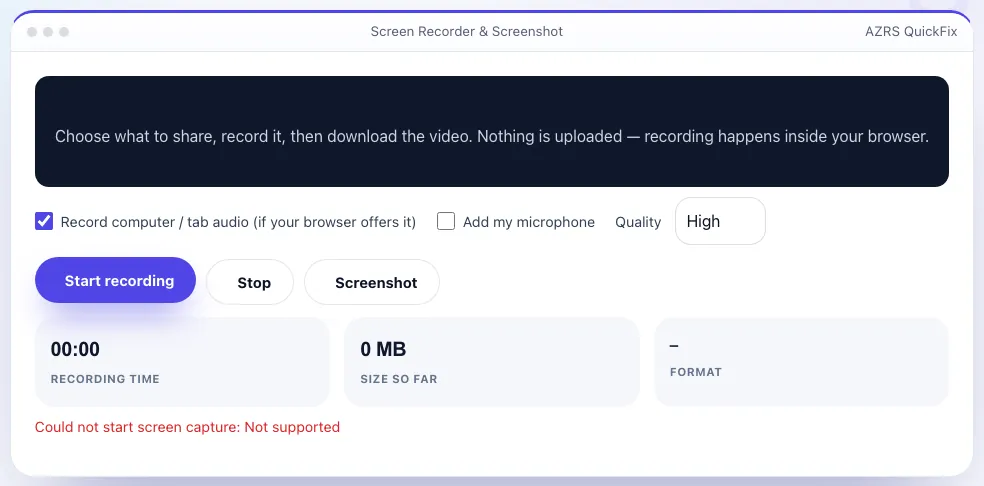
Shown running with its default sample values. Pressed Start recording.
What is the Screen Recorder & Screenshot?
Record everything on your screen — the whole display, one application window or a single browser tab — right from the browser. Choose whether to include the computer or tab audio and your microphone, press Start, and when you stop you get a video you can preview and download straight away.
The recording is made by your browser and never uploaded: there is no signup, no watermark and no time limit. You can also grab screenshots while recording. It is ideal for tutorials, bug reports, lessons, demos and saving a video call or a presentation for later. Screen capture works on desktop and laptop browsers (Chrome, Edge, Firefox, and recent Safari); phones generally do not allow it.
3 steps to your result
Open the tool and follow along. Nothing to install.
What you get
Pick exactly what to share and record.
Mix computer sound with your voice for narration.
Standard, high or very high bitrate.
Capture a still frame during recording.
AZRS tools are free to open and use.
It opens in your browser, so there is nothing to download.
Used for
Pick one to see how it fits.
How it compares
A plain look at this tool next to the usual alternative.
| This utility | Desktop software | |
|---|---|---|
| Install | Nothing to install | Usually an app or program to install |
| Account | No signup | Depends on the product |
| Cost | Free to use | Free or paid, depends on the product |
| Where it runs | In your browser tab | On your computer |
Questions people ask
Is the screen recorder really free?
Yes. There is no watermark, signup or time limit.
Where is my video stored?
Only in your browser until you download it. Nothing is uploaded to our servers.
Why is there no audio?
Choose “Record computer / tab audio” and tick the audio option in your browser's share dialog. Add your microphone with the second option.
What format is the video?
WebM (VP9/VP8 with Opus) in Chrome, Edge and Firefox, or MP4 where the browser supports it. Both play in VLC and most editors.
Can I record on my phone?
Most mobile browsers do not allow screen capture from a web page. Use your phone's built-in screen recorder.
More free tools
Related to the Screen Recorder & Screenshot.
Try the Screen Recorder & Screenshot now
Record your screen, a window or a tab with audio — no install, no watermark. Free to use.
Try it free