
Meet the Text Cleaner
Clean messy text in one click: remove extra spaces, empty lines and line breaks, trim lines, strip HTML tags, fix smart quotes and add line numbers.
- Free to use
- No signup
- Nothing to install
- Runs in your browser
Illustration. Open the tool for the real thing.
See it in action
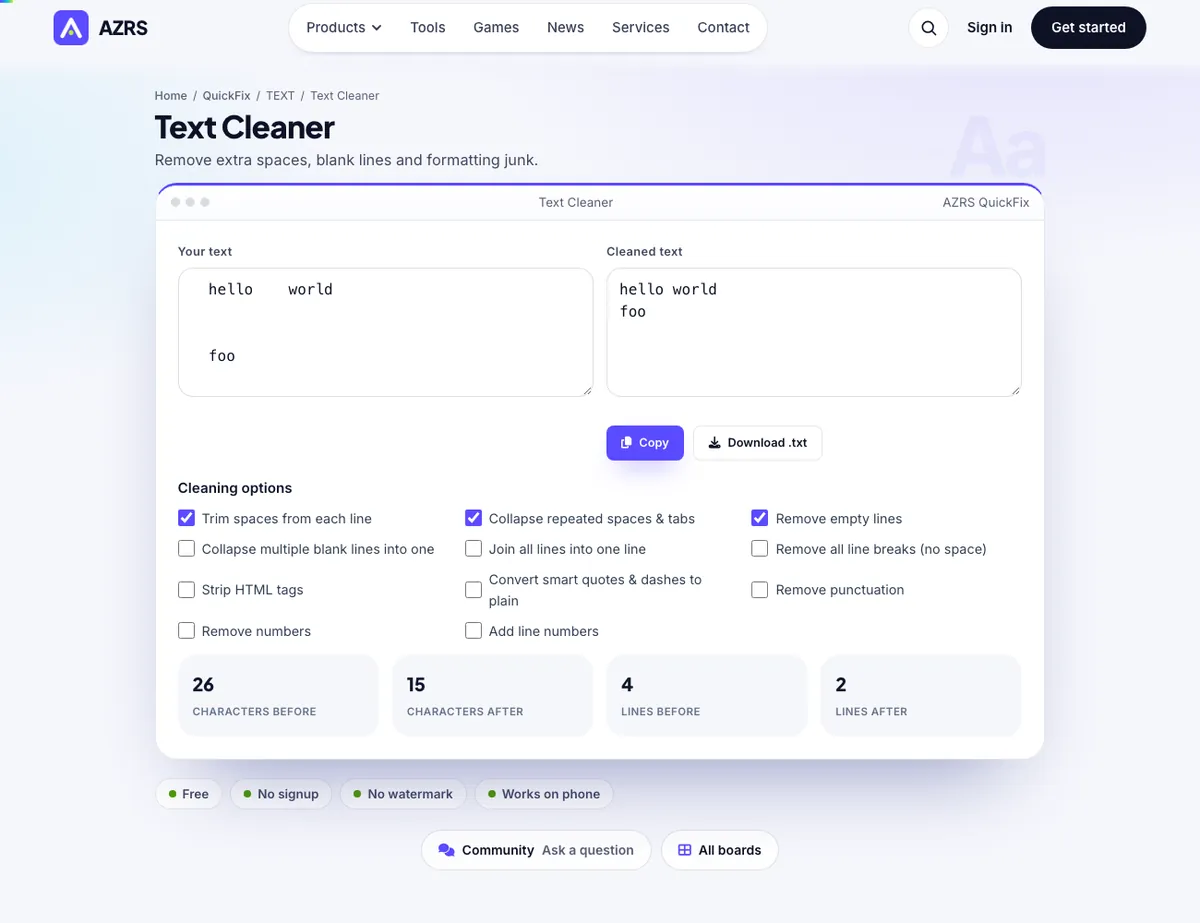
The Text Cleaner with sample data entered and the result showing.
What is the Text Cleaner?
Text copied from PDFs, emails, websites and chat apps is often full of double spaces, stray line breaks, empty lines and hidden formatting. This text cleaner fixes all of it with a few tick boxes: trim each line, collapse repeated spaces, remove empty lines, join everything into a single line, strip HTML tags, convert smart quotes to plain ones and more.
The output updates live as you toggle options, and you can copy it or download it as a text file. It is ideal for cleaning data before import, preparing copy for a CMS, fixing text from PDFs and getting emails ready to paste elsewhere — all without leaving your browser.
3 steps to your result
Open the tool and follow along. Nothing to install.
What you get
See the result update as you tick options.
Spaces, tabs, blank lines, line breaks, HTML tags, quotes, numbering and more.
Character and line counts show what was removed.
Take the cleaned text away as a file or clipboard copy.
AZRS tools are free to open and use.
It opens in your browser, so there is nothing to download.
Used for
Pick one to see how it fits.
How it compares
A plain look at this tool next to the usual alternative.
| This text tool | Desktop software | |
|---|---|---|
| Install | Nothing to install | Usually an app or program to install |
| Account | No signup | Depends on the product |
| Cost | Free to use | Free or paid, depends on the product |
| Where it runs | In your browser tab | On your computer |
Questions people ask
How do I remove extra spaces from text?
Tick “collapse repeated spaces” and “trim each line”.
How do I remove empty lines?
Tick “remove empty lines”. Blank lines disappear instantly.
Can it strip HTML tags?
Yes. Tick “strip HTML tags” to leave only the text.
Will it change my original text?
No. Your input box stays as it is and the cleaned result appears separately.
Is there a size limit?
No fixed limit; very large text may take a moment on slower devices.
More free tools
Related to the Text Cleaner.
Try the Text Cleaner now
Remove extra spaces, blank lines and formatting junk. Free to use.
Try it free