
Your SVG / DXF Path Offset & Kerf Compensation Tool
Offset closed paths in an SVG or DXF by a distance or by laser kerf compensation: outer outlines grow, holes shrink so finished parts hit the drawn size.
- Free to use
- No signup
- Nothing to install
- Runs in your browser
Illustration. Open the tool for the real thing.
See it in action
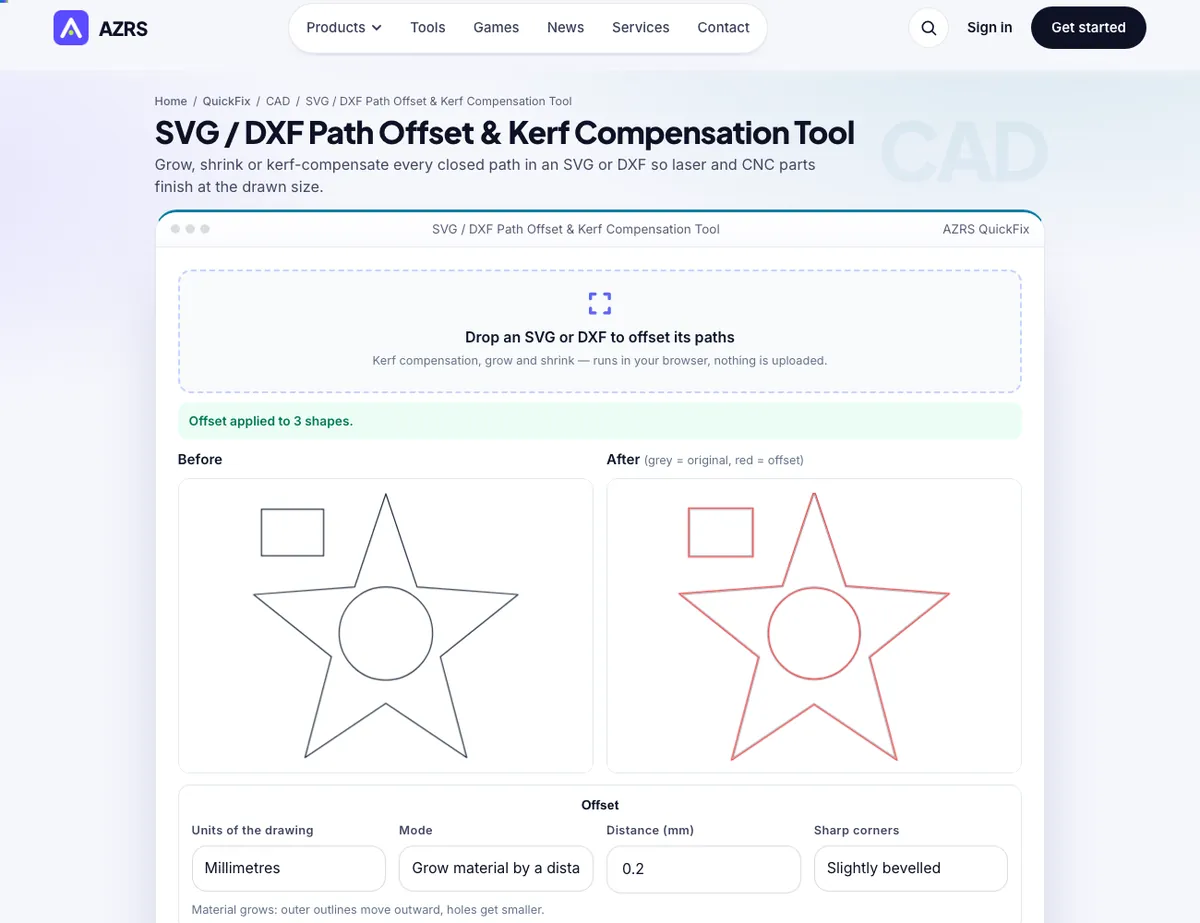
The SVG / DXF Path Offset & Kerf Compensation Tool with sample data entered and the result showing.
What is the SVG / DXF Path Offset & Kerf Compensation Tool?
Every laser beam and router bit removes a strip of material. Cut a 20 mm square on its outline and it ends up smaller than 20 mm while its holes end up larger — a problem for press fits, finger joints and anything that must fit together. Kerf compensation moves each outer outline outward and each hole inward by half the kerf so the finished part matches the drawing.
This tool applies that compensation, or a plain grow or shrink by any distance, to every closed path in an SVG or DXF, with a before/after preview and area change, and exports SVG or DXF. Open paths and text pass through unchanged. It all runs in your browser.
3 steps to your result
Open the tool and follow along. Nothing to install.
What you get
Half-kerf offset: parts out, holes in.
Offset every outline by a distance.
Original in grey, result in red.
Tells you when features vanish.
AZRS tools are free to open and use.
It opens in your browser, so there is nothing to download.
Used for
Pick one to see how it fits.
How it compares
A plain look at this tool next to the usual alternative.
| This 3d tool | Desktop software | |
|---|---|---|
| Install | Nothing to install | Usually an app or program to install |
| Account | No signup | Depends on the product |
| Cost | Free to use | Free or paid, depends on the product |
| Where it runs | In your browser tab | On your computer |
Questions people ask
What is kerf?
The width of material removed by the cut.
Why half?
Each side of the line loses half the kerf.
Does it offset text?
No — convert text to paths first.
Is my file uploaded?
No.
How do I use the SVG / DXF Path Offset & Kerf Compensation Tool?
1. Drop in an SVG or DXF. 2. Choose kerf, grow or shrink. 3. Enter the kerf or distance. 4. Check the preview and download.
More free tools
Related to the SVG / DXF Path Offset & Kerf Compensation Tool.
Try the SVG / DXF Path Offset & Kerf Compensation Tool now
Grow, shrink or kerf-compensate every closed path in an SVG or DXF so laser and CNC parts. Free to use.
Try it free