
Open the Laser Cut Box Generator
Generate a laser-cut finger-joint box or open tray as SVG or DXF at any size and material thickness, with kerf compensation.
- Free to use
- No signup
- Nothing to install
- Runs in your browser
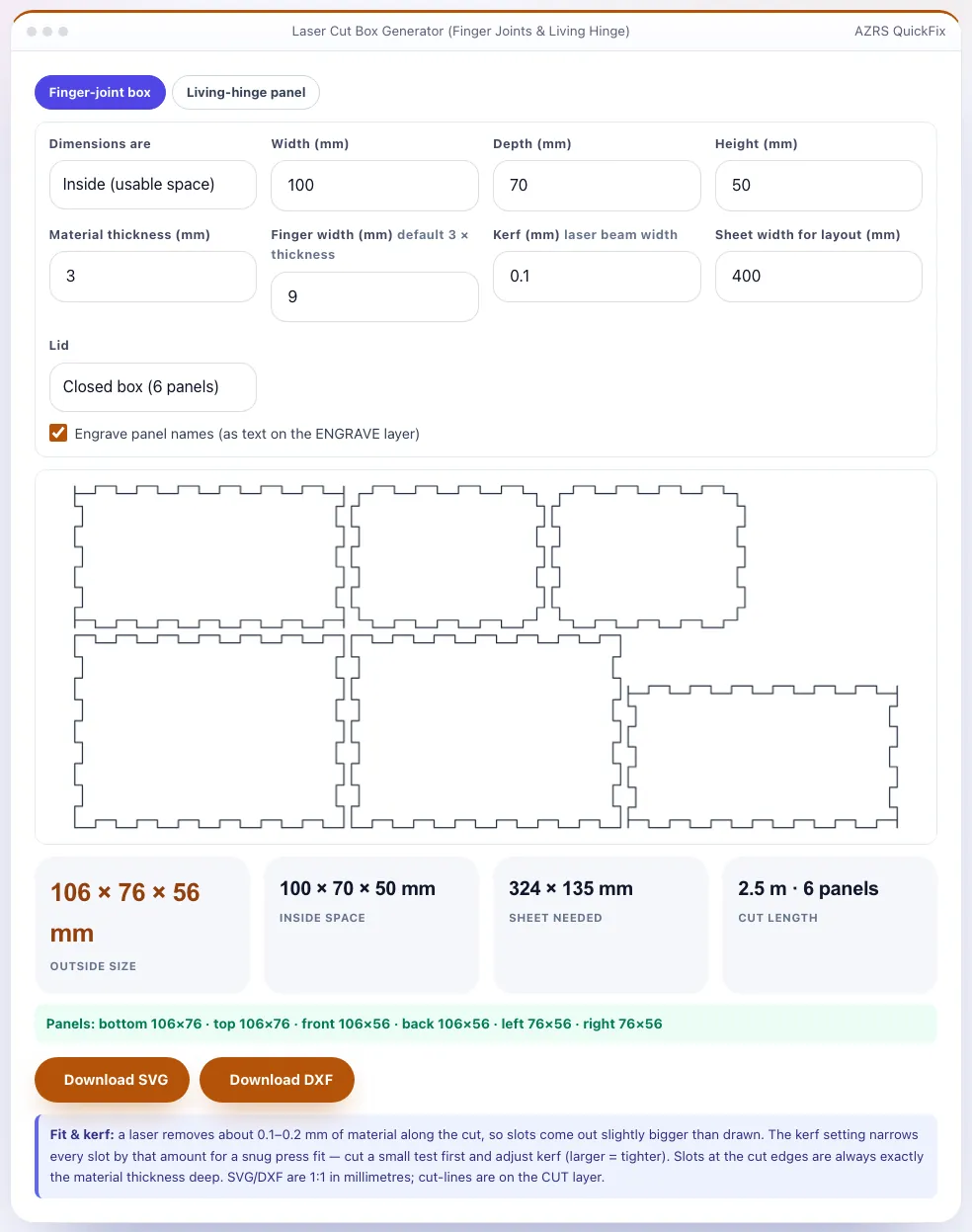
A 100 × 70 × 50 mm inside box in 3 mm plywood becomes a 106 × 76 × 56 mm outside box with 9 mm fingers; the six panels fit on about a 325 × 135 mm sheet (400 mm wide layout) and the total cut length is about 2.5 m.Open the Laser Cut Box Generator
Illustration. Open the tool for the real thing.
See it in action
The Laser Cut Box Generator with sample data entered and the result showing.
What is the Laser Cut Box Generator?
Enter the inside or outside size of your box, the thickness of the plywood, MDF or acrylic, and a finger width, and the generator produces the six panels (or five for an open tray) with finger joints on every edge, laid out on a sheet and ready to export as SVG or DXF at true millimetre scale. The joints are generated with a rule that gives every corner cube to exactly one panel, so the panels interlock without gaps or overlaps — verified by testing the assembled box in 3D.
A kerf setting makes the slots slightly narrower to compensate for the width of the laser beam, so the fingers press-fit snugly; panel names can be engraved on a separate layer. A second tab creates a living-hinge panel — a rectangle with staggered slits that lets plywood or MDF bend around curves, ideal for curved walls, lids and lampshades. Use the output directly in LightBurn, LaserGRBL, Inkscape or any CAD/CAM.
3 steps to your result
Open the tool and follow along. Nothing to install.
What you get
Six or five panels with finger joints on every shared edge.
Narrows the slots by your kerf for a snug press fit.
Staggered-slit pattern for bending wood or acrylic.
Cut lines on a CUT layer and optional engraved names.
AZRS tools are free to open and use.
It opens in your browser, so there is nothing to download.
Used for
Pick one to see how it fits.
How it compares
A plain look at this tool next to the usual alternative.
| This maker tool | Desktop software | |
|---|---|---|
| Install | Nothing to install | Usually an app or program to install |
| Account | No signup | Depends on the product |
| Cost | Free to use | Free or paid, depends on the product |
| Where it runs | In your browser tab | On your computer |
Questions people ask
How do the finger joints work?
Each panel is a full-size rectangle with notches; a ranking decides which panel keeps each corner so panels never collide.
What is kerf?
The width of material the laser burns away (about 0.1–0.2 mm). It shrinks parts and widens slots.
Can I make a hinged lid?
Use the living-hinge panel for a curved lid or add hinges after cutting.
Is it private?
Yes — generated in your browser.
How do I use the Laser Cut Box Generator?
1. Choose inside or outside dimensions and enter W × D × H. 2. Set material thickness, finger width and kerf. 3. Check the panel layout and the sheet size. 4. Download SVG or DXF and load it in your laser software.
More free tools
Related to the Laser Cut Box Generator.
Try the Laser Cut Box Generator now
Finger-joint box and tray plans as SVG/DXF, with kerf and a living-hinge panel. Free to use.
Try it free