
Use the STL Merge, Split & Cut Tool
Merge several STL/OBJ/3MF models into one print plate (grid, row, stack), split a multi-part STL into separate shells, or cut a model in two with a capped.
- Free to use
- No signup
- Nothing to install
- Runs in your browser
Illustration. Open the tool for the real thing.
See it in action
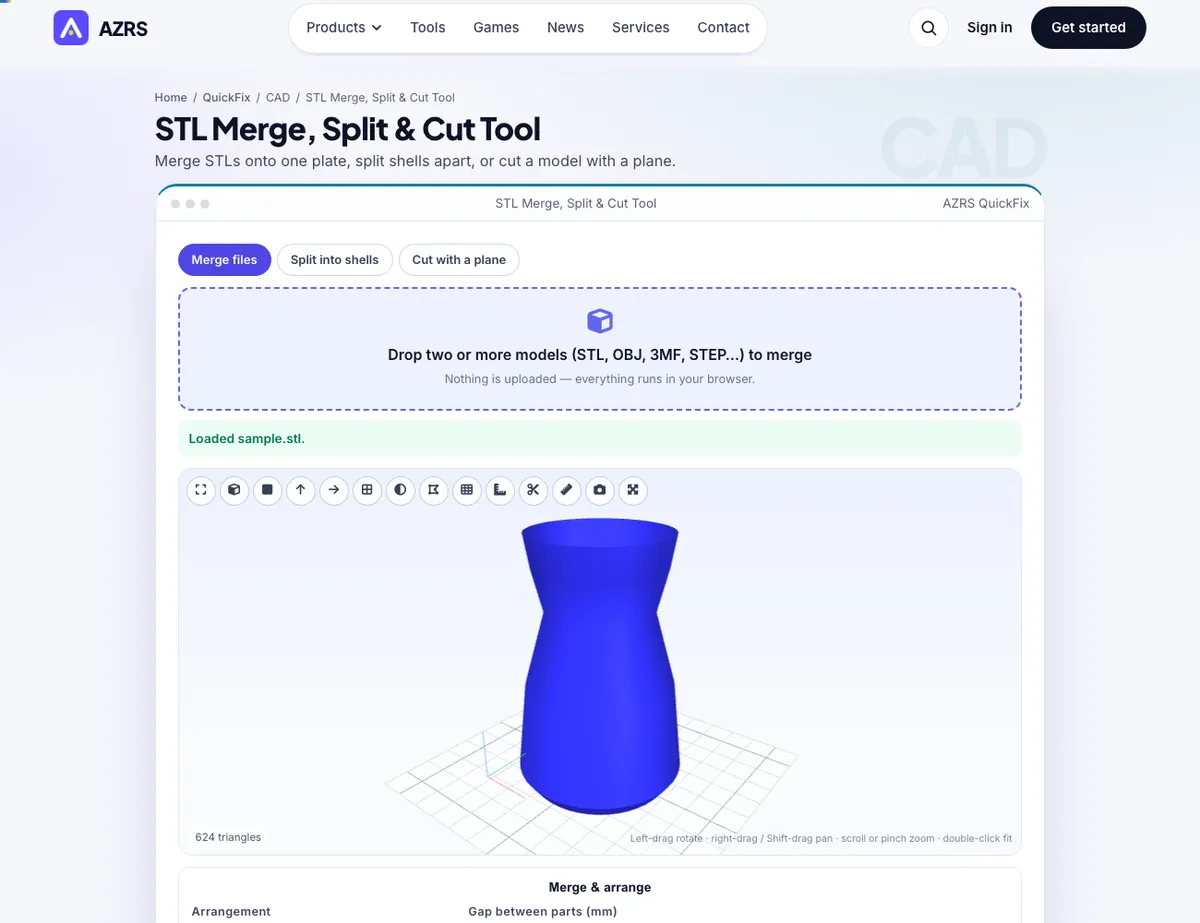
The STL Merge, Split & Cut Tool with sample data entered and the result showing.
What is the STL Merge, Split & Cut Tool?
Print plates are often built from several files. The Merge tab loads two or more models and arranges them in a grid, a row, a vertical stack, or keeps their original positions (for assemblies), with a spacing you choose and an option to drop every part to the bed. Each part is colour-coded in the preview, and the result is one mesh you can download as STL, 3MF or OBJ.
The Split tab does the reverse: it finds every connected shell in a single file — useful for multi-part downloads and sliced-plate exports — and lists each one with its size and volume so you can download parts individually or as a ZIP. The Cut tab slices a model with a plane along X, Y or Z, adds flat caps so both halves are watertight, and lets you download each half — ideal for printing tall or oversized models in two pieces.
3 steps to your result
Open the tool and follow along. Nothing to install.
What you get
Grid, row, stack or keep positions, with colour-coded preview.
Every disconnected part listed with size and volume, downloadable alone or as ZIP.
Cut along X/Y/Z with a slider; both halves are closed solids.
STL, OBJ, 3MF, PLY, STEP in; STL, 3MF, OBJ, PLY out.
AZRS tools are free to open and use.
It opens in your browser, so there is nothing to download.
Used for
Pick one to see how it fits.
How it compares
A plain look at this tool next to the usual alternative.
| This 3d tool | Desktop software | |
|---|---|---|
| Install | Nothing to install | Usually an app or program to install |
| Account | No signup | Depends on the product |
| Cost | Free to use | Free or paid, depends on the product |
| Where it runs | In your browser tab | On your computer |
Questions people ask
Does merging boolean-union overlapping parts?
No — it concatenates the meshes. Slicers print overlapping closed shells as one solid.
How does splitting detect parts?
By connectivity: triangles that share vertices belong to the same shell.
Can I cut at an angle?
Cuts are along X, Y or Z. Rotate the model first with the transform tool for an angled cut.
Is it private?
Yes — nothing is uploaded.
How do I use the STL Merge, Split & Cut Tool?
1. Choose Merge, Split or Cut. 2. Drop in your file(s). 3. Adjust arrangement, pick shells, or move the cut slider. 4. Download the result.
More free tools
Related to the STL Merge, Split & Cut Tool.
Try the STL Merge, Split & Cut Tool now
Merge STLs onto one plate, split shells apart, or cut a model with a plane. Free to use.
Try it free