
Use the STEP / IGES to OBJ & GLB Converter
Convert STEP / STP and IGES files to OBJ or GLB (glTF binary) for augmented reality, web viewers, Blender, Unity and Unreal.
- Free to use
- No signup
- Nothing to install
- Runs in your browser
A 120 mm bracket exported as STEP becomes a GLB whose bounding box is 0.120 m tall in glTF units — exactly what AR viewers expect — with the part standing upright (Z-up CAD rotated to Y-up).Open the STEP / IGES to OBJ & GLB Converter
Illustration. Open the tool for the real thing.
See it in action
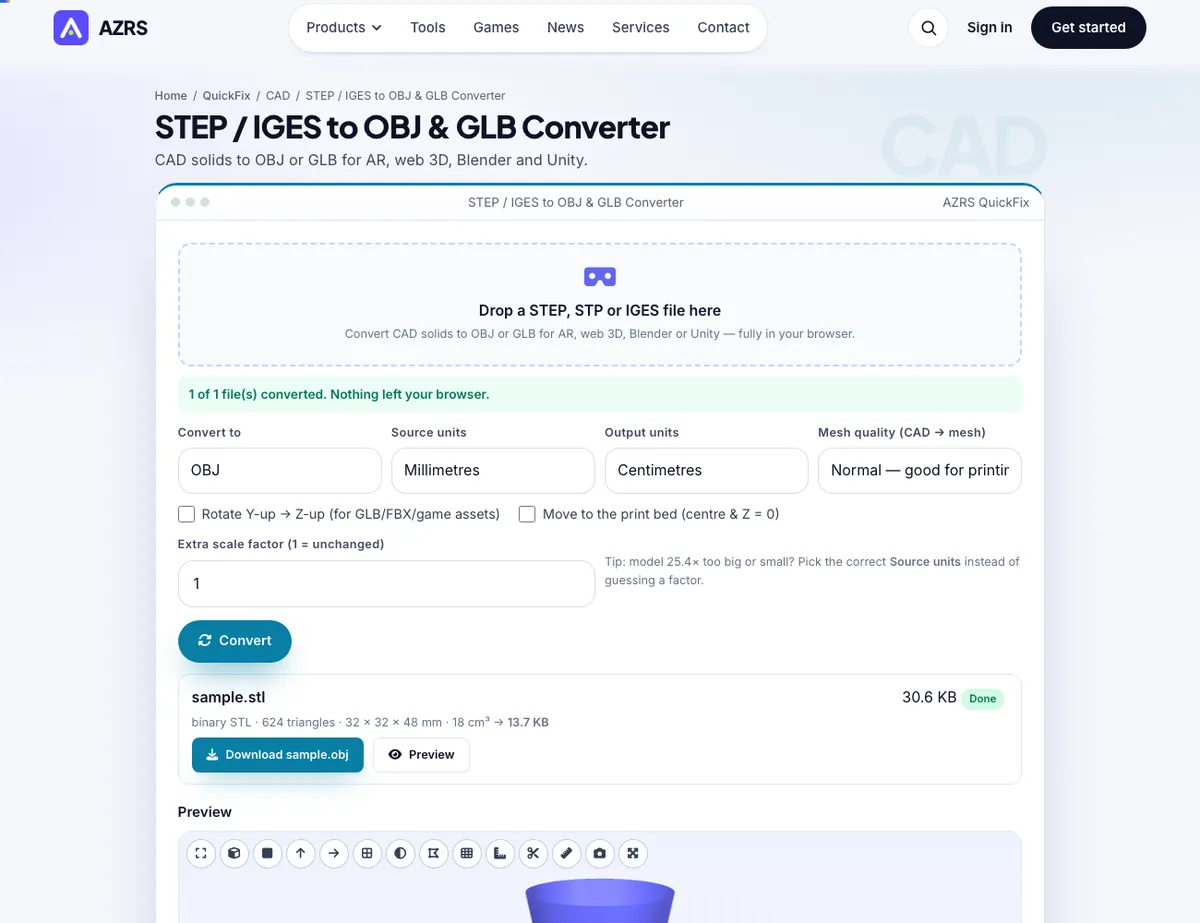
The STEP / IGES to OBJ & GLB Converter with sample data entered and the result showing.
What is the STEP / IGES to OBJ & GLB Converter?
Engineering CAD lives in STEP and IGES; the web, AR and game engines live in OBJ and GLB (glTF). Getting a CAD part into a product page, an AR viewer or Blender normally means a heavy desktop pipeline. This tool tessellates your STEP or IGES solid in the browser with OpenCascade and writes a clean GLB or OBJ you can drop straight into model-viewer, Three.js, Blender, Unity or Unreal.
GLB output follows the glTF conventions automatically — metre units and a Y-up axis — so the model stands upright and at the right scale instead of arriving lying down and 1000× too big, the classic mm-vs-m mistake. OBJ output keeps millimetres (or the unit you choose).
3 steps to your result
Open the tool and follow along. Nothing to install.
What you get
Written in metres, Y-up, with smooth normals — ready for AR and web viewers.
Pick the output your pipeline needs; all produced from the same tessellation.
Draft to Ultra tessellation keeps web models light or print models smooth.
Your CAD file is never uploaded.
AZRS tools are free to open and use.
It opens in your browser, so there is nothing to download.
Used for
Pick one to see how it fits.
Product designers
Show CAD parts in interactive 3D on a website without a rendering pipeline.
Try it freeHow it compares
A plain look at this tool next to the usual alternative.
| This 3d tool | Desktop software | |
|---|---|---|
| Install | Nothing to install | Usually an app or program to install |
| Account | No signup | Depends on the product |
| Cost | Free to use | Free or paid, depends on the product |
| Where it runs | In your browser tab | On your computer |
Questions people ask
Does it keep colours from the STEP file?
No — the conversion outputs geometry only. Colours and materials are applied downstream.
Why is the model small in my engine?
glTF is metres; a model in millimetres must be scaled by 0.001, which this tool does for GLB output.
Can I get USDZ?
Convert to GLB here, then use a GLB-to-USDZ tool (Reality Converter or Apple's usdzconvert) for Apple Quick Look.
Is anything uploaded?
No. The CAD engine runs in your browser.
How do I use the STEP / IGES to OBJ & GLB Converter?
1. Drop in a .step, .stp, .iges or .igs file. 2. Choose GLB (web/AR) or OBJ and a quality level. 3. Preview the model. 4. Download and load it in Blender, Unity, model-viewer or your AR tool.
More free tools
Related to the STEP / IGES to OBJ & GLB Converter.
Try the STEP / IGES to OBJ & GLB Converter now
CAD solids to OBJ or GLB for AR, web 3D, Blender and Unity. Free to use.
Try it free