
Use the Social Share Preview Simulator
Free Open Graph preview simulator. Enter your title, description, image and URL and see exactly how the link card will look on Facebook, X/Twitter.
- Free to use
- No signup
- Nothing to install
- Runs in your browser
Title 72 characters → Google and X truncate it with an ellipsis around 60–70 characters, while Facebook shows more before wrapping — shortening it to under 60 characters keeps it intact everywhere.Open the Social Share Preview Simulator
Illustration. Open the tool for the real thing.
See it in action
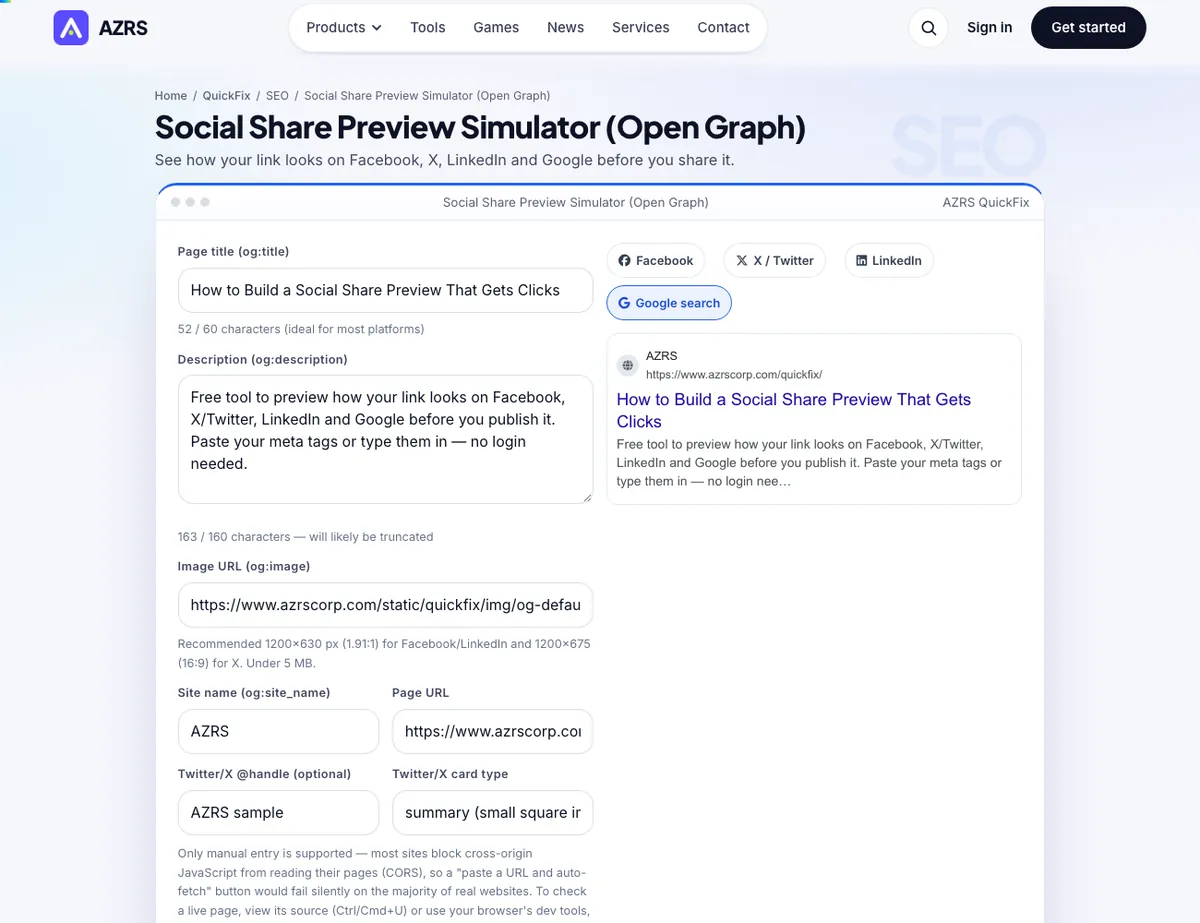
The Social Share Preview Simulator with sample data entered and the result showing.
What is the Social Share Preview Simulator?
Before you publish a page or paste a link into a chat, it helps to know exactly what other people will see. This simulator lets you type or paste your title, description, image URL, site name and page URL, and instantly renders realistic preview cards for the four places a shared link is judged the most: Facebook's link card, X/Twitter's summary card, LinkedIn's post preview and Google's search result snippet.
Each preview updates live as you type, with a character counter so you can see exactly where Facebook, X and Google start truncating a title or description. When you are happy with the result, copy the ready-made block of <code><meta property="og:..."></code> and <code><meta name="twitter:..."></code> tags and paste it into your page's <code><head></code>. Manual entry is the reliable core of this tool: most websites block cross-origin JavaScript from reading their own pages (a security feature called CORS), so a one-click "fetch this URL's tags" button would silently fail on the majority of real sites — instead, view any page's source or dev tools to copy its current tag values in seconds.
3 steps to your result
Open the tool and follow along. Nothing to install.
What you get
Facebook, X/Twitter (large image or summary), LinkedIn and Google search.
See exactly when a title or description gets truncated.
Warns you if the og:image URL fails to load.
Generates the full HTML block for your page head.
AZRS tools are free to open and use.
It opens in your browser, so there is nothing to download.
Used for
Pick one to see how it fits.
Marketers and content writers
Check a link card looks right before a campaign goes out.
Try it freeBloggers and small business owners
Make sure a shared link looks professional, not blank or broken.
Try it freeHow it compares
A plain look at this tool next to the usual alternative.
| This seo tool | Desktop software | |
|---|---|---|
| Install | Nothing to install | Usually an app or program to install |
| Account | No signup | Depends on the product |
| Cost | Free to use | Free or paid, depends on the product |
| Where it runs | In your browser tab | On your computer |
Questions people ask
Why is there no auto-fetch from a live URL?
Browsers block cross-origin reads of another site's HTML by default (CORS). Reliable auto-fetch would need a server-side proxy, so this tool focuses on accurate manual entry — the same information is a few seconds away in your browser's View Source or dev tools.
What size should my og:image be?
1200×630 px works well everywhere; some platforms crop it to other ratios, so keep the main subject centred.
Why does Facebook still show my old preview?
Facebook caches shared links. Use the Facebook Sharing Debugger to force it to re-fetch your tags.
Do I need separate Twitter/X tags?
X reads twitter:* tags first and falls back to og:* tags if they are missing, so it is safest to include both.
Is my data sent anywhere?
No. Everything is rendered locally in your browser from what you type.
More free tools
Related to the Social Share Preview Simulator.
Try the Social Share Preview Simulator now
See how your link looks on Facebook, X, LinkedIn and Google before you share it. Free to use.
Try it free