
Try the G-code to SVG / PNG / DXF Toolpath Converter
Convert G-code toolpaths to SVG, PNG or DXF at true 1:1 scale. Choose a layer range, colour by feature or speed, include travel moves.
- Free to use
- No signup
- Nothing to install
- Runs in your browser
Illustration. Open the tool for the real thing.
See it in action
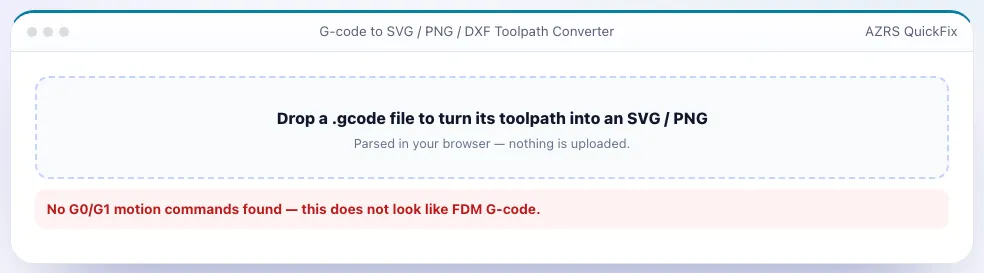
The G-code to SVG / PNG / DXF Toolpath Converter with sample data entered and the result showing.
What is the G-code to SVG / PNG / DXF Toolpath Converter?
A G-code file is hard to share or document; an image of the toolpath is easy. This converter parses your FDM G-code (including arcs and every layer) and renders any range of layers to SVG, PNG or DXF. SVG output is true-scale millimetres, with paths grouped per layer and coloured by feature type (outer wall, inner wall, infill, support…) or by speed; PNG output lets you pick the resolution in pixels per millimetre and a transparent, white or dark background.
You can export a single layer (to import into Inkscape, a laser cutter or a CAD sketch), a flattened range of layers, a ZIP containing one SVG per layer for documentation, or a DXF with each G-code layer on its own DXF layer. Everything is computed in your browser.
3 steps to your result
Open the tool and follow along. Nothing to install.
What you get
Millimetre units at 1:1; paths grouped per layer with Z recorded.
From a quick 5 px/mm preview to a 60 px/mm print.
One SVG per layer, or a DXF with a DXF layer per print layer.
By feature, by speed or single colour; optional travel moves.
AZRS tools are free to open and use.
It opens in your browser, so there is nothing to download.
Used for
Pick one to see how it fits.
How it compares
A plain look at this tool next to the usual alternative.
| This 3d tool | Desktop software | |
|---|---|---|
| Install | Nothing to install | Usually an app or program to install |
| Account | No signup | Depends on the product |
| Cost | Free to use | Free or paid, depends on the product |
| Where it runs | In your browser tab | On your computer |
Questions people ask
Are SVG units millimetres?
Yes — width/height are in mm and the viewBox is 1 unit per mm.
Does it support Cura, Prusa, Orca and Bambu G-code?
Yes, anything with standard G0/G1/G2/G3 moves.
Can I get a 3D image?
Use the G-code Viewer and its screenshot button.
Is my file uploaded?
No.
How do I use the G-code to SVG / PNG / DXF Toolpath Converter?
1. Drop in your .gcode file. 2. Pick the first and last layer. 3. Choose colours, line width and background. 4. Download SVG, PNG, a ZIP of layers or DXF.
More free tools
Related to the G-code to SVG / PNG / DXF Toolpath Converter.
Try the G-code to SVG / PNG / DXF Toolpath Converter now
Export G-code toolpaths as SVG, PNG or DXF, per layer or flattened. Free to use.
Try it free