
The free Rep & Set Tracker
Track every exercise, set, rep and weight in your workout. Tick sets as you finish them, get an automatic rest timer, see what you lifted last time and save.
- Free to use
- No signup
- Nothing to install
- Runs in your browser
See it in action
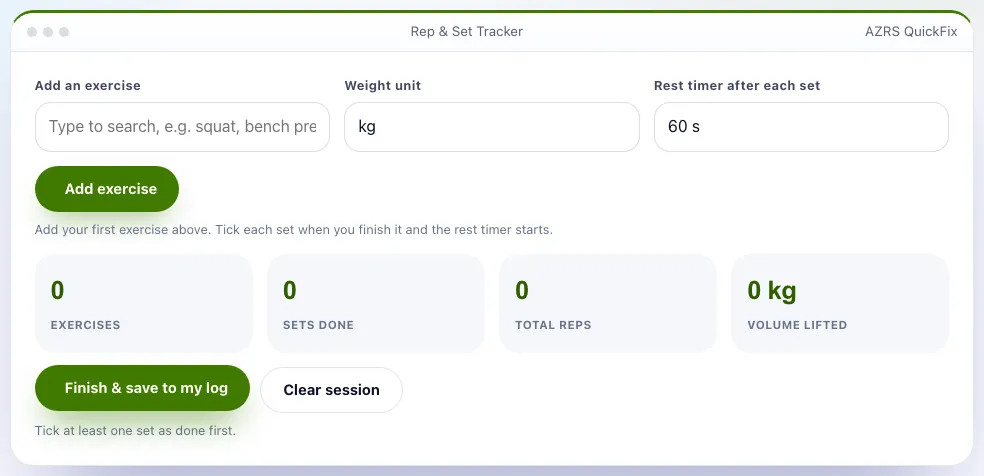
The Rep & Set Tracker with sample data entered and the result showing.
What is the Rep & Set Tracker?
Writing sets in a notes app is slow. This tracker is built for the gym floor: add an exercise, then for each set enter the weight and reps and tick it off. A rest timer starts automatically so you know when to lift again, and the app shows what you lifted last time so you can beat it.
At the end it totals your sets, reps and volume lifted, saves each exercise into your Workout Log, and remembers your numbers for next time. Works in kg or lb, offline once loaded, and your data stays on your device.
3 steps to your result
Open the tool and follow along. Nothing to install.
What you get
Weight, reps and a tick.
Choose 30 seconds to 3 minutes.
Easy progressive overload.
Sets, reps and kilograms lifted.
See streaks and history.
Switch anytime.
Used for
Pick one to see how it fits.
How it compares
A plain look at this tool next to the usual alternative.
| This fitness tool | Desktop software | |
|---|---|---|
| Install | Nothing to install | Usually an app or program to install |
| Account | No signup | Depends on the product |
| Cost | Free to use | Free or paid, depends on the product |
| Where it runs | In your browser tab | On your computer |
Questions people ask
Where is my data?
In your browser only. Use Workout Log to export a backup.
Can I use bodyweight?
Yes, leave the weight empty (BW).
Is it free and private?
Yes, and free. Saved data lives only in this browser. One-tap set logging; Automatic rest timer; Last time shown. Type an exercise name and press Add. Enter the weight and reps for the set, then tick it when done.
How do I use the Rep & Set Tracker?
1. Type an exercise name and press Add. 2. Enter the weight and reps for the set, then tick it when done. 3. Rest while the timer counts down, then do the next set. 4. Press Finish & save to log the session.
Any tips for good results?
Use the same exercise names each time so history matches. Add 1 rep or 2.5 kg when every set feels easy. Keep sets of similar difficulty.
More free tools
Related to the Rep & Set Tracker.
Try the Rep & Set Tracker now
Log weight, reps and sets, with an automatic rest timer. Free to use.
Try it free