
Use the Monitor Refresh Rate Test
Find out your screen's real refresh rate in Hz. Measures frames per second and frame time in your browser, detects 60, 90, 120, 144.
- Free to use
- No signup
- Nothing to install
- Runs in your browser
Median frame time 6.94 ms → 144 Hz.
Median frame time 16.67 ms → 60 Hz (a 144 Hz monitor left on 60 Hz in the display settings).
Open the Monitor Refresh Rate Test
Illustration. Open the tool for the real thing.
See it in action
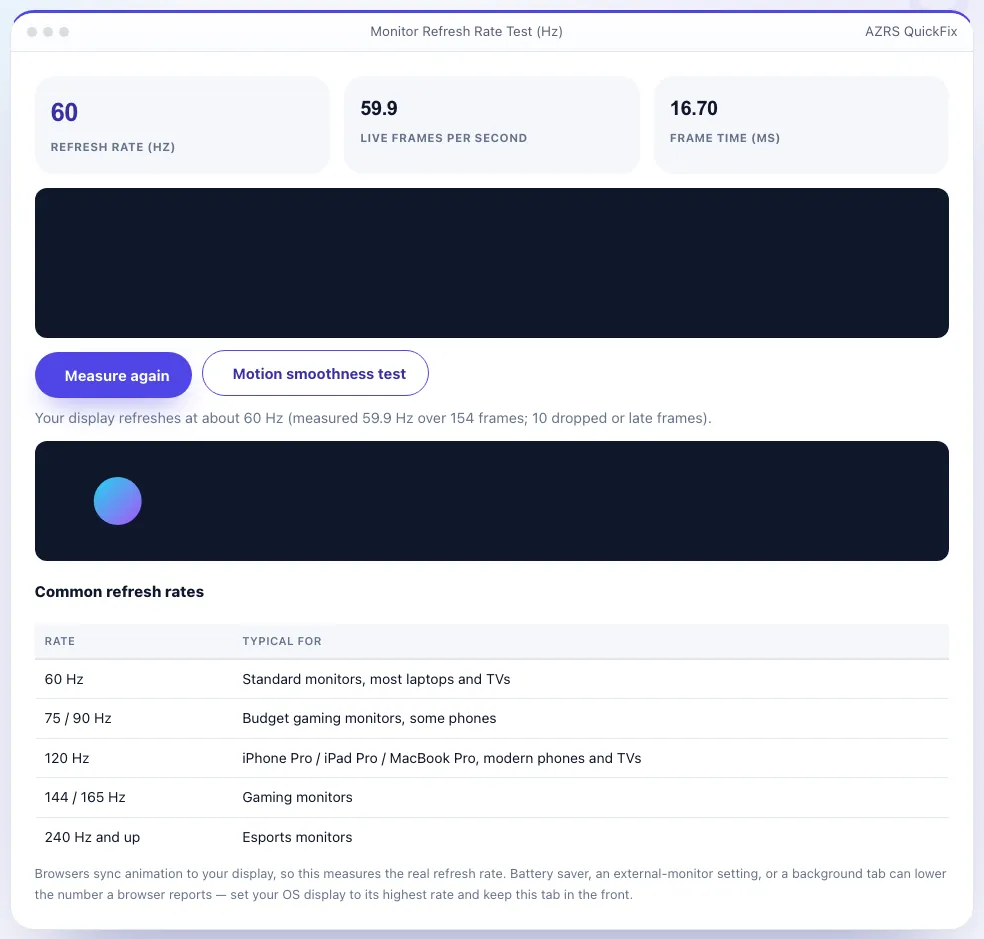
Shown running with its default sample values. Pressed Motion smoothness test.
What is the Monitor Refresh Rate Test?
A monitor's refresh rate is how many times per second it redraws the picture, measured in hertz (Hz). A 60 Hz screen refreshes 60 times a second; gaming displays reach 144, 165 or 240 Hz. This test measures your real refresh rate by timing how often your browser is allowed to draw a new frame, then rounds it to the nearest standard rate and shows the frame time in milliseconds.
A live graph shows the frame time of each frame so you can spot dropped or late frames, and a moving-ball test lets you judge motion smoothness with your eyes. Because the number comes from your actual display and browser, it is a good way to check that Windows, macOS or your phone is really running at 120 or 144 Hz instead of silently falling back to 60.
3 steps to your result
Open the tool and follow along. Nothing to install.
What you get
Timing of true display refreshes, rounded to standard rates.
Live chart to spot stutter and dropped frames.
A moving ball to judge smoothness.
PCs, Macs, phones, tablets and TVs with a browser.
AZRS tools are free to open and use.
It opens in your browser, so there is nothing to download.
Used for
Pick one to see how it fits.
How it compares
A plain look at this tool next to the usual alternative.
| This utility | Desktop software | |
|---|---|---|
| Install | Nothing to install | Usually an app or program to install |
| Account | No signup | Depends on the product |
| Cost | Free to use | Free or paid, depends on the product |
| Where it runs | In your browser tab | On your computer |
Questions people ask
What is my monitor's refresh rate?
Run the test above. The big number shows the nearest standard rate to what your display delivered.
Why does it show 60 Hz on my 144 Hz monitor?
The rate is probably set to 60 Hz in your operating-system display settings, or the cable or port cannot carry more.
What does frame time mean?
The time between two screen refreshes: 16.7 ms at 60 Hz, 8.3 ms at 120 Hz, 6.9 ms at 144 Hz.
Can my phone show 120 Hz?
Yes, on phones and tablets with a high-refresh display — battery saver modes often lock it to 60 Hz.
Is the result exact?
It is measured over about three seconds, so it can differ by a fraction of a hertz; variable-refresh displays may vary.
More free tools
Related to the Monitor Refresh Rate Test.
Try the Monitor Refresh Rate Test now
Measure the real refresh rate and frame time of your screen. Free to use.
Try it free