
Meet the Print-in-Place Hinge Generator & Snap-Fit
Generate a print-in-place pin hinge STL with adjustable knuckles, pin, clearance and screw holes, and calculate cantilever snap-fit deflection.
- Free to use
- No signup
- Nothing to install
- Runs in your browser
Illustration. Open the tool for the real thing.
See it in action
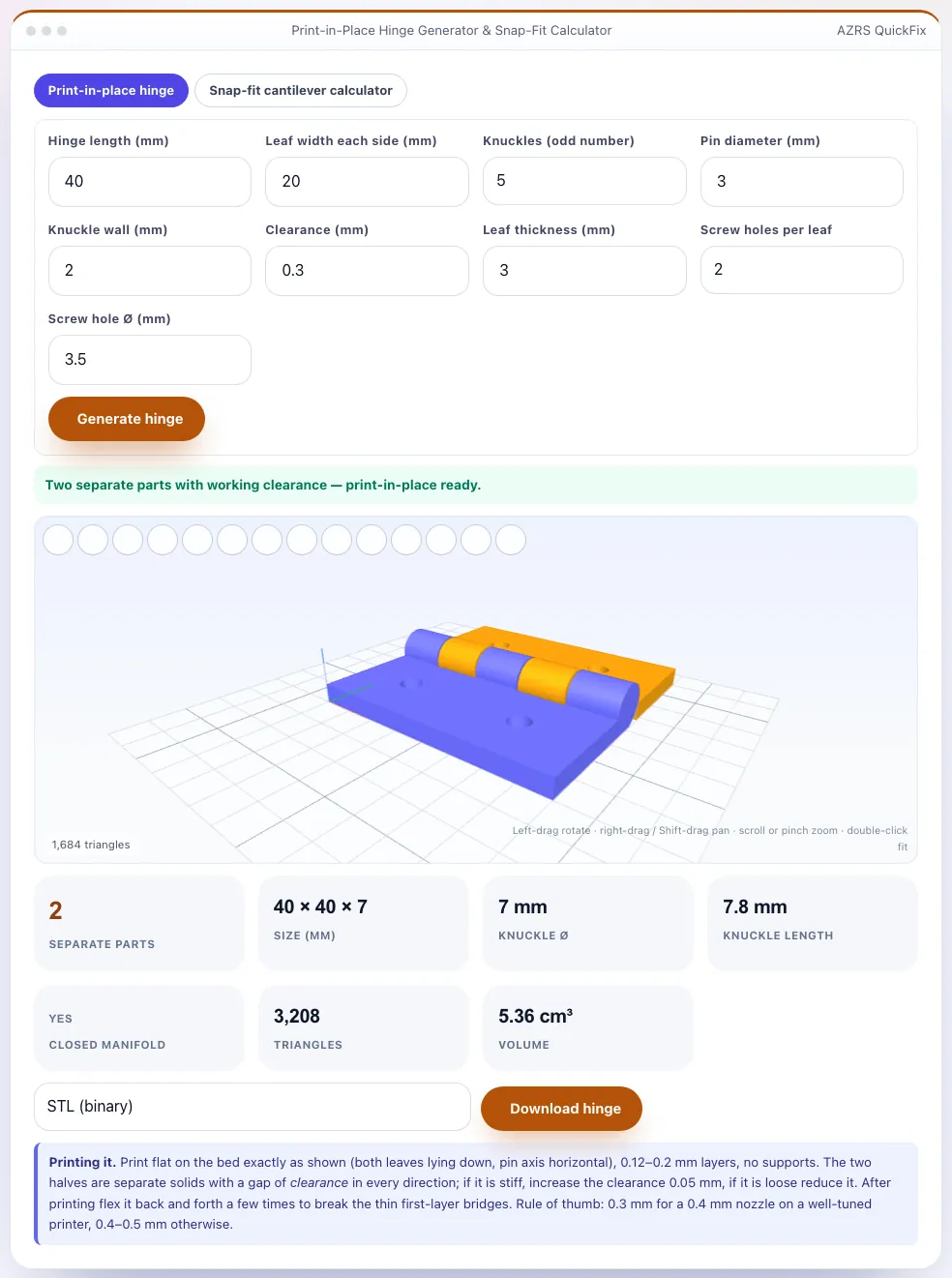
Sample input: Hinge length (mm) = 40; Leaf width each side (mm) = 20; Pin diameter (mm) = 3; Knuckle wall (mm) = 2. Pressed Generate hinge.
What is the Print-in-Place Hinge Generator & Snap-Fit?
A print-in-place hinge is printed assembled: two leaves joined by interleaved knuckles around a pin, separated by a small clearance so they move after printing without supports or assembly. This generator builds one to your size — hinge length, leaf width, 3 to 9 knuckles, pin diameter, wall thickness, leaf thickness, clearance and optional screw holes — and checks that the result is two separate closed solids, so you know the clearance actually separates them. The hinge lies flat on the bed with the pin axis horizontal and needs no supports.
The second tab is a cantilever snap-fit calculator based on the standard Bayer/BASF design method: enter the beam length, thickness and width, choose a material (PLA, PETG, ABS, nylon, PC, PP, POM), the beam shape and the hook depth you need, and it shows the maximum permissible deflection, the strain required, the deflection force and the insertion force for your lead-in angle and friction. Strain limits are conservative short-term values for printed plastic and are halved when the beam bends across layers.
3 steps to your result
Open the tool and follow along. Nothing to install.
What you get
Pin and knuckles separated by your clearance; two bodies verified.
Length, leaf, knuckles, pin, wall, thickness, screw holes.
Deflection, strain, force and insertion force with a hook-depth check.
Strain limits for PLA, PETG, ABS, nylon, PC, PP and POM.
AZRS tools are free to open and use.
It opens in your browser, so there is nothing to download.
Used for
Pick one to see how it fits.
How it compares
A plain look at this tool next to the usual alternative.
| This maker tool | Desktop software | |
|---|---|---|
| Install | Nothing to install | Usually an app or program to install |
| Account | No signup | Depends on the product |
| Cost | Free to use | Free or paid, depends on the product |
| Where it runs | In your browser tab | On your computer |
Questions people ask
Do I need supports?
No — the hinge prints flat, with the pin horizontal.
It is stiff after printing — what now?
Flex it several times and increase clearance by 0.05 mm next time.
Is the snap-fit calculator exact?
It is the standard textbook method; test a prototype for critical parts.
Is it private?
Yes — everything runs in your browser.
How do I use the Print-in-Place Hinge Generator & Snap-Fit?
1. Set the hinge size and clearance and generate. 2. Confirm 'two separate parts' and download the STL. 3. Open the snap-fit tab and enter your beam and material. 4. Adjust the beam until the hook-depth check passes.
More free tools
Related to the Print-in-Place Hinge Generator & Snap-Fit.
Try the Print-in-Place Hinge Generator & Snap-Fit now
Generate a working print-in-place hinge STL and calculate snap-fit cantilever deflection. Free to use.
Try it free