
Try the 3D-Printable Box with Lid Generator
Generate a 3D-printable box with a friction-fit lid to your inside dimensions: wall, floor, corner radius, lid lip and clearance.
- Free to use
- No signup
- Nothing to install
- Runs in your browser
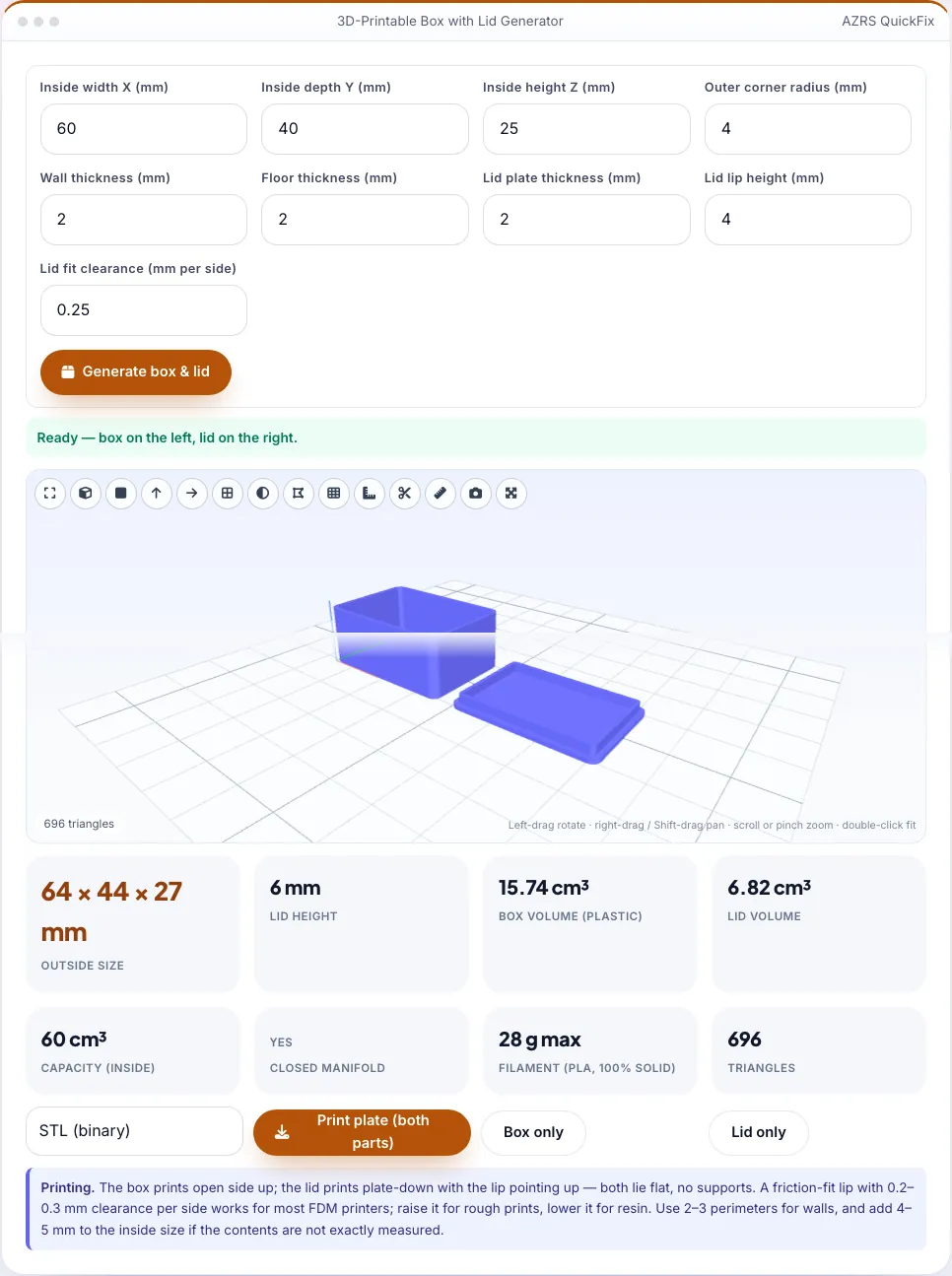
A 60 × 40 × 25 mm inside box with 2 mm walls and floor, a 4 mm corner radius and a 4 mm lip is 64 × 44 × 27 mm outside; the usable capacity is 60 × 40 × 25 = 60 cm³ and the lid adds 6 mm of stack height (2 mm plate plus a 4 mm lip).Open the 3D-Printable Box with Lid Generator
Illustration. Open the tool for the real thing.
See it in action
Sample input: Inside width X (mm) = 60; Inside depth Y (mm) = 40; Inside height Z (mm) = 25; Outer corner radius (mm) = 4. Pressed Generate box & lid.
What is the 3D-Printable Box with Lid Generator?
Enter the inside width, depth and height you need — for a circuit board, a set of dice, a gift or a spare-parts tray — and this generator builds a rounded-corner box and a matching lid with an inner lip that holds it by friction. You set the wall, floor and lid thickness, the corner radius, the lip height and the fit clearance per side, and the tool shows the outside size, the volume of plastic, the filament needed and whether both parts are closed solids.
The box prints open side up and the lid prints plate-down with the lip upward, so both lie flat on the bed with no supports. Download the box and lid separately or together on one plate laid out side by side. Because everything is generated from your numbers, it is easy to iterate: print a quick test, adjust the clearance by 0.05 mm, and print again.
3 steps to your result
Open the tool and follow along. Nothing to install.
What you get
Wall, floor and lid are added around your inside dimensions.
Inner lip with adjustable clearance — no screws or hinges needed.
Both parts print flat; box open-up, lid plate-down.
Download both together or each on its own.
AZRS tools are free to open and use.
It opens in your browser, so there is nothing to download.
Used for
Pick one to see how it fits.
How it compares
A plain look at this tool next to the usual alternative.
| This maker tool | Desktop software | |
|---|---|---|
| Install | Nothing to install | Usually an app or program to install |
| Account | No signup | Depends on the product |
| Cost | Free to use | Free or paid, depends on the product |
| Where it runs | In your browser tab | On your computer |
Questions people ask
Will the lid stay on?
Yes, by friction; adjust clearance for a tighter or looser fit.
Can I add a hinge or screws?
Not here; use the hinge tool or add holes in CAD.
Does it need supports?
No.
Is it free?
Yes — no watermark, no account.
How do I use the 3D-Printable Box with Lid Generator?
1. Enter the inside width, depth and height. 2. Set wall, floor, lid, corner radius and clearance. 3. Generate and check the outside size and the closed-solid check. 4. Download the plate or individual parts and print.
More free tools
Related to the 3D-Printable Box with Lid Generator.
Try the 3D-Printable Box with Lid Generator now
Parametric box and friction-fit lid STL with rounded corners and clearance. Free to use.
Try it free