
Open the Periodic Table
A fully interactive periodic table with search-as-you-type (by element name, symbol or atomic number with autocomplete), multiple table layout styles, zoom controls and a fullscreen mode
- Free to use
- No signup
- Nothing to install
- Works in any modern browser
Drag the temperature slider up to around 3000°C and watch most metals that were shown as solid switch to a liquid or gas state indicator, giving an intuitive feel for just how extreme a temperature that really is compared to elements like tungsten that stay solid far longer.Open the Periodic Table
Illustration. Open the tool for the real thing.
See it in action
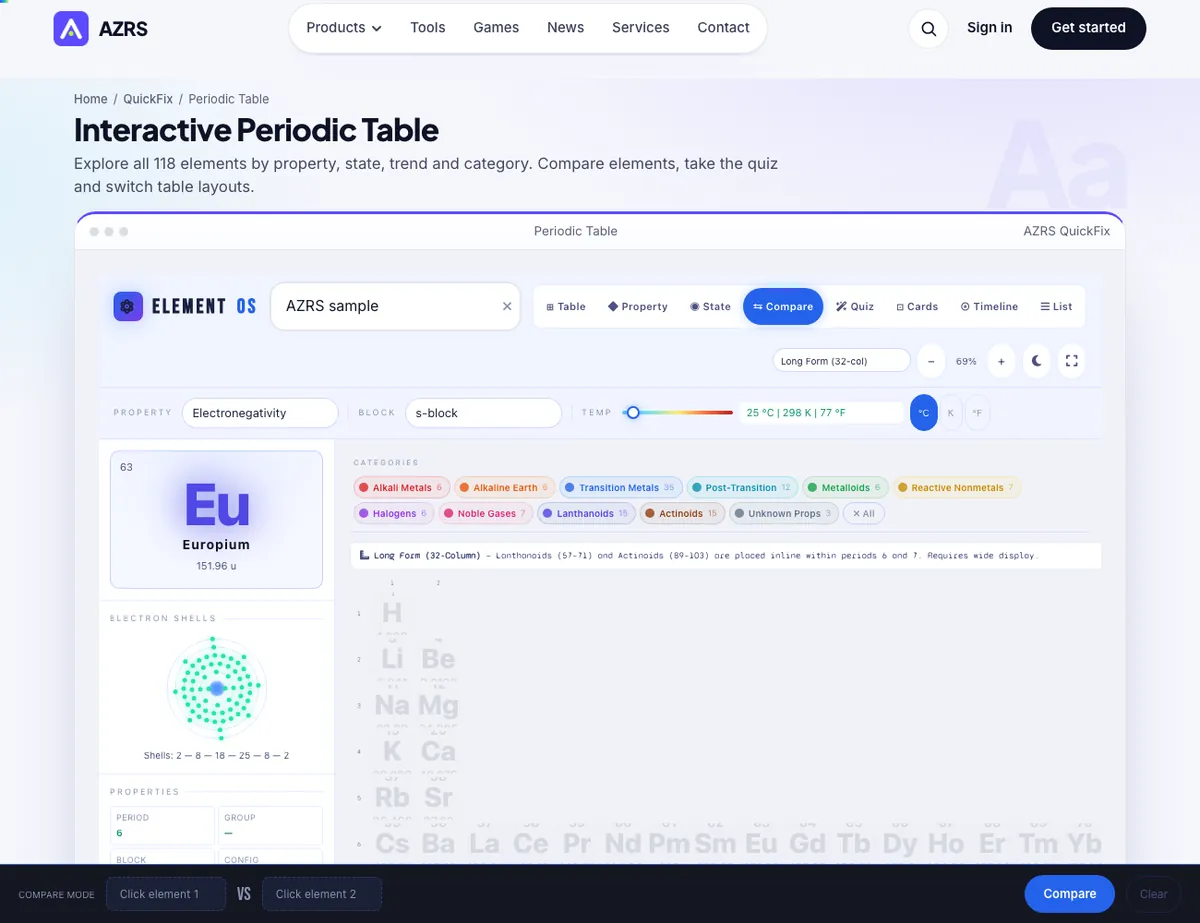
The Periodic Table with sample data entered and the result showing.
What is the Periodic Table?
A fully interactive periodic table with search-as-you-type (by element name, symbol or atomic number with autocomplete), multiple table layout styles, zoom controls and a fullscreen mode, plus a dark/light toggle so it's comfortable to use for long study sessions.
Beyond browsing, it can colour elements by a chosen property or block, and includes a temperature slider running from -273°C to 6000°C that updates which elements would be solid, liquid or gas at that temperature — turning the static table into a live demonstration of physical states. Hovering any element shows a detail tooltip with mass, block, density, electronegativity, melting/boiling points and neutron count.
3 steps to your result
Open the tool and follow along. Nothing to install.
What you get
Find any element instantly by name, symbol or atomic number as you type.
Recolour the whole table by a selected property (like electronegativity) or by element block.
Slide from -273°C to 6000°C and see which elements would be solid, liquid or gas at that temperature.
Hover any element for mass, density, electronegativity, melting/boiling points and neutron count.
AZRS tools are free to open and use.
It opens in your browser, so there is nothing to download.
Used for
Pick one to see how it fits.
Chemistry students
Study element properties, trends and states of matter interactively instead of from a static printed chart.
Try it freeTeachers
Demonstrate periodic trends and states of matter live in class using the temperature slider and property colouring.
Try it freeCurious learners
Explore element details like density, melting point and electronegativity element by element.
Try it freeHow it compares
A plain look at this tool next to the usual alternative.
| This study tool | Desktop software | |
|---|---|---|
| Install | Nothing to install | Usually an app or program to install |
| Account | No signup | Depends on the product |
| Cost | Free to use | Free or paid, depends on the product |
Questions people ask
Is the periodic table free to use?
Yes, fully free with no signup.
Can I search for an element by atomic number?
Yes, the search box with autocomplete accepts element names, symbols or atomic numbers.
What does the temperature slider do?
It shows which elements would be solid, liquid or gas at the selected temperature, from -273°C up to 6000°C.
Can I color elements by a specific property?
Yes, use the property selector to recolour the whole table by things like electronegativity, density or other properties.
Is there a dark mode?
Yes, toggle dark/light mode with the icon button above the table.
More free tools
Related to the Periodic Table.
Try the Periodic Table now
A fully interactive periodic table with search-as-you-type (by element name, symbol or. Free to use.
Try it free