
Your Pegboard Panel & Peg Hook Generator
Generate 3D-printable pegboard panels (any columns, rows, pitch and hole size) and two-peg hooks with a custom arm and rise as STL or 3MF.
- Free to use
- No signup
- Nothing to install
- Runs in your browser
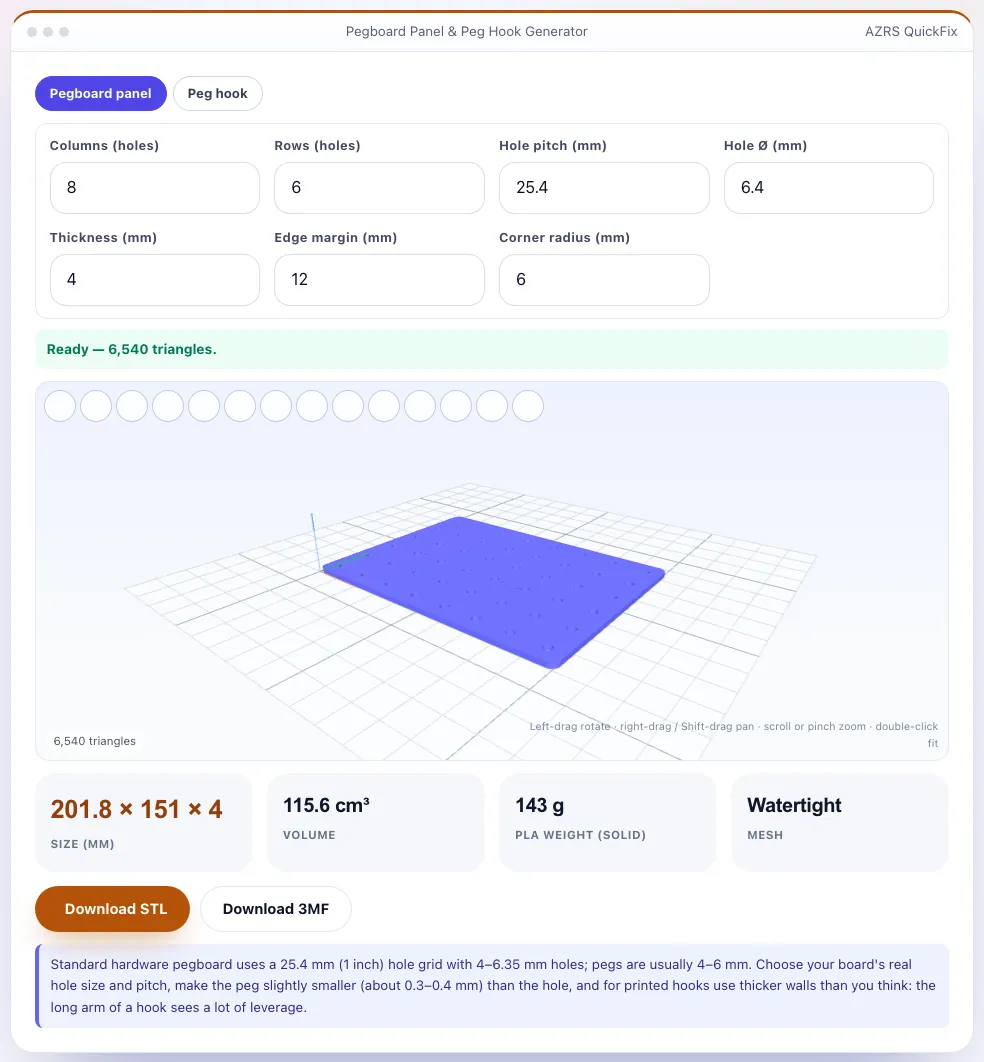
An 8 × 6 hole panel at 25.4 mm pitch with a 12 mm margin is 201.8 × 151 mm and 4 mm thick; a hook with 6 mm pegs, 24 mm long, spaced 25.4 mm, with a 25 mm arm and 25 mm rise fits it.Open the Pegboard Panel & Peg Hook Generator
Illustration. Open the tool for the real thing.
See it in action
Sample input: Columns (holes) = 8; Rows (holes) = 6; Hole pitch (mm) = 25.4; Hole Ø (mm) = 6.4. Pressed Fit to view (double-click).
What is the Pegboard Panel & Peg Hook Generator?
Pegboard organises tools, craft supplies and desk accessories — and printing your own lets you choose the exact size, hole pitch and hole diameter. The panel tab creates a rectangular panel with a grid of holes (default: 25.4 mm pitch, 6.4 mm holes, 4 mm thick, rounded corners) in any number of columns and rows with an edge margin; the hook tab creates a two-peg hook with a backplate, a horizontal arm and an upward hook, with peg diameter, length, spacing, arm length and rise as parameters.
Both are solid, manifold meshes with a 3D preview and downloadable as STL or 3MF. Make the pegs about 0.3–0.4 mm smaller than the board's holes, print hooks with the layers perpendicular to the arm's bending direction if you can, and use thick walls: the long arm of a hook acts like a lever.
3 steps to your result
Open the tool and follow along. Nothing to install.
What you get
Columns, rows, pitch, hole size, margin, thickness and corner radius.
Peg diameter/length/spacing plus arm length and rise.
3D view with size, volume and filament estimate.
Closed meshes for slicing.
AZRS tools are free to open and use.
It opens in your browser, so there is nothing to download.
Used for
Pick one to see how it fits.
How it compares
A plain look at this tool next to the usual alternative.
| This maker tool | Desktop software | |
|---|---|---|
| Install | Nothing to install | Usually an app or program to install |
| Account | No signup | Depends on the product |
| Cost | Free to use | Free or paid, depends on the product |
| Where it runs | In your browser tab | On your computer |
Questions people ask
What hole pitch should I use?
25.4 mm (1 inch) is standard; some boards use 20 mm or 32 mm.
What peg size fits?
Most standard boards use 4–6.35 mm holes; pegs slightly smaller fit.
Can I make a metric pegboard?
Yes — change the pitch and hole diameter.
Is it free?
Yes.
How do I use the Pegboard Panel & Peg Hook Generator?
1. Choose Panel or Hook. 2. Set pitch, hole and peg dimensions to match your board. 3. Preview and download the STL/3MF. 4. Print a single hook first to check the fit.
More free tools
Related to the Pegboard Panel & Peg Hook Generator.
Try the Pegboard Panel & Peg Hook Generator now
Print your own pegboard panels and two-peg hooks to custom sizes. Free to use.
Try it free