
The free Image Resizer
Resize any JPG, PNG or WebP image using exact pixel dimensions, a percentage scale, or ready-made presets, with an aspect-ratio lock so proportions stay correct unless you want to stretch
- Free to use
- No signup
- Nothing to install
- Works in any modern browser
Illustration. Open the tool for the real thing.
See it in action
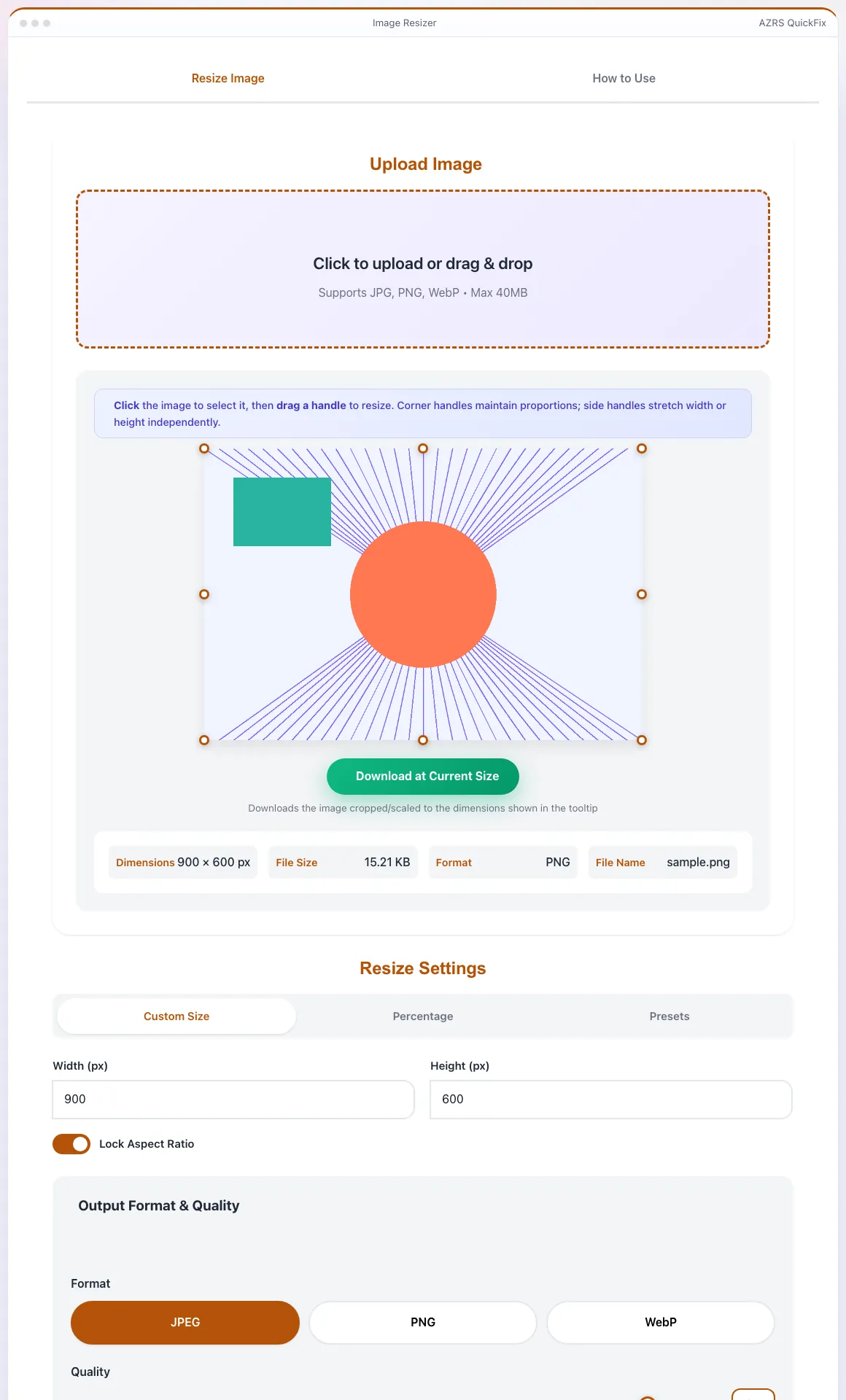
The Image Resizer with sample data entered and the result showing.
What is the Image Resizer?
Resize any JPG, PNG or WebP image using exact pixel dimensions, a percentage scale, or ready-made presets, with an aspect-ratio lock so proportions stay correct unless you want to stretch on purpose. A draggable resize handle on the live preview lets you resize visually and see the exact width/height in a tooltip as you drag.
Before downloading you can fine-tune the output quality with a compression slider, and the info panel next to the preview shows the current image dimensions and file size so you can judge the tradeoff between size and quality.
3 steps to your result
Open the tool and follow along. Nothing to install.
What you get
Set an exact width and height, scale by percentage, or pick a ready-made size preset.
Keep width and height proportional automatically, or unlock it to stretch deliberately.
Drag a handle on the live image preview and see the live pixel dimensions in a tooltip.
Adjust output compression quality to balance file size against image sharpness before download.
AZRS tools are free to open and use.
It opens in your browser, so there is nothing to download.
Used for
Pick one to see how it fits.
Bloggers & marketers
Resize images to the exact dimensions required by a website, ad platform or social network.
Try it freeStudents & professionals
Shrink a large photo down to fit an email attachment size or document limit.
Try it freeHow it compares
A plain look at this tool next to the usual alternative.
| This image tool | Desktop software | |
|---|---|---|
| Install | Nothing to install | Usually an app or program to install |
| Account | No signup | Depends on the product |
| Cost | Free to use | Free or paid, depends on the product |
Questions people ask
Is the image resizer free?
Yes, free with no signup and no watermark added.
Which formats does it support?
JPG, PNG and WebP for upload and export.
Can I resize by percentage instead of exact pixels?
Yes, switch to percentage mode and use the slider or type a percentage directly.
Will resizing reduce image quality?
Downscaling has minimal quality loss; the quality slider controls compression for the final file separately from the resize itself.
Are there ready-made size presets?
Yes, common presets are available under the Presets mode for quick selection.
More free tools
Related to the Image Resizer.
Try the Image Resizer now
Resize any JPG, PNG or WebP image using exact pixel dimensions, a percentage scale, or. Free to use.
Try it free