
Use the Heat-Set Insert, Screw Hole & 3D-Print
Get the right hole diameter for heat-set inserts (M2–M8), screw clearance and pilot holes, and press-fit / sliding / print-in-place clearances for FDM.
- Free to use
- No signup
- Nothing to install
- Runs in your browser
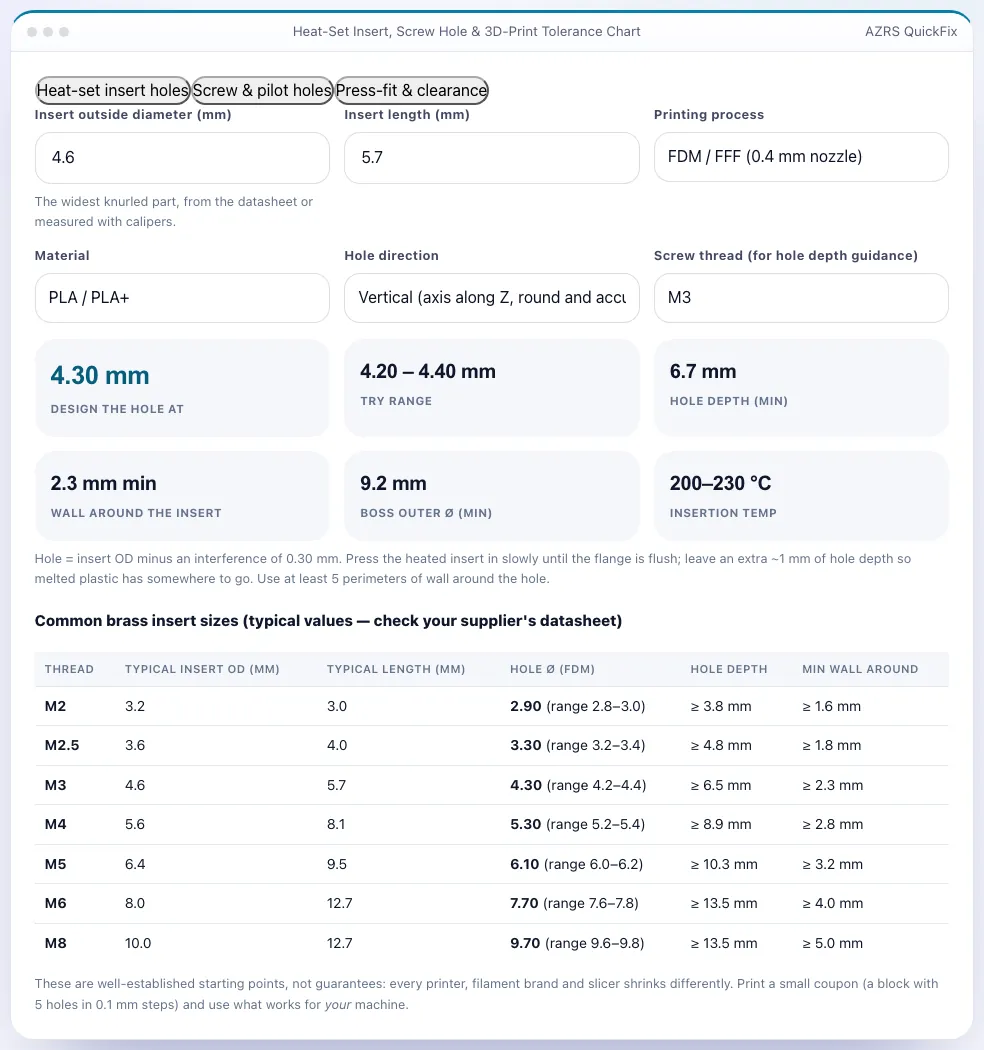
A 4.6 mm OD brass insert for M3 in PLA on FDM: design the hole at 4.3 mm (range 4.2–4.4 mm), at least 6.7 mm deep with 2.3 mm of wall around it, inserting at 200–230 °C.Open the Heat-Set Insert, Screw Hole & 3D-Print
Illustration. Open the tool for the real thing.
See it in action
The Heat-Set Insert, Screw Hole & 3D-Print with sample data entered and the result showing.
What is the Heat-Set Insert, Screw Hole & 3D-Print?
Getting holes right is the difference between a part that assembles and a part that goes in the bin. This page has three tools. The heat-set insert calculator takes the insert's outside diameter, your process (FDM, big nozzle, resin), material and hole direction and returns the diameter to design, a trial range, the minimum hole depth, the wall needed around the insert and the insertion temperature. A table lists typical sizes for M2–M8 inserts.
The screw tab lists ISO clearance holes (close, normal, loose), self-tapping pilot holes for plastic and tap drill sizes, with the printing compensation you should add. The fit tab gives press-fit, snug, sliding, loose, print-in-place and snap-fit clearances for FDM, resin and SLS/MJF — and a calculator that turns your nominal shaft diameter into the hole diameter to model, including the extra allowance for small or horizontal FDM holes.
3 steps to your result
Open the tool and follow along. Nothing to install.
What you get
Hole diameter, depth, wall thickness and temperature for your insert and material.
ISO 273 clearances, self-tapping pilot holes and tap drills for M2–M8.
Press, slide, loose and print-in-place clearances for FDM, resin and SLS.
Adds the extra tolerance for small and horizontal FDM holes.
AZRS tools are free to open and use.
It opens in your browser, so there is nothing to download.
Used for
Pick one to see how it fits.
How it compares
A plain look at this tool next to the usual alternative.
| This 3d tool | Desktop software | |
|---|---|---|
| Install | Nothing to install | Usually an app or program to install |
| Account | No signup | Depends on the product |
| Cost | Free to use | Free or paid, depends on the product |
| Where it runs | In your browser tab | On your computer |
Questions people ask
Are the insert OD values exact?
Insert dimensions vary by supplier; use your datasheet value — the calculator formula is based on OD.
Why different clearances for resin?
Resin prints more accurately, so smaller gaps work; SLS needs larger gaps for powder removal.
What is a pilot hole?
The pre-drilled hole for a self-tapping screw in plastic, about 0.8× the screw's major diameter.
Is this a replacement for testing?
No — use it as a starting point and verify with a print.
How do I use the Heat-Set Insert, Screw Hole & 3D-Print?
1. Choose the tab for inserts, screws or fits. 2. Enter your insert OD, screw size or nominal diameter. 3. Select your printing process and orientation. 4. Model the hole at the result and test-print a coupon.
More free tools
Related to the Heat-Set Insert, Screw Hole & 3D-Print.
Try the Heat-Set Insert, Screw Hole & 3D-Print now
Hole sizes for heat-set inserts, screws and press fits by printer type. Free to use.
Try it free