
The free Engineering Drawing Checklist — Title Block
An interactive engineering drawing checklist for students: title block, views, sections, dimensions, hole callouts, tolerances, notes.
- Free to use
- No signup
- Nothing to install
- Runs in your browser
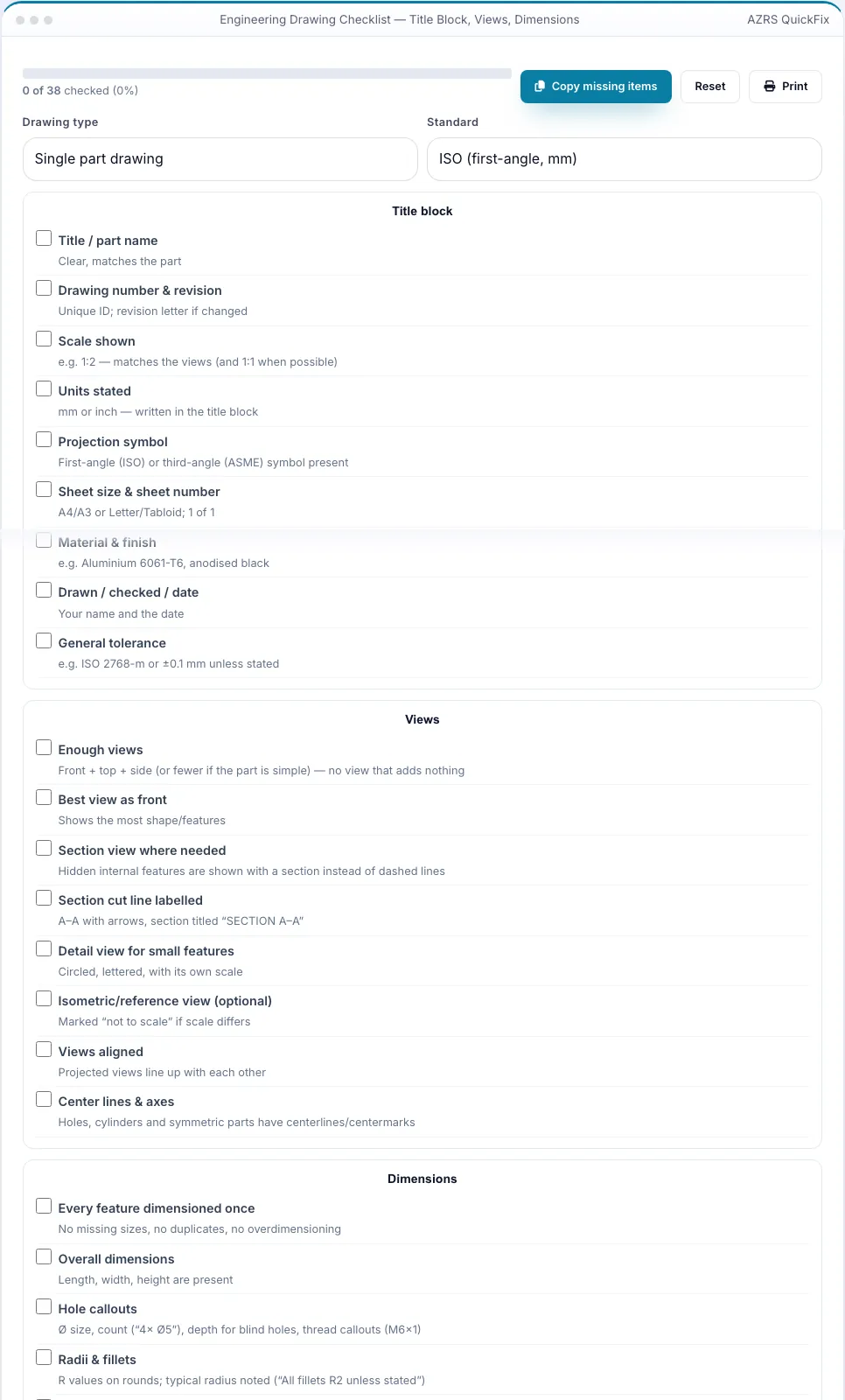
Before submitting, you tick 31 of 37 items and the copy button gives a to-do list: 'Scale shown', 'Section cut line labelled', 'Hole callouts', 'General tolerance', 'Break edges note', 'Detail view scale'.Open the Engineering Drawing Checklist — Title Block
Illustration. Open the tool for the real thing.
See it in action
Shown running with its default sample values
What is the Engineering Drawing Checklist — Title Block?
Most marks lost on CAD drawing assignments are the same few omissions: no scale in the title block, a missing overall dimension, hole callouts without a count or depth, a section view without its cut line label, dimensions chained instead of referenced to a datum, a general tolerance note that never got added. This checklist walks through every area of a drawing — title block, views, dimensions, notes and annotations, line quality and layout — and, for assembly drawings, balloons, parts list and key dimensions — with a one-line explanation of what 'good' looks like for each item.
Tick items off as you go and a progress bar shows how complete the drawing is. Choose a single-part or assembly drawing and the ISO or ASME convention. Your progress is saved in your browser, you can copy only the items still missing as a to-do list, and print the page for a final check. It works for Onshape, SolidWorks, Fusion, AutoCAD or hand drawings.
3 steps to your result
Open the tool and follow along. Nothing to install.
What you get
Title block, views, dimensions, notes, line quality and assembly items.
What 'good' looks like for every item.
Progress bar and saved checks in your browser.
Copy the missing items as a to-do list or print the sheet.
AZRS tools are free to open and use.
It opens in your browser, so there is nothing to download.
Used for
Pick one to see how it fits.
How it compares
A plain look at this tool next to the usual alternative.
| This 3d tool | Desktop software | |
|---|---|---|
| Install | Nothing to install | Usually an app or program to install |
| Account | No signup | Depends on the product |
| Cost | Free to use | Free or paid, depends on the product |
| Where it runs | In your browser tab | On your computer |
Questions people ask
Is this ISO or ASME?
Choose either; the items are common to both with convention-specific wording.
Is my progress saved?
Yes, in this browser only.
Does it check my file automatically?
No — it is an interactive checklist, not a file analyser.
Can I use it for hand drawings?
Yes — the criteria are the same.
How do I use the Engineering Drawing Checklist — Title Block?
1. Choose part or assembly drawing and standard. 2. Work through each section ticking items. 3. Copy the missing items list. 4. Fix them, then print the checklist for a last look.
More free tools
Related to the Engineering Drawing Checklist — Title Block.
Try the Engineering Drawing Checklist — Title Block now
Interactive checklist to catch missing items before you submit a CAD drawing. Free to use.
Try it free