
Your Duplicate File Finder
Free duplicate file finder. Select or drag in a folder of files and this tool hashes each one (SHA-256) to find byte-for-byte duplicates.
- Free to use
- No signup
- Nothing to install
- Runs in your browser
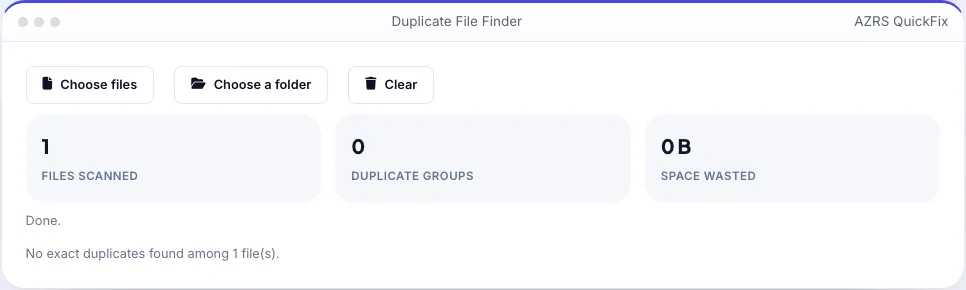
Illustration. Open the tool for the real thing.
See it in action
Sample input: File = sample.txt
What is the Duplicate File Finder?
Two files with different names can still be byte-for-byte identical — a photo saved twice under different filenames, a document copied into several folders, a download kept in two places. This tool reads every file you select and computes a SHA-256 hash of its actual content, then groups files whose hashes match, so you find true duplicates regardless of their name, folder or date modified.
Select a folder or drag in a batch of files, and duplicate groups appear with each file's name, size and path, so you can decide which copy to keep. All hashing happens locally using the Web Crypto API — files are read into memory to compute the hash and are never uploaded anywhere.
3 steps to your result
Open the tool and follow along. Nothing to install.
What you get
SHA-256 hashing finds identical files regardless of name.
Select an entire folder, including subfolders.
Duplicate sets shown together with size and path.
Files are hashed locally and never leave your device.
AZRS tools are free to open and use.
It opens in your browser, so there is nothing to download.
Used for
Pick one to see how it fits.
How it compares
A plain look at this tool next to the usual alternative.
| This utility | Desktop software | |
|---|---|---|
| Install | Nothing to install | Usually an app or program to install |
| Account | No signup | Depends on the product |
| Cost | Free to use | Free or paid, depends on the product |
| Where it runs | In your browser tab | On your computer |
Questions people ask
Does it delete duplicates automatically?
No. It only finds and lists them; you choose what to remove using your operating system's file manager.
How are duplicates detected?
By comparing a SHA-256 hash of each file's full content — identical hashes mean identical files.
Can two different files have the same hash?
In practice, no — a SHA-256 collision is astronomically unlikely, so a match reliably means identical content.
Are my files uploaded?
No, they are read and hashed locally in your browser.
Can it scan a whole folder including subfolders?
Yes, use the folder picker, which includes nested subfolders.
More free tools
Related to the Duplicate File Finder.
Try the Duplicate File Finder now
Find exact duplicate files by comparing their content, not just the name. Free to use.
Try it free