
Try the Content Cannibalization Checker
Enter a domain and a target keyword, and this tool crawls the site (up to 50 pages), scores every page it finds for real on-page keyword usage — whether the keyword appears in the title
- Free to use
- No signup
- Nothing to install
- Works in any modern browser
Checking 'project management software' turns up three separate blog pages all optimized for that exact phrase — a clear cannibalization flag, with a recommendation to consolidate the two weaker pages into the strongest one.Open the Content Cannibalization Checker
Illustration. Open the tool for the real thing.
See it in action
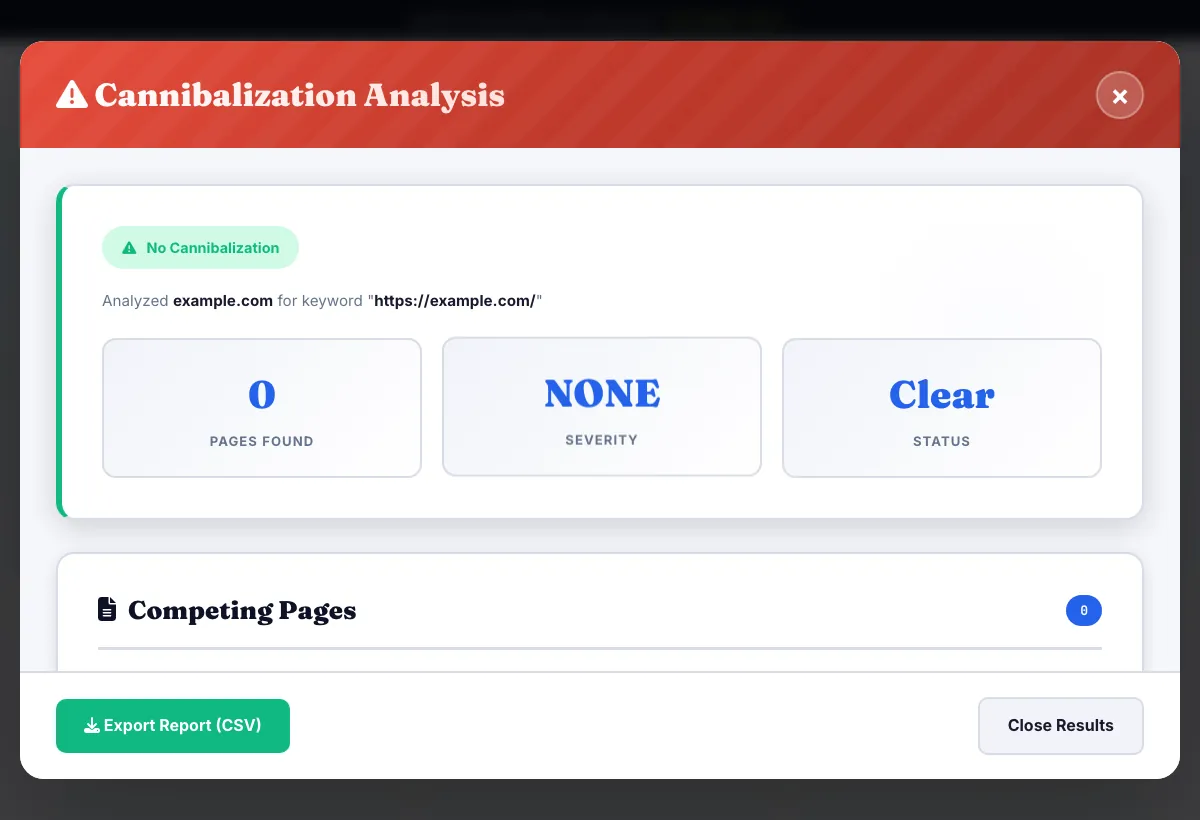
Sample input: Website domain = example.com; Target keyword = https://example.com/. Pressed Check for Cannibalization.
What is the Content Cannibalization Checker?
Enter a domain and a target keyword, and this tool crawls the site (up to 50 pages), scores every page it finds for real on-page keyword usage — whether the keyword appears in the title, H1, URL and meta description, plus keyword density — and flags it when more than one page on the site is genuinely competing for the same keyword.
This is an on-page, crawl-based check: it looks at how the keyword is actually used across your own site's pages, not live Google ranking positions pulled from a rank-tracking API, so what you're seeing is exactly what a search engine would see when comparing those pages against each other for that keyword.
3 steps to your result
Open the tool and follow along. Nothing to install.
What you get
Crawls the actual site (up to 50 pages) instead of guessing from a sitemap or manual list.
Checks title, H1, URL and meta description usage plus keyword density for each page found.
Summarizes how serious the overlap is, from a single relevant page to several pages directly competing.
Specific fixes — consolidate, differentiate or redirect — tailored to what was actually found.
AZRS tools are free to open and use.
It opens in your browser, so there is nothing to download.
Used for
Pick one to see how it fits.
SEO specialists diagnosing stalled rankings
Find out if multiple pages are splitting ranking signals for the same keyword before troubleshooting anything else.
Try it freeContent teams with a large back catalog
Spot overlapping articles written months apart that ended up targeting the same term.
Try it freeSite owners consolidating content
Get a clear list of which pages to merge, redirect or differentiate before a content cleanup.
Try it freeHow it compares
A plain look at this tool next to the usual alternative.
| This seo tool | Desktop software | |
|---|---|---|
| Install | Nothing to install | Usually an app or program to install |
| Account | No signup | Depends on the product |
| Cost | Free to use | Free or paid, depends on the product |
Questions people ask
What counts as cannibalization here?
More than one crawled page on the domain scoring meaningfully on the same target keyword across title, H1, URL, meta description and density.
Does this pull real Google ranking positions?
No — it's an on-page, crawl-based check of how the keyword is actually used across your site's pages, not a live SERP rank-tracking lookup.
How many pages does it crawl per check?
Up to 50 pages from the domain you enter.
What should I do with a flagged cannibalization?
Follow the specific recommendation shown — usually consolidating the weaker page into the stronger one, differentiating them by intent, or adding a canonical/redirect.
Can I check the same domain and keyword again after fixing it?
Yes, re-running the check crawls fresh and will confirm whether the overlap is resolved.
More free tools
Related to the Content Cannibalization Checker.
Try the Content Cannibalization Checker now
Enter a domain and a target keyword, and this tool crawls the site (up to 50 pages). Free to use.
Try it free