
Meet the Camera Squat Counter
Squat counter that uses your camera. Pose detection measures knee angle in 3D, counts each squat to proper depth from the front, side or diagonal.
- Free to use
- No signup
- Nothing to install
- Runs in your browser
See it in action
3D coach demo of the move (rendered mid-motion). Open the tool to count your own reps with your camera or a video.
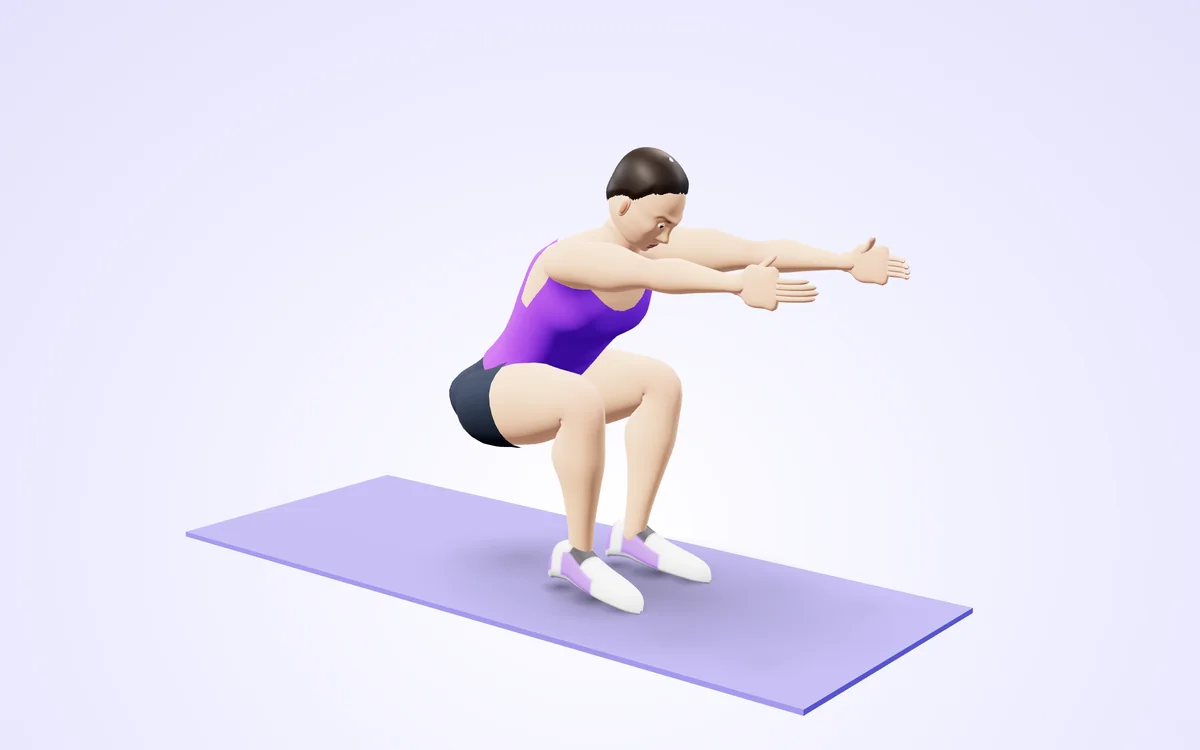
Watch it in 3DSee the exact form before you start. Drag to look from any angle.
Demo only. Move at a pace that feels safe and stop if anything hurts.
What is the Camera Squat Counter?
This squat counter uses your camera and AI pose detection. Stand where it can see you, press Start and squat: it measures the angle at your knees in 3D and counts a rep when you reach about 90 degrees of knee bend and stand back up. If you only dip halfway it tells you 'Go deeper' and does not count the rep.
Because the knee angle is measured in three dimensions, you can stand facing the camera, sideways or at a diagonal. Set a goal, listen to the voice count each rep and save the session to your log. Everything runs in your browser.
3 steps to your result
Open the tool and follow along. Nothing to install.
What you get
Counts only squats that reach about 90 degrees at the knee.
Front, side or diagonal.
Hear every rep and a goal call.
Works with dumbbells or a barbell too.
Nothing is uploaded.
AZRS tools are free to open and use.
Used for
Pick one to see how it fits.
How it compares
A plain look at this tool next to the usual alternative.
| This fitness tool | Desktop software | |
|---|---|---|
| Install | Nothing to install | Usually an app or program to install |
| Account | No signup | Depends on the product |
| Cost | Free to use | Free or paid, depends on the product |
| Where it runs | In your browser tab | On your computer |
Questions people ask
How deep does a squat need to be?
About 90 degrees of knee bend counts as a full rep.
Does it work from any camera angle?
Yes, any angle works with Camera Squat Counter (AI). Stand 2 to 3 metres from the camera so you are visible from head to feet. Stand tall to start. A rep counts when your knees bend to about 90 degrees and you stand back up.
Is my video uploaded or saved?
No. Camera Squat Counter (AI) does its rep counting on your device. Nothing is recorded, uploaded or stored and the camera stops when you finish. Stand tall to start. A rep counts when your knees bend to about 90 degrees and you stand back up.
What do I need?
Any phone, tablet or computer with a camera will do, over https. For Camera Squat Counter (AI): Stand 2 to 3 metres from the camera so you are visible from head to feet. Stand tall to start. A rep counts when your knees bend to about 90 degrees and you stand back up.
Can I use a video instead of the live camera?
Yes, a recorded squat session works. Use 'Analyze a video file' in Camera Squat Counter (AI) and choose the clip. Stand 2 to 3 metres from the camera so you are visible from head to feet. Stand tall to start. A rep counts when your knees bend to about 90 degrees and you stand back up.
More free tools
Related to the Camera Squat Counter.
Try the Camera Squat Counter now
Counts your squats with the camera and checks depth, any angle. Free to use.
Try it free