
Open the Website Speed Test
Enter any URL and this tool fetches it live, timing the full response, measuring Time to First Byte (TTFB), total page size and counting requests (images, scripts, stylesheets), then
- Free to use
- No signup
- Nothing to install
- Works in any modern browser
Testing a page that loads in 1.8s with a 1.2MB page size and 42 requests returns a strong score with recommendations to convert images to WebP and enable GZIP compression for the next gain.Open the Website Speed Test
Illustration. Open the tool for the real thing.
See it in action
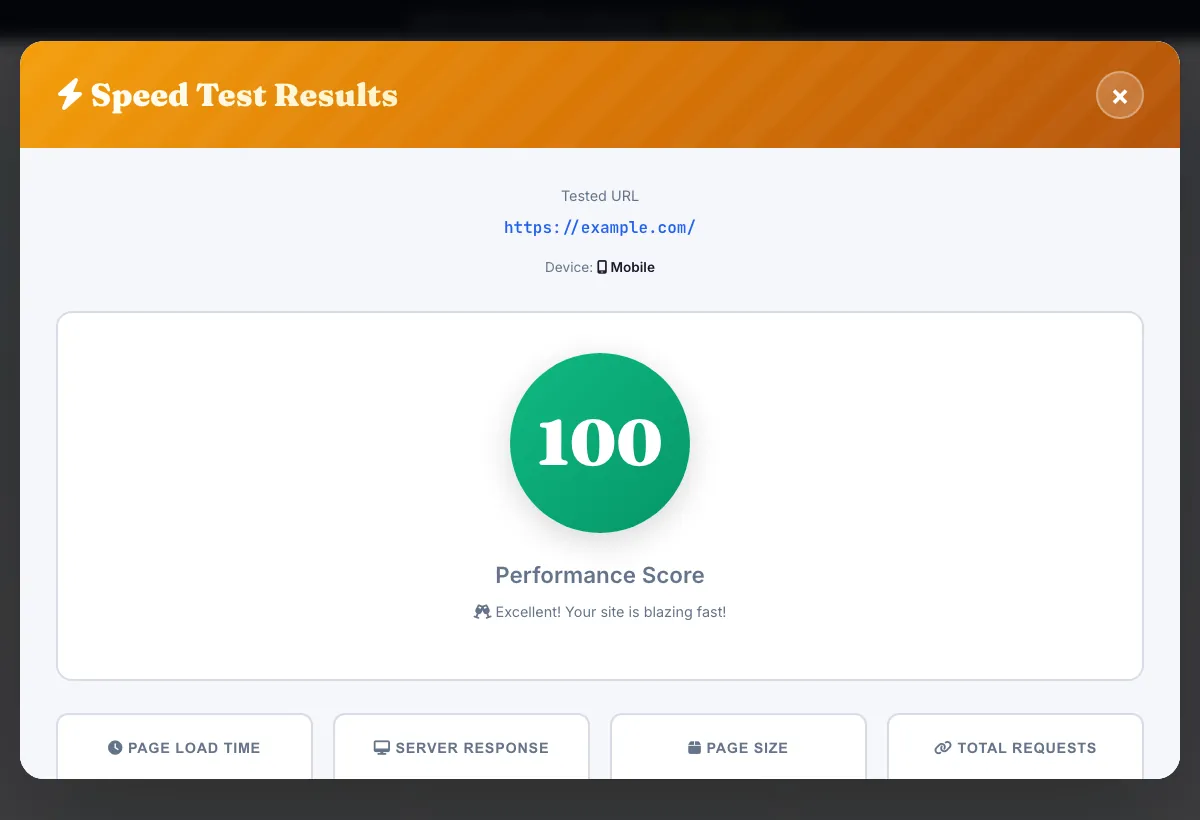
Sample input: https://example.com = https://example.com/. Pressed Test Speed Now.
What is the Website Speed Test?
Enter any URL and this tool fetches it live, timing the full response, measuring Time to First Byte (TTFB), total page size and counting requests (images, scripts, stylesheets), then converts those into a 0-100 performance score with specific recommendations — the same core metrics a real visitor's browser experiences.
It's a real HTTP request against the live page, not a cached or simulated score: slow server response, oversized pages and too many render-blocking resources all show up directly in the numbers, with plain-language fixes underneath.
3 steps to your result
Open the tool and follow along. Nothing to install.
What you get
Measures actual response time and server Time to First Byte for the URL you enter.
Counts HTML, images, JavaScript, CSS and font requests separately so you know exactly what's heavy.
A single score, penalized for slow load time and large page size, to track progress over time.
Specific fixes like enabling compression, image optimization and caching, not generic advice.
AZRS tools are free to open and use.
It opens in your browser, so there is nothing to download.
Used for
Pick one to see how it fits.
Site owners tracking performance
Re-run after every change to confirm load time actually improved, not just assumed.
Try it freeDevelopers debugging slow pages
See TTFB separately from total load time to know if the bottleneck is the server or the front end.
Try it freeAnyone comparing pages
Test a few key pages (homepage, top landing page, checkout) to find the slowest ones first.
Try it freeHow it compares
A plain look at this tool next to the usual alternative.
| This seo tool | Desktop software | |
|---|---|---|
| Install | Nothing to install | Usually an app or program to install |
| Account | No signup | Depends on the product |
| Cost | Free to use | Free or paid, depends on the product |
Questions people ask
What is a good load time?
Under 2 seconds is considered good, under 1 second is excellent; Google's Core Web Vitals target Largest Contentful Paint under 2.5 seconds.
What is TTFB?
Time to First Byte — the delay between the request being sent and the first byte of the response arriving; under 200ms is considered ideal.
How is the performance score calculated?
It starts at 100 and is reduced for slow load time and large page size, giving a quick single number to track over time.
Does it test mobile and desktop separately?
Yes, choose the device before running the test since mobile results can differ meaningfully from desktop.
Is my data stored?
Test results are saved so you can see your test count and history; no login is required to run a test.
More free tools
Related to the Website Speed Test.
Try the Website Speed Test now
Enter any URL and this tool fetches it live, timing the full response, measuring Time to. Free to use.
Try it free