
Explore the Thermal Expansion & Bimetal Strip
Heat or cool a metal bar and see how much it grows, then bend a bimetal strip. Free, no signup, runs in your browser.
- Free to use
- No signup
- Nothing to install
- Runs in your browser
Illustration. Open the tool for the real thing.
See it in action
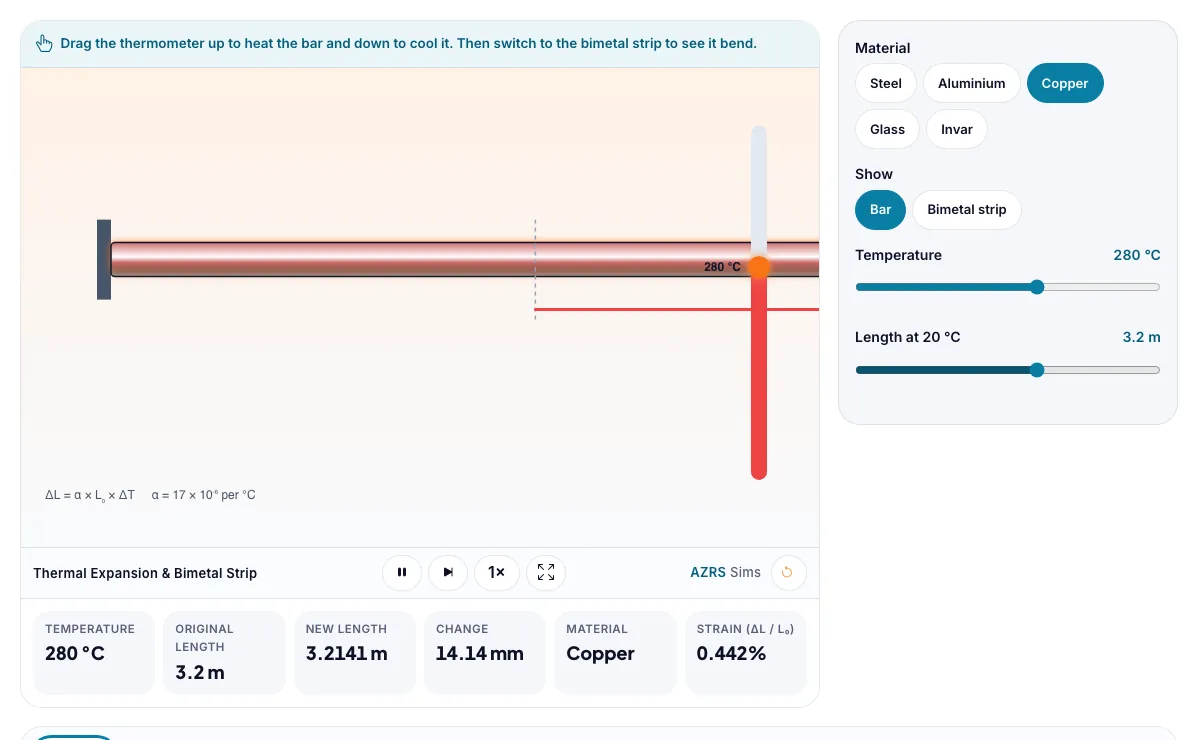
The Thermal Expansion & Bimetal Strip with sample data entered and the result showing.
What is the Thermal Expansion & Bimetal Strip?
Heat or cool a metal bar and see how much it grows, then bend a bimetal strip. It runs in your browser, so a change to a setting or a drag on an object shows up at once.
Thermostats, expansion joints in bridges, railway tracks, glass cookware and precision instruments all depend on thermal expansion.
3 steps to your result
Open the tool and follow along. Nothing to install.
What you get
ΔL = α × L₀ × ΔT.
Different materials have different expansion coefficients α.
A bimetal strip bends because one metal expands more.
Compare steel with invar at 500 °C.
Cool the bar to -50 °C.
Show the bimetal strip and heat it, then cool it.
Used for
Pick one to see how it fits.
Physics learners
Physics students in middle school, high school and first-year university, teachers who want a quick demonstration for the projector, and anyone revising for exams.
Try it freeTeachers
For teachers: project the Thermal Expansion & Bimetal Strip on the board, let students predict the result, then run it together and test this: Cool the bar to -50 °C. For students: change one thing at a time and write down what changes.
Try it freeHow it compares
A plain look at this tool next to the usual alternative.
| This simulation | Textbook diagram | |
|---|---|---|
| Interactive | Drag, tap and change settings | Fixed picture |
| Install | Nothing to install | Not needed |
| Cost | Free to use | Depends on the book |
Questions people ask
What is the coefficient of linear expansion?
The fractional change in length per degree of temperature change.
Why does a bimetal strip bend?
The two bonded metals expand by different amounts, so the strip curves toward the metal that expands less.
Is the Thermal Expansion & Bimetal Strip free to use?
Yes. The Thermal Expansion & Bimetal Strip is free, needs no signup or download and runs in your web browser. It is part of the Physics group of AZRS simulations.
Does the Thermal Expansion & Bimetal Strip work on a phone or tablet?
Yes. The Thermal Expansion & Bimetal Strip takes touch input as well as mouse input, so you can use its 3 adjustable settings with a finger. A larger screen makes the controls and graphs easier to read.
How do I use the Thermal Expansion & Bimetal Strip?
1. In the Thermal Expansion & Bimetal Strip, use the controls to change Material, Temperature, Length at 20 °C. The simulation reacts instantly. 2. In the Thermal Expansion & Bimetal Strip, pick an option such as Steel, Aluminium, Copper, Glass to switch modes or load an example. 3. Start with this experiment: Compare steel with invar at 500 °C. Drag any glowing handle, object or slider with your mouse or finger and the Thermal Expansion & Bimetal Strip responds in real time. 4. Change one setting at a time and watch which readout moves, then compare it with this idea: ΔL = α × L₀ × ΔT.
More free tools
Related to the Thermal Expansion & Bimetal Strip.
Try the Thermal Expansion & Bimetal Strip now
Heat or cool a metal bar and see how much it grows, then bend a bimetal strip. Free to use.
Try it free