
Try the Sitemap vs Crawl Comparison
Enter a site's URL and this tool pulls the real URLs listed in its XML sitemap, separately crawls the live site (up to 100 pages) to see what's actually discoverable by following links
- Free to use
- No signup
- Nothing to install
- Works in any modern browser
A comparison finds 85 URLs in both, 6 listed in the sitemap but never crawled (possibly orphaned internally), and 4 crawled pages missing from the sitemap entirely — each group needing a different fix.Open the Sitemap vs Crawl Comparison
Illustration. Open the tool for the real thing.
See it in action
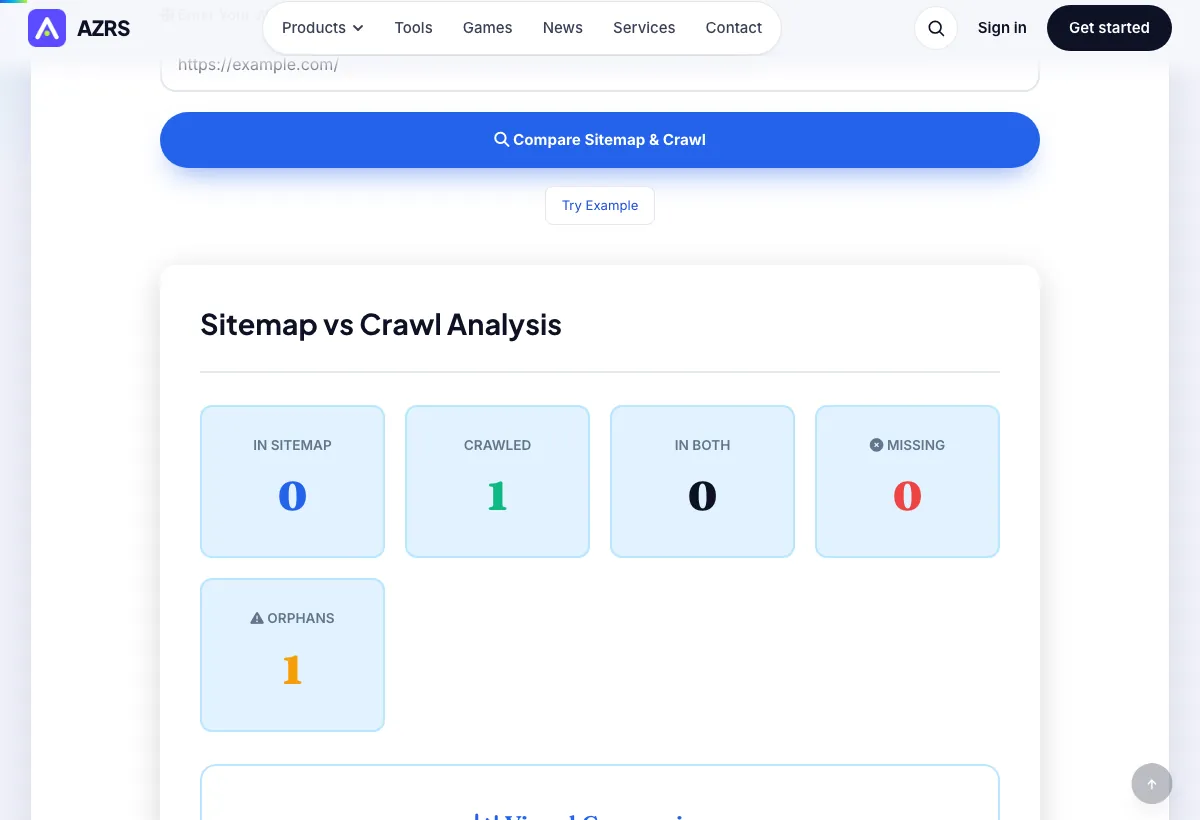
Sample input: https://example.com = https://example.com/. Pressed Compare Sitemap & Crawl.
What is the Sitemap vs Crawl Comparison?
Enter a site's URL and this tool pulls the real URLs listed in its XML sitemap, separately crawls the live site (up to 100 pages) to see what's actually discoverable by following links, then compares the two sets directly — showing you pages listed in the sitemap but never actually crawled, and pages the crawl found that are missing from the sitemap entirely.
These two gaps mean very different things: a sitemap-only URL might be indexable-but-orphaned or simply not linked internally, while a crawl-only URL is a real orphan page that search engines can find by following links but that you never told them about via the sitemap — both are worth fixing for different reasons.
3 steps to your result
Open the tool and follow along. Nothing to install.
What you get
Fetches and parses your actual XML sitemap, not a guessed URL list.
Independently crawls up to 100 live pages by following internal links.
Clearly separates pages in both sets, sitemap-only, and crawl-only (orphan pages).
Specifically surfaces pages that are crawlable but missing from your sitemap.
AZRS tools are free to open and use.
It opens in your browser, so there is nothing to download.
Used for
Pick one to see how it fits.
SEO specialists doing indexation audits
Find the specific gap between what you're telling Google to index and what's actually discoverable.
Try it freeSite owners after a CMS or migration change
Confirm the sitemap was regenerated correctly and still matches the live site structure.
Try it freeDevelopers maintaining large sites
Catch orphan pages or stale sitemap entries before they cause indexation issues.
Try it freeHow it compares
A plain look at this tool next to the usual alternative.
| This seo tool | Desktop software | |
|---|---|---|
| Install | Nothing to install | Usually an app or program to install |
| Account | No signup | Depends on the product |
| Cost | Free to use | Free or paid, depends on the product |
Questions people ask
What's the difference between sitemap URLs and crawled URLs?
Sitemap URLs are the pages you explicitly tell Google to consider via your XML sitemap; crawled URLs are pages actually discovered by following internal links, the way a real crawler would find them.
What are orphan pages?
Pages that are discoverable by crawling (someone links to them) but are missing from your sitemap — or, less commonly, pages listed in the sitemap that no internal link actually points to.
How many pages does the crawl check?
Up to 100 pages, discovered independently of the sitemap by following internal links.
How do I fix a sitemap-vs-crawl mismatch?
Add missing important pages to your sitemap, remove old or redirected URLs from it, and add internal links to any genuinely orphaned pages.
Does my sitemap need to list every single page?
It should list your canonical, indexable pages — deliberately excluding duplicates, redirects and noindexed URLs is normal and expected.
More free tools
Related to the Sitemap vs Crawl Comparison.
Try the Sitemap vs Crawl Comparison now
Enter a site's URL and this tool pulls the real URLs listed in its XML sitemap. Free to use.
Try it free