
Open the PDF Page Organizer
Free online PDF page organizer. Upload a PDF, see every page as a thumbnail, drag to reorder, rotate or delete pages, then download the rebuilt PDF.
- Free to use
- No signup
- Nothing to install
- Runs in your browser
Illustration. Open the tool for the real thing.
See it in action
Sample input: File = sample.pdf
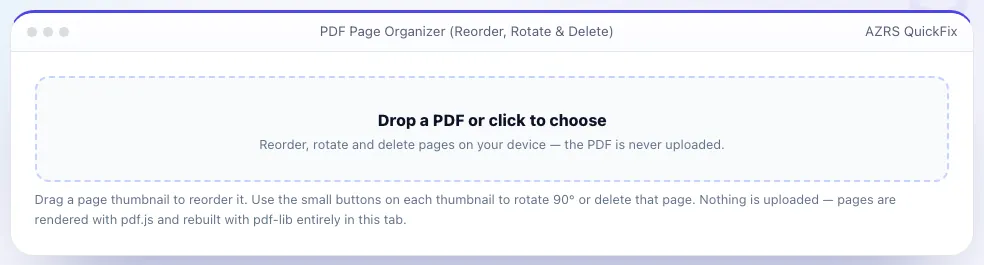
What is the PDF Page Organizer?
Most PDFs end up in the wrong order at some point — a scanned form with pages out of sequence, a report that needs its appendix moved, or a contract with a blank page to remove. This tool opens your PDF, renders every page as a thumbnail you can see at a glance, and lets you fix it with drag-and-drop instead of fighting with a heavyweight desktop editor.
Drag any thumbnail to a new position and the page order updates instantly. Click the rotate button on a page to turn it 90° at a time, or use “Rotate all” to fix a whole batch of sideways scans in one click. Click delete to remove a page — deleted pages are kept in a small undo list until you export, so a mis-click never costs you anything. When the layout looks right, Download reorganised PDF rebuilds the file with pdf-lib, preserving the original page content, fonts and images exactly, just in the new order, rotation and page set you chose.
3 steps to your result
Open the tool and follow along. Nothing to install.
What you get
See every page and rearrange them visually, no page numbers to remember.
Fix sideways-scanned pages in 90° steps.
Remove pages safely — restore them any time before you export.
pdf-lib copies the original page content exactly; nothing is re-compressed or re-rendered.
AZRS tools are free to open and use.
It opens in your browser, so there is nothing to download.
Used for
Pick one to see how it fits.
Students and researchers
Reorder chapters or move an appendix without retyping anything.
Try it freeFreelancers and small businesses
Assemble a clean PDF from a messy scan before sharing with a client.
Try it freeHow it compares
A plain look at this tool next to the usual alternative.
| This utility | Desktop software | |
|---|---|---|
| Install | Nothing to install | Usually an app or program to install |
| Account | No signup | Depends on the product |
| Cost | Free to use | Free or paid, depends on the product |
| Where it runs | In your browser tab | On your computer |
Questions people ask
Is my PDF uploaded to a server?
No. The file is read, rendered and rebuilt entirely in your browser using pdf.js and pdf-lib; it never leaves your device.
Does reordering or rotating reduce quality?
No. Pages are copied at the vector/original level by pdf-lib, so text stays sharp and file size stays close to the original.
Can I undo a deleted page?
Yes, until you export. Click “Restore deleted” to bring every removed page back.
What is the largest PDF I can organise?
It depends on your device's memory; most PDFs up to a few hundred pages work smoothly. Very large scanned files may render more slowly.
Can I rotate just one page?
Yes — each thumbnail has its own rotate button, and you can also rotate every page at once.
More free tools
Related to the PDF Page Organizer.
Try the PDF Page Organizer now
Drag to reorder, rotate or delete PDF pages, then download the rebuilt file. Free to use.
Try it free